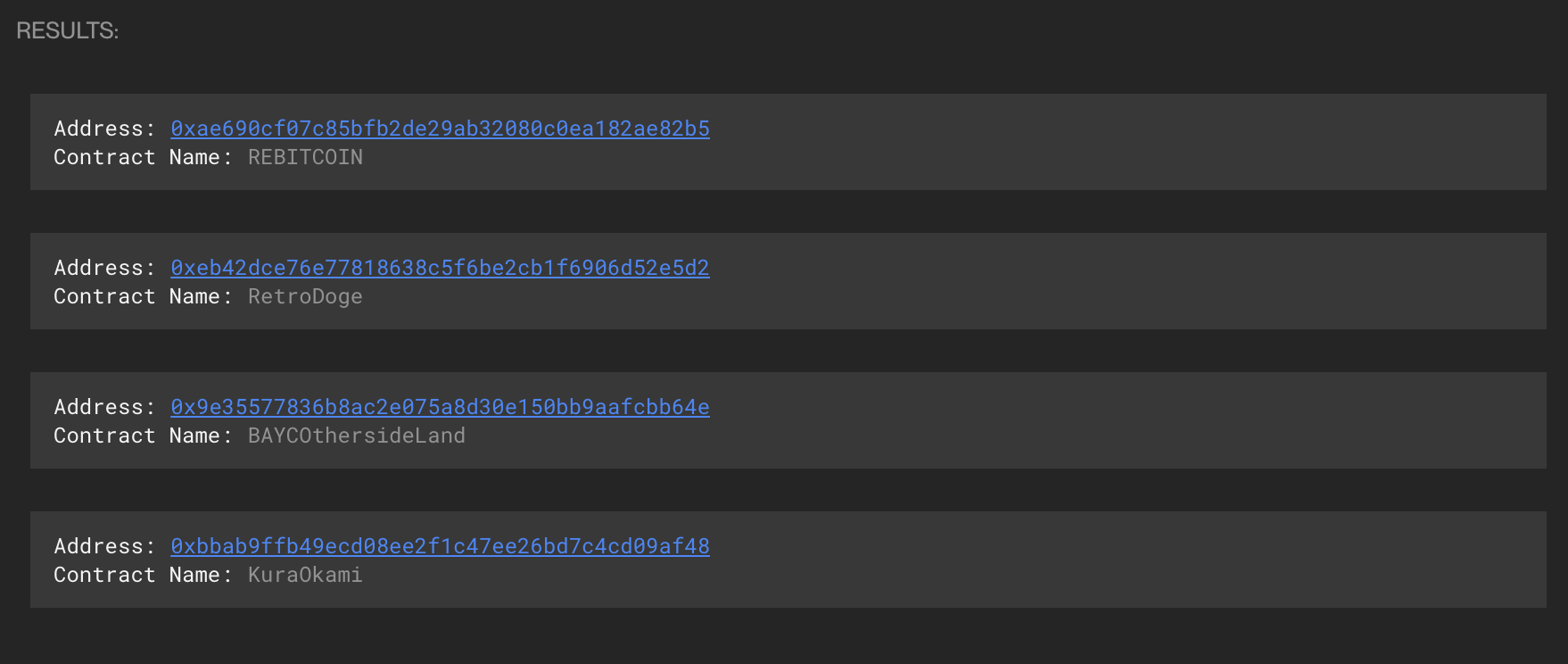
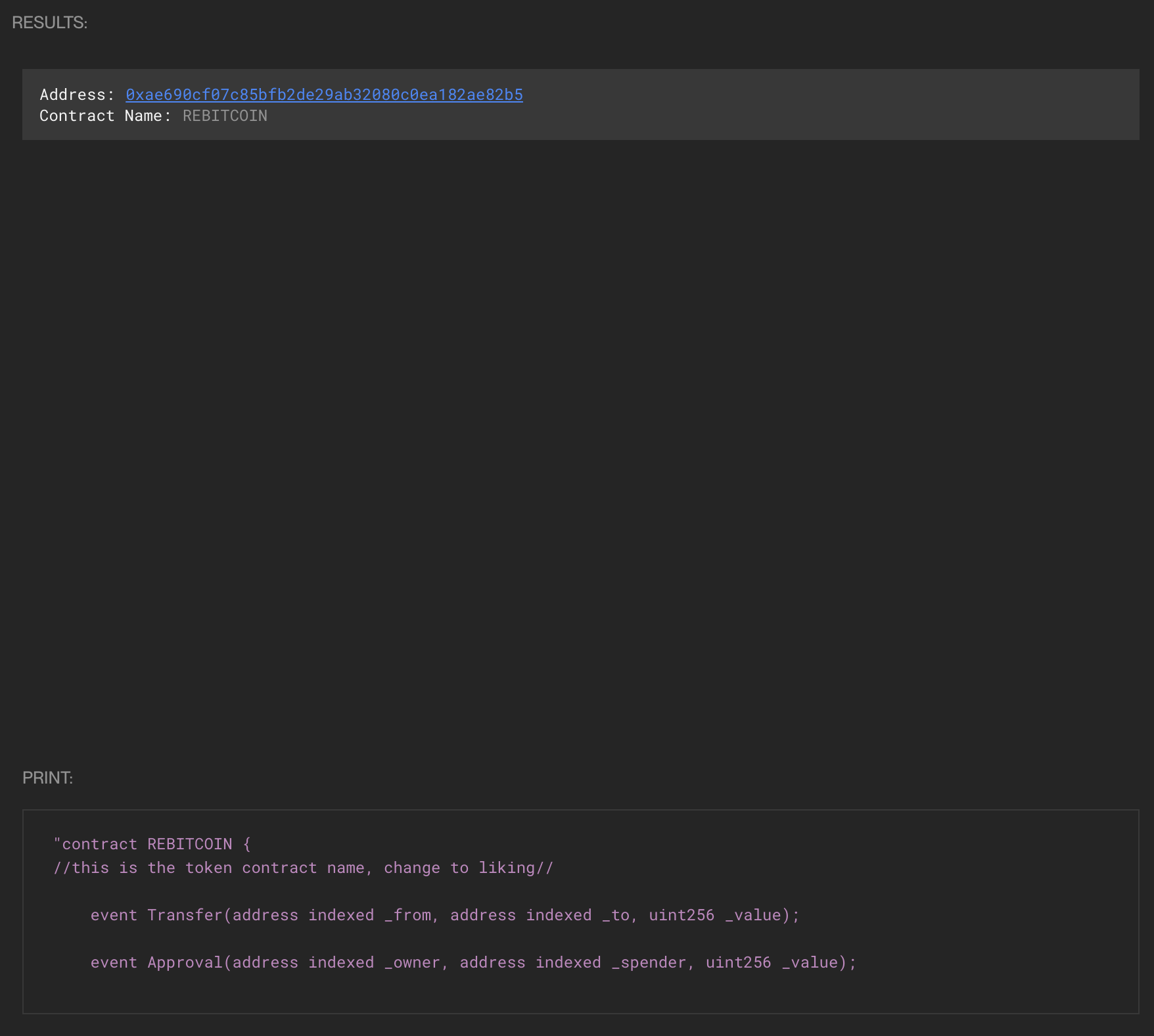
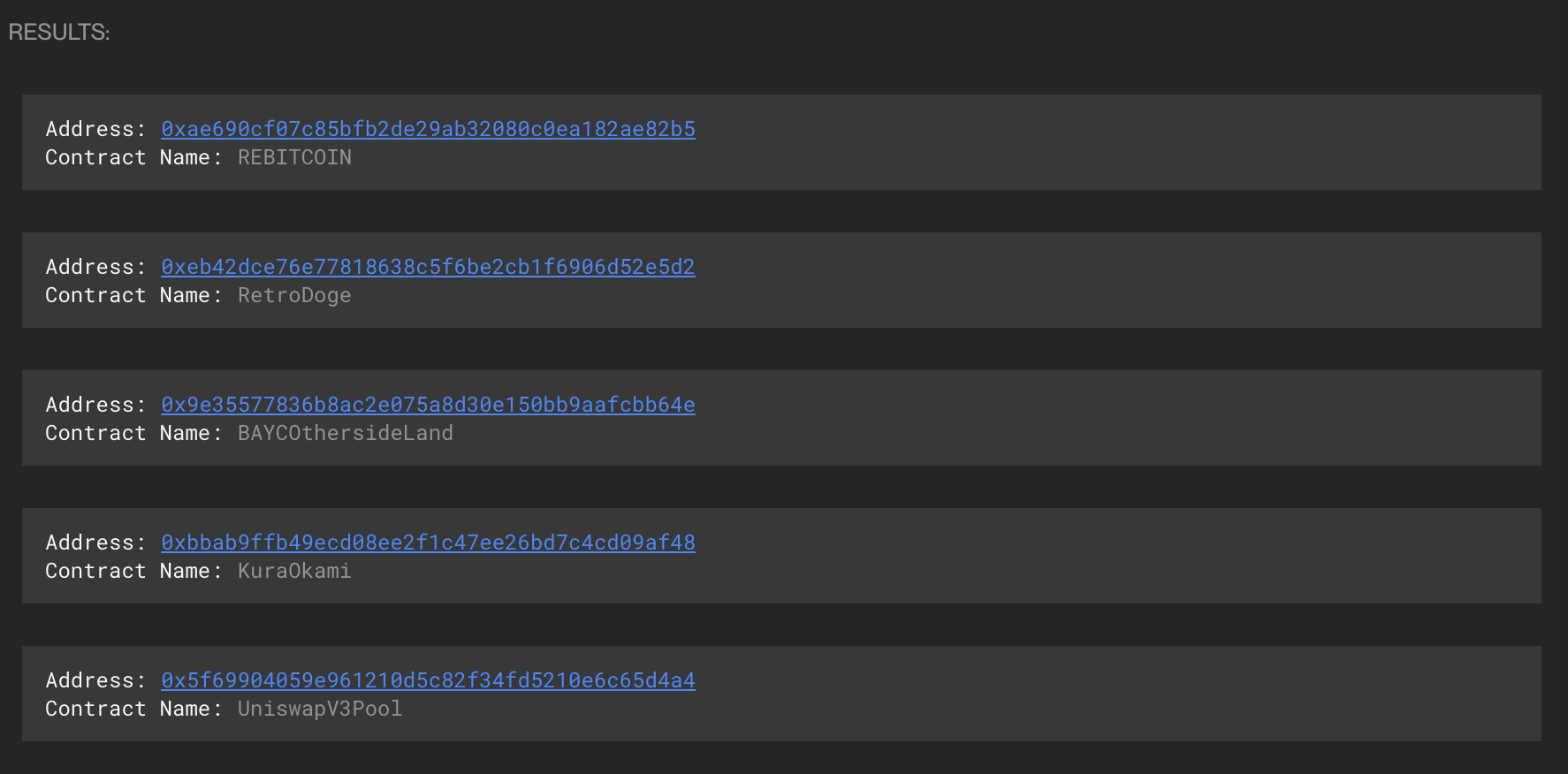
> This is part 1 of 7 of the full documentation (pages 1–100 of 694).
> The content is paginated: fetch every part to see all of it.
> Next part: https://docs.r.xyz/llms-full.txt/1
> Page index: https://docs.r.xyz/llms.txt
# Introduction
Welcome to Glider documentation.
Glider is the world's first scalable technology to tag and find logic in deployed smart contracts.
## Glider Solutions
[Glider IDE](https://docs.r.xyz/glider-ide/) is Hexen's contribution to the Web3 security researcher community.
It is purpose-built for scalable variant and data-driven analysis of smart contracts, enabling researchers to uncover logical patterns and vulnerabilities across entire blockchain ecosystems.
Glider IDE docsHow to write queries
***
[Glider API](https://docs.r.xyz/glider-api/) empowers you to analyze smart contracts on supported blockchains using our advanced labeling system. This enables you to identify contract behavior, functionality, and potential risk factors in an automatice, streamlined and effective manner.
Glider API docs
# Glider introduction
High-level introduction to the Glider query framework
[Glider](https://glide.r.xyz/) is a code query engine designed to run variant and data analysis on smart contracts by providing a framework that gives anyone the ability to query contract code as one would do with data.
The researcher writes a query describing a scenario of code they want to match and runs it against any type of codebase; specifically, now, it can be run against whole blockchains that are integrated into the system.
Example of a query:
```python
from glider import *
def query():
# iterate over all of the instructions in the blockchain
# and find the ones that call selfdestruct()
instructions = Instructions().with_callee_function_name('selfdestruct').exec(100)
return instructions
```
An example output (from Kovan testnet):
```solidity
{
"contract":"0xcFd05BebB84787EE2EfB2eA633981E44d754485d"
"contract_name":"AdminAuth"
"sol_function":
function kill() public onlyAdmin {
selfdestruct(payable(msg.sender));
}
"sol_instruction":
selfdestruct(payable(msg.sender))
}
```
This is a playbook example; in fact Glider gives the ability to describe much more complex scenarios (such as traversing CFG/DFG graphs) in smart contract code and to find the ones that match it.
The core concepts of the engine are scalability, distribution and reusability.
## Scalable
Glider gives the possibility to do variant analysis and security research on the scale of all open-source (verified) smart contracts across integrated EVM blockchains at breakneck speed. With its taint analysis and other advanced features, Glider represents a paradigm shift in code analysis.
## Distributable
Giving a unified and easy-to-use interface to code, Glider's main mission is to be a framework that can be distributed to and used by the community for greater impact on the whole industry.
One of the reasons why Glider does not introduce a new language for queries and rather uses Python syntax is to smoothen the learning curve, make it more accessible for everyone and also give more flexibility to the framework to integrate external tools.
## Reusable
The above mentioned concepts make queries reusable, and while the ability to describe scenarios is distributed, the reported queries can be reused by everyone and even be improved by other users and the community.
# Glider: The Basics
## What Is Glider
Glider is a scalable code analyzer designed to help security researchers, developers, and more scan for code patterns, bugs, and code usage in Solidity contracts deployed on an EVM chain. Users can write Glider queries, using Glider API to identify the code they are looking for.
## Types of Glider Queries
How you write a Glider query depends on your goal. While there are many ways to write a query, queries can broadly be categorized into two types: **targeting specific vulnerabilities** or **gathering broader insights**.
### 1. Specific Vulnerability Queries
These queries are designed to help security researchers identify specific vulnerabilities by minimizing the number of results. This is achieved by filtering out false positives and tailoring the query to target specific edge cases. A smaller, more precise result set allows researchers to quickly identify vulnerabilities.
### 2. Code Pattern and Statistical Queries
These queries focus on identifying broader trends, such as common code patterns or statistical insights. Here, the priority is not on individual results but on gathering a larger dataset to observe overall patterns. These queries are designed to be less focused on specific code scenarios and more on abstract code usage.
## How Glider Works
The Glider language, a subset of Python, is what powers these queries. If you understand Python, then you can begin writing Glider queries.
When a user writes a Glider query, they can submit it to the Glider engine for processing. The Glider engine executes the query against the Glider database, which contains every verified (or matching one) Solidity contract deployed on-chain. If any matching results are found, they are returned to the user.
## Purpose of Course
This course is designed to teach beginners how to write basic Glider queries. We will go over Glider basics, such as debugging and creating filters. Then, we will cover various Glider components that will help you solidify writing Glider queries: Instructions, Functions, and Contracts.
Each section will consist of exercises that let users build a query from scratch. By the end of the section, the user will have completed a query that will identify specific code patterns or vulnerabilities. If you ever feel stuck, don’t worry! We’ve included solutions for each exercise that you can reference to get back on track or to confirm your answers.
The final section includes several bonus challenges to help you further sharpen your Glider skills. We recommend exploring these challenges after completing the other sections.
## A Note on Foundational Queries
In the following sections, each section will introduce a foundational query. We refer to these queries as "foundational" as they will serve as essential building blocks for writing future Glider queries.
Mastering foundational queries will give you a strong base for creating more advanced and customized queries as you progress toward becoming a Glider expert!
# Intro to Python
## Introduction
Before we dive into Glider, this module will introduce you to several Python fundamental concepts needed to understand how to write Glider queries with ease. If you’re new to Python, this guide will help you build a solid foundation before moving forward.
This section is broken up into two pages:
• **The Basics**: Learn about different data types, variables, and functions.
• **Advanced Python**: Learn about classes, Glider API functions, and lists.
Throughout this section, we’ll explore Python through the lens of our foundational query - a query that illustrates key Python concepts and serves as a reference when writing other Glider queries.
If you’re already comfortable with Python, feel free to skip ahead to the [Getting Started - Basics](/glider-ide/glider-the-basics/intro-to-glider) section. Otherwise, let’s get started!
# Basic Python
## The Foundational Query
Glider queries are powered by Python, a high-level programming language known for its simplicity and readability. If you’re new to Python, this section will introduce you to core concepts such as variables and functions. Along the way we will show you Python is used to write Glider queries.
In the following topics below, we’ll analyze our foundational query, discovering essential Python functionalities used throughout the query. If you’re unfamiliar with Python, you can refer to this query as a guide to understanding how different aspects of the language work.
The first foundational query we will review can be found below:
```python
from glider import *
def query():
swap_functions = Functions().with_name("swap").exec(10)
swap_functions.filter(lambda function: print(function.address()))
return swap_functions
```
## Variables
In Python, variables allow you to store and manage data, such as strings, integers, and more. They act as placeholders for values that you can reference later in your code.
For example, consider the following code:
Here, we are creating a variable called `swap_functions`. The variable name is on the left side of the equals = operator, while the right side contains the data the variable stores.
In this case, the data consists of the query results for the first 10 "swap" functions.
```python
Functions().with_name("swap").exec(10)
```
### **Naming Variables**
You can name variables however you like, but it’s best to choose a name that clearly describes what the variable stores. In this case, since the variable holds queried functions, we name the variable `swap_functions` to keep the code clear and readable.
Once created, a variable can be reused throughout the query, making the code more elegant and easy to read.
### Variable Exercise
**Exercise**: Create a variable that stores the number of functions found in the `swap_functions` variable.
{% hint style="info" %}
**Hint**: You can use Python’s built-in len() function to count the number of items in a variable.
{% endhint %}
```python
from glider import *
def query():
swap_functions = Functions().with_name("swap").exec(10)
# CHALLENGE: Create a variable and assign it to len(swap_functions)
swap_functions.filter(lambda function : print(function.address()))
return swap_functions
```
💡 Click here for the solution
Stuck or want to confirm your answer? Visit the link below where you can view and run the solution inside of Glider IDE:
## Strings, Integers, and Booleans
### Strings
In Python, text is often enclosed in double quotes " " like this:
```python
"This is a string"
```
This is called a string - a data type used to store text. Strings have many uses, but in Glider queries, they play a key role in specifying how a query should be executed.
For example, when searching for functions by name, we use a string to specify the function name we want to find:
```python
Functions().with_name("swap")
```
In the code above, we have the "swap" string which tells Glider we want to find functions named "swap."
### Integers
In programming, we often work with numbers. In Python, these are called integers.
Glider queries use integers to specify how many records Glider should search for. If we look back at our foundational query, we can see an integer written in the exec() call:
```python
Functions().with_name("swap").exec(10)
```
Here, the integer 10 tells Glider to fetch 10 matching functions.
### Booleans
In Python, a boolean (bool) is a data type that represents either a True or False value. Certain Python code can return booleans. Booleans are useful for making decisions in code, such as filtering results in a Glider query.
Let’s look at some examples. In the code below, the statement returns True because both strings are identical:
```python
"onERC721Received" == "onERC721Received" # Returns True
```
If the strings were different, the expression would return False.
```python
"onERC721Received" == "receivedERCToken" # Returns False
```
{% hint style="info" %}
**Tip**: An **expression** is code that returns a value. A **value** is a piece of data that can be a string, integer, boolean, etc.
```python
"onERC721Received" == "receivedERCToken"
```
The code shown above is an expression since it returns return True or False. An expression can return more than just True or False; it can return strings, integers, etc.
{% endhint %}
## Functions
In Python, we often find ourselves writing the same code multiple times. This can make our programs long, repetitive, and difficult to understand. A great way to solve this is by using functions.
A function is a reusable block of code that helps keep our programs organized and clean. Python and Glider provide many built-in functions, but we can also create our own!
Let’s look at the following function:
```python
def contains_state_variables(contract):
return len(contract.state_variables().exec()) > 0
```
This function contains a single line of code that checks whether a contract contains any state variables.
Once we create a function, we can then run the function (aka execute the function code). With a function, our code becomes smaller and simpler to understand. To use (or call) this function, we write:
```python
creates_local_variables(function)
```
In this section, we will go over various aspects of functions, how to create them, and conclude with an challenge exercise.
{% hint style="info" %}
**Tip**: In Python, functions are sometimes called methods. While there’s a difference between the two, for this series, we’ll use "functions" to refer to both.
{% endhint %}
### Why Use Functions
When we write code, we often reuse the same logic multiple times or find ourselves grouping chunks of code together. Let’s consider the following Glider query:
```python
Functions()
.exec(1000)
.filter(lambda function : function.get_contract().name not in {"UniswapV3Pool"})
.filter(
lambda function :
len(
function
.instructions_recursive()
.filter(lambda instruction: instruction.is_if() or instruction.is_if_loop() or instruction.is_start_loop())
) > 30
)
```
Even without understanding exactly how this code works, it’s clear that a lot is happening. Can we improve the readability of this query? Yes! By using functions, we can simplify the query as follows:
```python
(
Functions()
.exec(1000)
.filter(not_uniswap_pools)
.filter(has_too_much_control_flow)
)
def not_uniswap_pools(function):
return function.get_contract().name not in ["UniswapV3Pool"]
def has_too_much_control_flow(function):
return len(
function
.instructions_recursive()
.filter(is_control_flow)
) > 30
def is_control_flow(instruction):
return instruction.is_if() or instruction.is_if_loop() or instruction.is_start_loop()
```
In this updated version, we’ve extracted parts of the query into separate functions. This makes the code more readable by clearly defining what each section of code does. Now, if we look at the main portion of the query:
```python
(
Functions()
.exec(1000)
.filter(not_uniswap_pools)
.filter(has_too_much_control_flow)
)
```
We can easily understand it at a glance. Roughly translated, it means:
> Find 1000 functions that are not part of a Uniswap pool and has too much control flow.
By creating functions, we’ve written cleaner, more readable code that is easier to maintain and understand.
### Function Name
A function name describes what the function does. Choosing a clear and meaningful name makes your code easier to read and understand.
For example, if we create a function to find contracts named IERC20, we might call the function get\_erc20\_interface\_contracts as seen below:
```python
def get_erc20_interface_contracts():
```
Each function name must be unique, and we use the name to call (run) the function later. We can identify the function name by looking at the text that comes after the def keyword:
```python
def defines_variables():
```
This function name gives us an idea of what the function does and hints at what it might return (more on that soon!).
### Returning Data from Functions
Functions don’t just execute code - they can also return data. This is useful when we want a function to perform a task and then provide a result we can use elsewhere.
{% hint style="info" %}
**Tip**: Functions are not required to return data.
{% endhint %}
In fact, every Glider query relies on return values! For example, the query() function below returns the Glider query results:
```python
def query():
swap_functions = Functions().with_name("swap").exec(10)
# Return the Glider results
return swap_functions
```
By returning values, functions become powerful tools for organizing and reusing code efficiently. This allows us to break down complex logic into smaller, more manageable pieces.
### Function Arguments
When writing functions, we often need to use data from outside the function inside of the function. This is where function arguments come in.
A function argument allows us to pass additional data into a function so it knows exactly what to do.
#### **What do function arguments look like?**
Function arguments are placed inside parentheses `()` when defining a function. For example, the function below accepts a single argument named `contract`:
```python
def contains_state_variables(contract):
return len(contract.state_variables().exec()) > 0
```
Inside the function, we can use the function argument just like any other variable.
Functions can also accept multiple arguments like so:
```python
def contains_state_variables(contract, state_variables_count):
return len(contract.state_variables().exec()) > state_variables_count
```
In this example, we introduced a second argument, `state_variables_count`, which we then use to gauge how many state variables the contract has.
Using function arguments makes our functions more flexible and reusable, allowing us to work with different data each time we call the function.
### How to Create Functions
Now that we’ve covered the basics of functions, let’s learn how to create one. In Python, we use specific keywords and syntax to define a function.
Here’s a simple function template:
```python
def name_of_function(argument_1, argument_2):
# ADD CODE HERE
```
#### **Breaking it Down**
In the function above we:
* Defined a function using the `def` keyword.
* Named the function `name_of_function`.
* Added two arguments inside the parentheses `(argument_1, argument_2)`.
* Add code inside of the function. Be sure to indent the code inside the function, otherwise the code won't execute.
This template can be used whenever you want to create a function. Now, let’s explore how to call and use our functions!
### Calling Functions
Once we define a function, we need to call it to execute its code.
To call a function, simply write the function name followed by parentheses `()`:
```python
if_instructions()
```
This calls a function named **if\_instructions**.
#### **Calling Functions with Arguments**
If a function requires arguments, we need to add the arguments inside the parentheses.
For example, the with\_name() function accepts a single argument:
```python
with_name("swap")
```
Here, we pass the string "swap" into the with\_name() function. This tells with\_name() we want to find functions named swap.
Calling functions allows us to run reusable code and pass in custom values when needed.
### Chaining Function Calls
A useful feature in Python is chaining function calls, which allows us to call multiple functions back to back. But what does this actually do, and why use it?
#### **How It Works**
When we chain function calls, each function returns data that the next function uses. This makes our code more concise and readable.
For example, consider this Glider query:
```python
Functions().with_name("swap").exec(10)
```
#### **Breaking It Down**
Let's now break down the code snippet into sections:
* `Functions()` → Creates a Functions class instance. **Note**: We'll discuss class instances more in the [Advanced Python section](/glider-ide/glider-the-basics/intro-to-python/advanced-python#how-to-create-a-class-instance).
* `.with_name("swap")` → Calls the with\_name() function on the Functions object to query for functions named "swap", returning a Functions object.
* `.exec(10)` → Calls the exec() function on the Functions object to execute the query and return 10 results.
By chaining these function calls together, we can apply multiple operations in a single statement. This makes the code cleaner, more readable, and more efficient.
{% hint style="info" %}
You can wrap chained function calls in parentheses `()` to make the code easier to read:
```python
(
Functions()
.with_name("swap")
.exec(10)
)
```
{% endhint %}
### Using print() in Glider queries for debugging
One of the most useful functions in Glider queries is print(). It can take any number or type of arguments. When called, print() prints the arguments to the Output Panel in the Glider IDE.
For example running the following code below:
print("Check out this cool info!")
Will display in following content in the Glider IDE Output panel:
```
Check out this cool info!
```
Printing Output to the Glider IDE
#### **Why Use print()?**
The print() function is great for:
* View what a variable stores.
* Check if a section is executed (if it's printed, you know the code is executed)
## Printing Function Properties Exercise
**Challenge**: Modify the query below by adding the print() function to display the function properties of the `swap_function` variable in the Glider IDE output panel.
{% hint style="info" %}
**Hint**: To determine the function properties, we can call:
```python
function.properties()
```
{% endhint %}
```python
from glider import *
def query():
swap_functions = Functions().with_name("swap").exec(10)
swap_function = swap_functions[0]
# CHALLENGE: Print the swap_function properties below
return swap_functions
```
💡 Click here for the solution
Stuck or want to confirm your answer? Visit the link below where you can view and run the solution inside of Glider IDE:
## Conclusion
Great job! 🎉
You’ve now learned some of the fundamental building blocks of Python, including:
* **Variables** - How to store and reuse data.
* S**trings, Integers, and Booleans** - The different types of data you can work with.
* **Functions** - How to create reusable blocks of code and run functions.
* **Chaining function calls** - How to streamline your Glider queries by calling multiple functions back-to-back.
* **The print() function** - A useful function for debugging and checking values inside your queries.
### **What’s Next?**
In the [next section](/glider-ide/glider-the-basics/intro-to-python/advanced-python), we’ll dive into more complex concepts including:
* **Classes** - Understanding how to create class instances.
* **Glider API Functions** - Exploring built-in functions provided by Glider.
* **Lists** - Understanding and efficiently managing Glider query results.
Keep going as you’re on your way to mastering Python for Glider queries!
# Advanced Python
## Classes
### What is a Class
In Python, a class is a way to group related code together, making it easier to work with complex data. While we won’t be creating our own classes in this tutorial, we do need to understand how to use them.
Many built-in features in Glider queries rely on classes. To use Glider classes, we:
* Create an instance of the class.
* Call methods (aka functions) on that instance to perform actions.
{% hint style="info" %}
**Note**: Although methods and functions have minor differences in Python, for the purposes of this series, we will use the terms interchangeably.
{% endhint %}
### How to Create a Class Instance
A class instance is a representation of a class that allows us to access its methods.
To create a class instance, use the class name followed by parentheses `()`:
```python
Functions()
```
### How to Call a Class Instance Method
To call a class method, we call the method after creating the class instance.
For example, the code below calls the Functions class' with\_name() function:
```python
Functions().with_name("swap")
```
This allows us to interact with Glider API class functions.
### Class Exercise
**Challenge**: Identify every class instance created in the following code:
```python
def query():
Functions().with_name("swap").exec(10)
Instructions().delegate_calls().exec(10)
Contracts().with_struct_name("Order").exec(1337)
```
💡 Click here for the solution
The following class instances are created in the query above:
* Functions
* Instructions
* Contracts
## Glider API Methods
When writing a Glider query, Glider provides additional classes and class methods that are built-in and ready for use. These class methods power a Glider query and are essential for querying Solidity code.
If we refer back to our foundational query, we see the following code:
```python
Functions().with_name("swap").exec(10)
```
In this example, we are calling two Glider API functions:
* **with\_name("swap")** → A predefined method that queries for functions named "swap".
* **exec(10)** → A predefined method that executes the query and returns 10 results.
These built-in methods make it easier to write powerful and easy-to-understand Glider queries.
{% hint style="info" %}
The [Glider API documentation](https://glide.gitbook.io/main/glider-ide/api) is a valuable resource for understanding and utilizing Glider’s API methods. It offers detailed explanations, practical code examples, and a complete reference to the available classes and their methods, making it easier to integrate and work with the API effectively.
{% endhint %}
## Lists
In Python, lists allow us to store multiple values within a single variable. They are a fundamental data structure used frequently in Python and in Glider.
#### **What Do Lists Look Like?**
A list is defined using square brackets \[] and can contain multiple elements, such as strings, numbers, or objects. Here’s an example of a list containing three strings:
```python
["swap", "swapEth", "swapToken"]
```
As mentioned earlier, lists are not limited to storing strings. In Glider, lists are commonly used to store query results. For instance, if we run the following code:
```python
Functions().with_name("swap").exec(10)
```
Glider will return a list of function objects that match the query:
```python
[
,
,
,
]
```
Each object in this list represents a Solidity function Glider found based on the search criteria. Lists like this make it easy to iterate over and process multiple query results efficiently.
{% hint style="info" %}
**Fact**: Although not covered in this tutorial series, there is another data type called sets, which is similar to lists. For the purposes of this series, we will use the terms interchangeably.
{% endhint %}
### Filtering Lists
One of the most common operations when working with lists is filtering, which helps remove unwanted items. This is especially useful for refining Glider query results by eliminating irrelevant data.
#### **Filtering with filter()**
The recommended way to filter items from a list is by using Glider's built-in filter() function. This function applies a filtering criterion to each item in the list and retains only those that meet the specified criteria.
Take a look at the example below, where we use filter() to filter out functions that aren't part of a specific address:
```python
functions.filter(only_uniswap_router)
def only_uniswap_router(function):
return function.address() == "0x5C69bEe701ef814a2B6a3EDD4B1652CB9cc5aA6f"
```
Before diving into the criteria inside filter(), let’s quickly go over how filter works internally:
1. filter() iterates through each item in the list.
2. filter() applies the only\_swap\_functions to each item.
3. If the only\_swap\_functions returns True, the item remains in the filtered list.
4. If the only\_swap\_functions returns False, the item is removed.
5. A new list is returned, containing only the filtered items.
### The Filter argument
The next big question is: What goes inside the filter() parentheses?
In our example, we pass the only\_uniswap\_router function name into filter():
```python
functions.filter(only_uniswap_router)
```
This tells Glider to call only\_uniswap\_router on each item found. Note that we don't need to add the parenthesis after only\_uniswap\_router.
**What Does Passing only\_swap\_functions Do?**
By passing only\_uniswap\_router into filter(), we are instructing filter() to apply the only\_uniswap\_router function to each item in the list.
* If only\_uniswap\_router returns True, the item stays in the list.
* If only\_uniswap\_router returns False, the item is removed from the list.
This allows filter() to iterate through all items in the list, keeping those that meet the condition and discarding those that don’t.
### Refactoring Our Code
We can simplify the code by using a lambda function. With a lambda function, we can write the filter logic criteria like so:
```python
functions.filter(lambda function : function.address() == "0xd8dA6BF26964aF9D7eEd9e03E53415D37aA96045")
```
#### **Why Use a Lambda Function?**
* **More concise** - No need to define a separate function.
* **Quick one-liners** - Ideal for simple conditions.
* **Easier to read -** Filter logic is clear and compact.
#### **When to Use a Regular Function Instead?**
While lambda functions are great for short, simple filters, using a function is better when dealing with complex filtering logic that requires multiple conditions or other complex code.
## **Filtering Out Functions Exercise**
Now that we understand how filter() works, let’s apply it to an example where we want to filter out functions that lack if instructions.
```python
from glider import *
def query():
swap_functions = Functions().with_name("swap").exec(10)
return swap_functions
```
In the query above, we retrieve functions named “swap”. However, we want to remove functions from the functions list that do not contain if instructions.
To achieve this, we can use filter() to keep only functions that contain if instructions.
{% hint style="info" %}
**Hint**: To see if a function contains any if instructions, we can use the following code:
```
len(function.if_instructions().exec())
```
{% endhint %}
**Challenge**: Write a filter that will filter out functions that don't have if instructions.
💡 Click here for the solution
Stuck or want to confirm your answer? Visit the link below where you can view and run the solution inside of Glider IDE:
## Conclusion
Congratulations! 🎉
Throughout this Python section, we’ve explored various Python features that will directly support your work in Glider. We started with the basics, such as creating variables and functions, and progressed to more advanced topics, like working with classes and filtering lists.
These concepts are essential for writing effective Glider queries. As we move into other sections, we’ll continue to refer back to the foundational query as a reference for building more complex Glider queries.
Now that we understand Glide queries from a Python-perspective, we will now focus on queries from a Glider-perspective.
Let’s jump into the [Intro to Glider section ](/glider-ide/glider-the-basics/intro-to-glider)to get started!
# Intro to Glider
## **Prerequisites Before Getting Started**
Before getting started, make sure to [sign up](https://account.r.xyz/auth/signup) to access the [Glider IDE page](https://glide.r.xyz/), where you’ll be running your queries.
Glider IDE page
## The Foundational Query
In our [previous section](/glider-ide/glider-the-basics/intro-to-python/basic-python), we looked at a Glider query that looked for swap functions. In this section, we will take that same query and inspect it from a Glider-perspective.
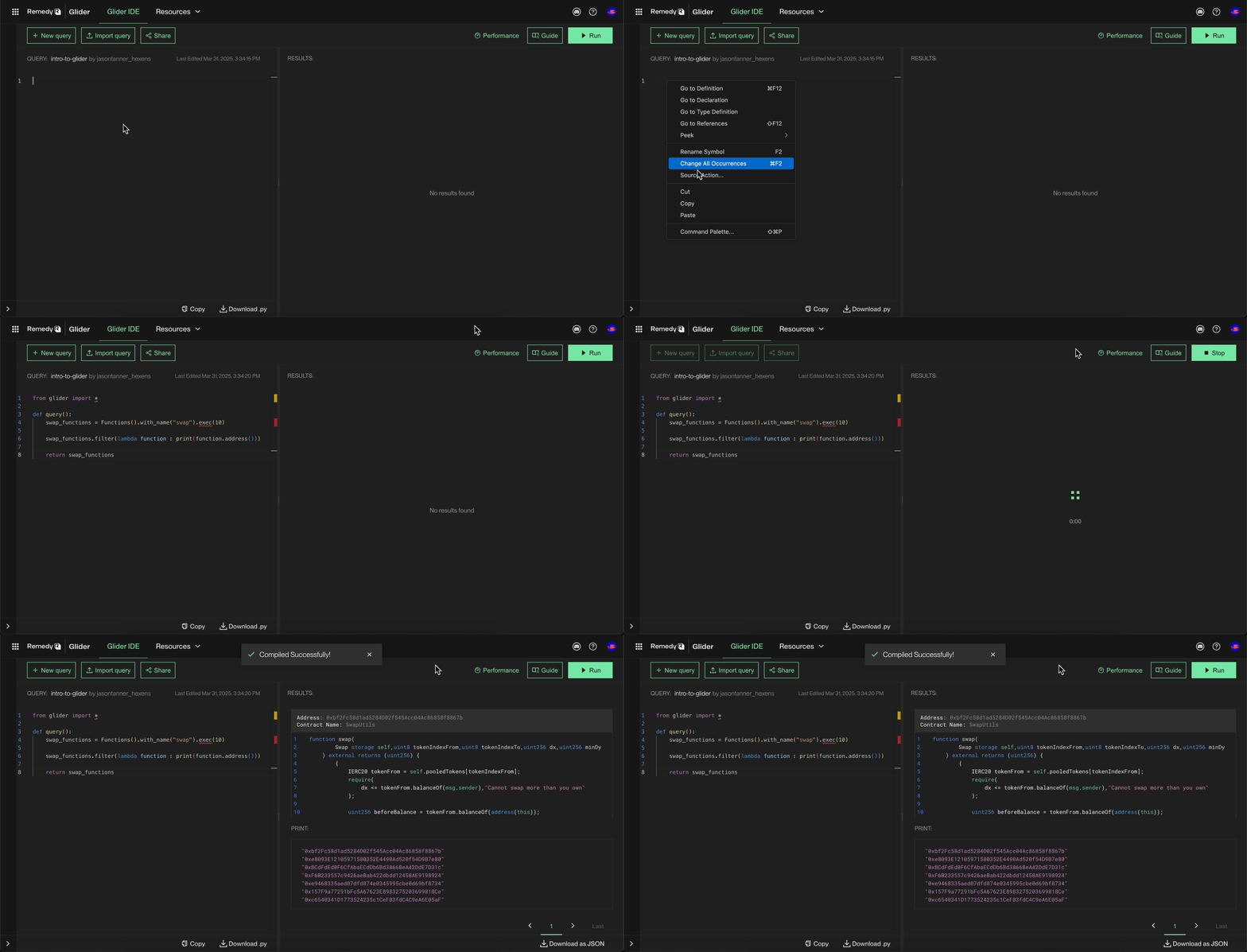
To begin, visit the [Glider IDE page](https://glide.r.xyz/), paste the query below into the IDE, and click the "Run" button.
```python
from glider import *
def query():
swap_functions = Functions().with_name("swap").exec(10)
swap_functions.filter(lambda function : print(function.address()))
return swap_functions
```
Running a Glider Query
Once the query runs, the Glider query results will appear in the Output panel on the right. These results represent Solidity functions named swap. Each result includes the contract’s address and the corresponding code snippet.
Viewing Glider Results
## Breaking Down The Foundational Query
In this topic, we will go line by line through each code snippet in our foundational query above and describe what's happening.
#### **Step 1: Create a Query Function**
Every Glider query requires a query() function to be defined like so:
```python
def query():
# Add query logic here
```
The query() function is executed by Glider’s backend engine and represents the core logic of your query, containing all the necessary information for Glider to search for Solidity code patterns.
Within this function, you’ll define what to search for, apply any filters, and return the results. Every query must return a list, which will then be displayed in the Output panel of the Glider IDE.
#### **Step 2: Creating Functions class instance**
In order to find functions named swap, we must first create a functions class instance like below:
```python
Functions() # Create a Functions class instance
```
The Functions class is provided by the Glider API library.
#### **Step 3: Filtering by Function Name**
```python
Functions().with_name("swap")
```
Next, we call the .with\_name("swap") method. This tells Glider to specifically look for Solidity functions named swap.
#### **Step 4: Executing the Query**
```python
Functions().with_name("swap").exec(10)
```
Finally, we call .exec(10), which executes the query and retrieves the first 10 results that match our criteria.
As mentioned in the [Intro to Python section](https://glide.gitbook.io/main/glider-ide/glider-the-basics/intro-to-python/basic-python#integers), .exec() returns a list of results. In this case, the list will contain the swap functions found by Glider.
#### **Step 5: Storing the Results**
Since .exec(10) returns a list, we can save the list it to a variable for further processing:
```python
swap_functions = Functions().with_name("swap").exec(10)
```
Now, swap\_functions holds a list of the swap functions Glider found, allowing us to reuse and refine this data in future queries.
Now that we found our swap function, let’s continue by exploring how we can iterate through these reulsts and extract additional details!
## Iterating Through The Results
In the next code snippet from the query, we call the filter() function.
```python
swap_functions.filter(lambda function : print(function.address()))
```
As mentioned in the [Advanced Python section](https://glide.gitbook.io/main/glider-ide/glider-the-basics/intro-to-python/advanced-python#filtering-lists), the filter() function is used to filter out items in the list we don't want. That said, there is another nifty trick we can use with filter() that doesn't deal with filtering at all!
Let's say we want to get more info on each item in the swap\_functions variable. One way we can do this is call filter(). Since filter() iterates through the list, we have the ability to access each item in the list. In our case, we can use print() in combination with filter() to get more info on each item.
To accomplish this, we call filter() on the swap\_functions variable and pass in a lambda function. This lambda function includes print() and call to get a [function’s address](https://glide.gitbook.io/main/glider-ide/api/callable/callable.address):
```python
print(function.address())
```
Since we aren’t assigning the filter() results to a variable, it doesn’t matter whether print() returns True or False. Additionally, we don’t care if any items are filtered out, as we’re not using the filtered results—we’re simply calling filter() on swap\_functions.
This is a great way to iterate through a list and debug each item.
## Returning Our Results
In the final line of our query, we return the swap\_functions variable using:
```python
return swap_functions
```
#### **Why is this necessary?**
Every Glider query must include a query() function, and the query() function must return a list. The returned list is what gets displayed in the Output panel of the Glider IDE.
In our case, the swap\_functions variable contains every swap function found. By returning the swap\_functions variable, we ensure that our query results are displayed in the Output panel.
After running the query in the Glider IDE, we should see a list of matching functions printed in the Output panel.
Running a Query and Reviewing the Results
## Conclusion
With this query, we can efficiently identify functions named swap and extract additional details by iterating through the results.
Of course, this is just the beginning! As we progress through this series, we’ll explore more Glider query features, learning how to expand this query to search for different Solidity components and apply more advanced filtering criteria to refine results.
Finally, keep experimenting with the foundational queries we provide. Hands-on experimentation is one of the best ways to gain deeper insights into Glider and master its full potential!
# Instructions
## Introduction
In this section, we will explore Instructions, one of the most fundamental components of Solidity code. At its simplest level, an instruction represents a single line of code.
Understanding how to query for instructions is essential for building a strong foundation in writing Glider queries. Mastering this concept will enable you to perform security analysis, code auditing, and code exploration with Glider.
## **Section Breakdown**
This section is divided into two pages:
* **Learning Instructions**
* **What Are Instructions?** - Understand the basics of Solidity instructions.
* **Breaking Down an Instructions Query** - Analyze a practical example of an Instruction-focused query.
* **Reviewing the Query Results** - Review and interpret the query results.
* **Exercises** - Apply what you’ve learned through hands-on exercises.
Let’s get started!
# Learning Instructions
## What are Instructions
Instructions can be thought of as individual lines of code within a function. They can include anything from an if statement or a function call to a return statement.
Instructions are the building blocks of Solidity contracts and represent the operations that the EVM (Ethereum Virtual Machine) will execute. This is why we refer to them as instructions.
## Finding Instructions
Let's start by running a simple query to find some instructions:
```python
from glider import *
def query():
return Instructions().exec(3)
```
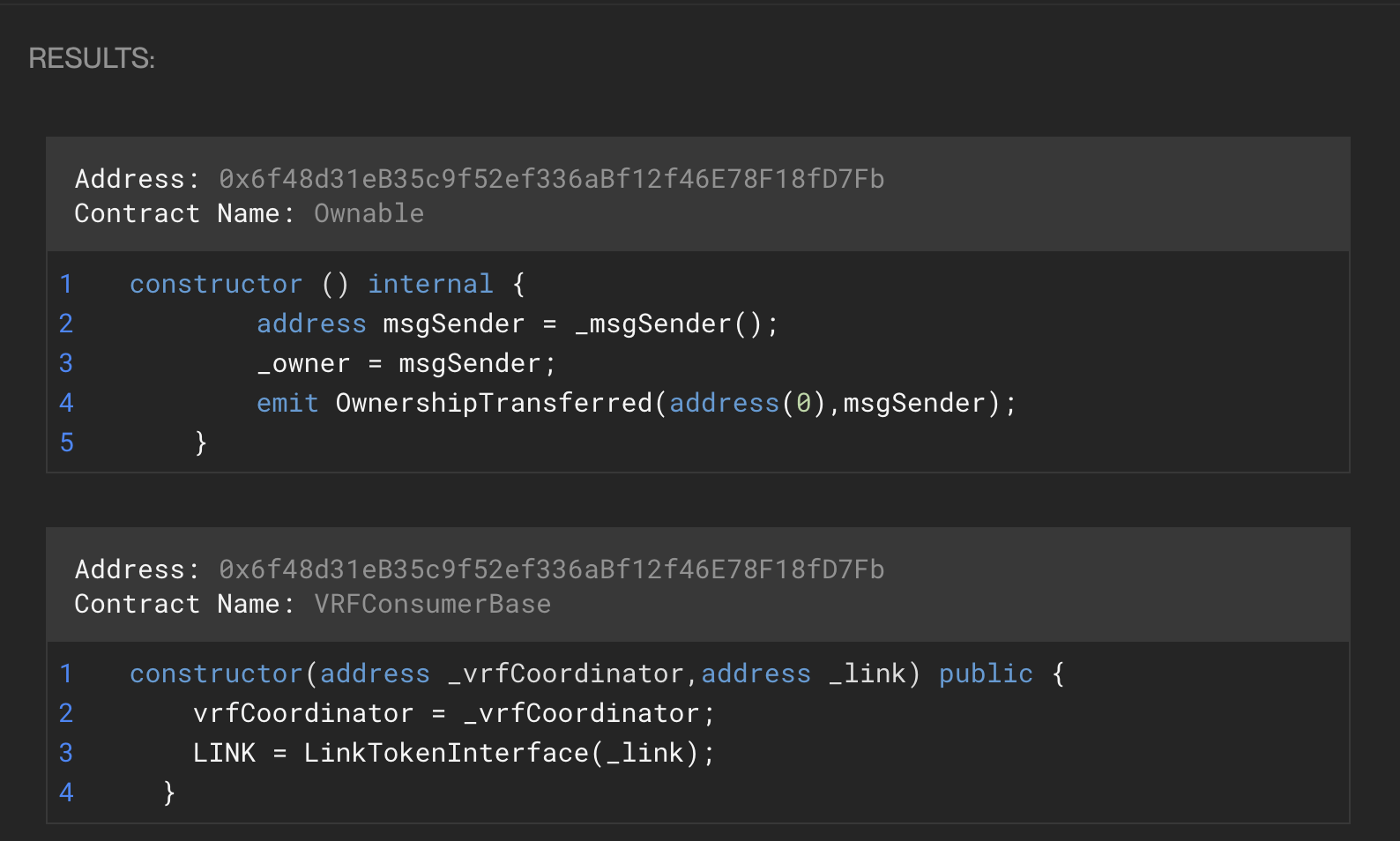
After running this query in the Glider IDE. You should find 3 instructions returned in the Output panel.
Glider IDE instruction output results
## Foundational Instructions Query
Now that we understand what instructions are, let's walk through our second foundational query in this series, a Glider query designed to look for Solidity instructions that call Solidity's famous transferFrom function. Before we break down the query, let's identify the query goal.
### **Query Goal**
1. Find Solidity instructions that call the transferFrom() function - an ERC-20 function used to transfer tokens from one address to another.
2. Extract and inspect the arguments passed to each transferFrom() call.
The query can be found below:
```python
from glider import *
def query():
instructions = (
Instructions()
.with_callee_name("transferFrom")
.exec(3)
)
instructions.filter(lambda instruction : print(instruction.get_value().get_args().expression))
return instructions
```
## Breaking The Query Down
### Step 1 - Finding Instructions
In the first part of our query, we create an instance of the Instructions class:
```python
Instructions()
```
By initializing this class, we gain access to a variety of Instruction API methods provided by Glider. These methods allow us to further filter and query instructions programmatically.
{% hint style="info" %}
For a full list of available Instructions methods, refer to the [Glider API documentation](https://glide.gitbook.io/main/glider-ide/api/instructions).
{% endhint %}
Next, we use the .with\_callee\_name() method, which allows us to locate instructions that contain function calls to transferFrom.
This method requires a single argument - the name of the function we want to search for. In our case, we pass "transferFrom" as a string:
.with_callee_name("transferFrom")
### Step 2 - Execute query
Now that we’ve defined a query to search for instructions that call transferFrom, we need to execute it. To do this, we call the .exec() method, which instructs Glider to run the query and return 3 results:
```python
.exec(3)
```
#### **Understanding exec()**
The .exec() method accepts two optional arguments:
* **Limit** – Specifies how many results Glider should return.
* **Offset (optional)** – Defines where Glider should start the search (useful for pagination).
In our case, we pass in 3 which tells Glider to return the first 3 results. The offset argument is optional so for now we ignore it.
{% hint style="info" %}
exec() returns a special type of list called [APIList](/glider-ide/api/iterables/apilist). For now, we won’t focus on the differences between a Python List and APIList, as they won’t impact our use case in this series.
{% endhint %}
### Step 3 - Printing function call arguments
Now that we have our query results, we can extract additional info from our instructions. In this case, we want to analyze the arguments passed into the transferFrom function calls.
There are multiple ways to achieve this, but for this query, we use the [.filter() method](https://glide.gitbook.io/main/glider-ide/api/iterables/apilist#the-filter-function) provided by Glider.
#### **Using filter() to iterate through results**
We’ve previously discussed using filter to [iterate through results](https://glide.gitbook.io/main/glider-ide/glider-the-basics/intro-to-glider#iterating-through-the-results) in an earlier section. Here, we’ll use filter again to iterate through our results.
The .filter() method accepts either a named function or a lambda function. In our query, we pass a lambda function to filter():
```python
lambda instruction : print(instruction.get_value().get_args().expression)
```
#### **Breaking Down the Lambda Function**
Inside the lambda function, we have the following code:
```python
print(instruction.get_value().get_args().expression)
```
Let’s break it down by ignoring print() for a moment and focusing on:
```python
instruction.get_value().get_args().expression
```
This expression retrieves the arguments passed to the transferFrom function from each instruction.
{% hint style="info" %}
**Tip**: An expression is a piece of code that returns a value when executed. Expressions can be written in many ways and can return different types of values. In our case, we are specifically interested in expressions that return True or False.
{% endhint %}
#### **What's exactly happening here?**
In our query, the instruction variable represents a single instruction from the instructions list. Using the instruction variable, we can apply a [method chain call](mailto:undefined) to execute a series of methods in sequence.
To extract the arguments passed into the transferFrom function, we call the following methods in sequence:
* **get\_value()** - Every instruction contains a value, which represents what the instruction is doing. There are different types of values. Since we are analyzing function calls, this method returns a value representing the transferFrom function call. We call a Call value.
* **get\_args()** - This method is called on the Call value returned by .get\_value(). get\_args() retrieves the list of arguments passed to the transferFrom function.
* **expression** - This final call converts each argument into its source code representation, allowing us to see how the argument appears in Solidity.
{% hint style="info" %}
**expression** is not a method, it’s a property. While the distinction between methods and properties goes beyond the scope of this series, it’s important to note that because **expression** is a property, we do not need to use parentheses () when calling it.
For example, instead of writing:
```python
instruction.get_value().get_args().expression()
```
We call it by:
```python
instruction.get_value().get_args().expression
```
This allows us to retrieve the source code representation of the argument directly.
{% endhint %}
#### **End Result**
When we check the final output, we see that the query returns an array representing the arguments passed into each transferFrom function call:
```python
"['_from', 'this', '_value']"
```
#### **Printing Output in the Glider IDE**
Glider IDE provides a useful Debug panel where we can print out query results for inspection. To take advantage of this feature, we use the standard print() function, which allows us to output any number of arguments directly to the Debug panel.
Since our query retrieves a list of function arguments, we can print them as follows:
```python
print(instruction.get_value().get_args().expression)
```
### **Step 4 - Returning the Results**
In the final step, we return the query results so they can be displayed in the Glider IDE Output panel.
Since the query() function is expected to return a list, we ensure it returns our filtered instructions query results (represented as a list):
```python
return instructions
```
## Query Results
Now that we’ve reviewed the query, let’s run it in the Glider IDE.
### **Running the Query**
Paste the following query into the Glider IDE, click "Run", and wait for the results:
```python
from glider import *
def query():
instructions = (
Instructions()
.with_callee_name("transferFrom")
.exec(3)
)
instructions.filter(lambda instruction : print(instruction.get_value().get_args().expression))
return instructions
```
### **Interpreting the Results**
Once the query completes, Glider returns a series of instructions, each containing:
* The instruction source code
* The contract address for every instruction
* A printed list of transferFrom arguments from the results
Each instruction represents a call to the transferFrom function, and we can now view, in a structured and programmatic way, every argument that was passed into these function calls.
This demonstrates how Glider can efficiently and elegantly analyze function arguments within Solidity smart contracts.
# Exercises
## Intro
In this section, we will present several exercises that will fortify your Instructions query skills. Each exercise provided comes along with a solution if you get stuck.
## **Exercise #1 - Find external calls**
Now, let’s update this query to find instructions that make external calls to other contracts. To achieve this, we can reference the [Instructions() section](https://glide.gitbook.io/main/glider-ide/api/instructions) of the Glider API documentation to identify the function that queries for external calls.
**Challenge**: Update the following query such that it queries for external call instructions:
```python
from glider import *
def query():
# CHALLENGE: Update this query such that it looks for external call instructions.
return Instructions().exec(10)
```
💡 Click here for the solution
Stuck or want to confirm your answer? Visit the link below where you can view and run the solution inside of Glider IDE:
## **Exercise #2 - Find the Instructions that Follow External Calls**
Now that we’ve identified external call instructions, let’s take it a step further and find the instructions executed immediately after those external calls.
Instructions following an external call instruction are highlighted in blue
To achieve this, we need to iterate over each instruction and check how many next instructions exist. If 1 or more instructions do exist, then we have a positive hit.
{% hint style="info" %}
Refer to this [Glider method](https://glide.gitbook.io/main/glider-ide/api/instruction/instruction.next_instructions) to learn how to retrieve an instruction’s next instructions.
{% endhint %}
**Challenge**: Update the query below to only return external call instructions that are followed by other instructions.
**Extra Challenge:** Use the filter() function to exclude instructions that don’t have any next instructions.
```python
from glider import *
def query():
return (
Instructions()
.external_calls()
.exec(10)
# CHALLENGE: Add your solution here.
)
```
💡 Click here for the solution
Stuck or want to confirm your answer? Visit the link below where you can view and run the solution inside of Glider IDE:
## **Exercise #3 - Return instructions that Write to Storage**
Now that we’ve identified cases where additional instructions are executed after an external call, let’s take it further by examining these instructions to see if any of them write to the contract’s storage (i.e., update a state variable).
To check if an instruction is writing to contract storage, Glider provides a [dedicated method named is\_storage\_write()](https://glide.gitbook.io/main/glider-ide/api/instruction/instruction.is_storage_write) we can use. This function allows us to determine whether a given instruction performs a write operation on the contract’s state.
**Challenge**: Use the `is_storage_write()` method to filter instructions and return only external call instructions that are followed by instructions that update the contract’s storage.
{% hint style="info" %}
Python provides a built-in function called any(). It takes a list, set, or array and returns True if at least one value in the data structure evaluates to True.
{% endhint %}
{% hint style="info" %}
With Glider, you can call a method on a list of items, and that method will automatically be applied to each item in the list. This makes it easy to perform operations on multiple items at once. For example, the following code will return an array of function names:
```python
func_names = Functions().exec(4).name
print(func_names)
```
{% endhint %}
💡 Click here for the solution
Stuck or want to confirm your answer? Visit the link below where you can view and run the solution inside of Glider IDE:
## **Exercise #4 - External Calls invoking abi.encode**
So far, our query identifies external calls and checks if any of the following instructions write to storage.
In this final exercise, we want to take it a step further by identifying external call instructions that also invoke **abi.encode**. To achieve this, you’ll need to add an additional filter to your query that checks for cases where the external call instruction includes a call to **abi.encode**.
{% hint style="info" %}
To retrieve all the calls made within an instruction, use the [callee\_names()](https://glide.gitbook.io/main/glider-ide/api/instruction/instruction.callee_names) function.
{% endhint %}
💡 Click here for the solution
Stuck or want to confirm your answer? Visit the link below where you can view and run the solution inside of Glider IDE:
## Bonus Challenge
{% hint style="info" %}
Although we have not discussed what an instruction is yet, think of it as a line of code in a function.
{% endhint %}
We have a query that finds Solidity instructions:
```python
from glider import *
def query():
return (
Instructions()
.exec(10)
)
```
We want to update this query to find delegatecall instructions.
**Challenge**: Identify the Glider function that, when called on `Instructions()`, will return only delegatecall instructions.
💡 Click here for the solution
Stuck or want to confirm your answer? Visit the link below where you can view and run the solution inside of Glider IDE:
# Functions
## Introduction
In this section, we will explore Functions in Solidity. Functions contain groups of related code and operate similarly to those in other programming languages.
Querying for functions is essential for identifying code patterns, making them one of the most effective starting points when analyzing Solidity contracts. Whether you’re conducting security research, code audits, or code usage, functions provide valuable clues for building precise Glider queries.
## **Section Breakdown**
This section is divided into two pages:
* **Learning Functions**
* **What Are Functions?** - Understand the role of functions in Solidity.
* **Breaking Down a Functions Query** - Analyze a practical example of an Function-focused query.
* **Reviewing the Query Results** - Review and interpret the query results.
* **Exercises** - Apply what you’ve learned through hands-on exercises.
Let’s dive in!
# Learning Functions
## What are Functions
In Solidity, functions are blocks of re-usable code that can be used by contracts to execute one or more instructions. Functions can be called by other contracts or be called internally within the same contract.
## Finding Functions
We can identify Solidity functions through the use of the Functions() class. Let's see this in action by running the following query below:
```python
from glider import *
def query():
return Functions().exec(10)
```
As you can see in the results of the Output panel, Glider has returned us 10 functions.
Glider IDE function output results
{% hint style="info" %}
The Glider Functions class inherits from the Callables class, which provides various methods for querying Solidity functions. Although we won’t delve into inheritance here, just know that any method available to a Callables instance can be used interchangeably with a Functions instance.
{% endhint %}
## Foundational Functions Query
In this section, we’ll explore a foundational query designed to find Solidity functions that searches for functions that call the ECDSA.recover function.
### **Query Goal**
We want to identify functions named "castVoteBySig" that call OpenZeppelin’s ECDSA.recover function. In this query, we assume that any function that calls a function named "recover" is utilizing the ECDSA library.
To achieve this, our query will:
1\. Search for functions named "castVoteBySig".
2\. Filter functions that contain a call to "recover", assuming it’s from the ECDSA library.
### **Query Code**
```python
from glider import *
def query():
functions = (
Functions()
.with_name("castVoteBySig")
.exec(100)
.filter(lambda function : "recover" in function.callee_values().name)
)
return functions
```
Now let’s break down this query step by step.
### Step 1 - Finding the castVoteBySig Functions
The first step in our query is to find functions named castByVoteSig. To do this, we create an instance of the Functions class:
```python
Functions()
```
By creating this class instance, we gain access to Glider API methods that allow us to filter and retrieve functions found via Glider.
**Using .with\_name() to Find Functions by Name**
With our Functions class instance, we can now call the .with\_name() method to search for functions with a specific name. Since we are looking for castVoteBySig functions, we pass this name as an argument:
```python
.with_name("castVoteBySig")
```
#### **Executing the Query with .exec()**
To run the query, we call .exec(), which executes the query. As discussed in the [Learning Instructions section](https://glide.gitbook.io/main/glider-ide/glider-the-basics/instructions/learning-instructions#breaking-the-query-down), exec() requires an integer argument specifying the maximum number of results to return.
In this case, we pass 100, meaning we want to retrieve up to 100 results:
```python
.exec(100)
```
#### **Putting It All Together**
When combined, our query so far looks like this:
```python
Functions()
.with_name("castVoteBySig")
.exec(100)
```
This ensures that we return up to 100 Solidity functions named castVoteBySig, setting us up for the next step, filtering functions that call the recover function.
### **Step 2 - Filtering functions via calls to recover()**
Now that we have found functions named castVoteBySig, we need to filter the results further to only include functions that call ECDSA.recover.
To achieve this, we use the .filter() method, which allows us to exclude any functions that do not meet our criteria.
#### **Applying the Filter**
We call .filter() and pass in a lambda function that checks if recover() is present in the callee function names of each result:
```python
.filter(lambda function : "recover" in function.callee_values().name)
```
#### **Breaking Down the Filter Condition**
Inside of filter, we provide a lambda function that contains the filter criteria:
```python
"recover" in function.callee_values().name
```
The code can be broken down as follows:
* **function.callee\_values()** - Retrieves a list of functions that the current function calls.
* **.name** - Extracts the functions names from the list of function calls.
* **"recover" in function.callee\_values().name** - Checks if "recover" is among the called function names lists. Returns True if recover is in the list. False if not.
If the expression returns True, then the function will be kept. If the expression returns False, then the function will be discarded from the list.
#### **The Query as a Whole**
Here our query put together looks like:
```python
Functions()
.with_name("castVoteBySig")
.exec(100)
.filter(lambda function: "recover" in function.callee_values().name)
```
## Query Results
### **Running the Query**
Now that we’ve covered the query, let’s run it in Glider IDE. Paste the following query into the Glider IDE, click "Run", and wait for the results:
```python
from glider import *
def query():
functions = (
Functions()
.with_name("castVoteBySig")
.exec(100)
.filter(lambda function : "recover" in function.callee_values().name)
)
return functions
```
### **Interpreting the Results**
Once the query completes, Glider returns a list of functions and their contract addresses. Each function in the results:
* Is named castVoteBySig, as specified in our query.
* Contains a call to ECDSA.recover(), confirming our filtering logic worked correctly.
* Includes the function’s Solidity source code, allowing us to inspect its implementation.
With this query, we efficiently identify functions that match castVoteBySig and interact with OpenZeppelin’s ECDSA.recover(). This allows us to review relevant results gaining valuable insights into how these functions are implemented and used.
# Exercises
## Intro
In this section, we will present several exercises that will fortify your Functions query skills. Each exercise provided comes along with a solution if you get stuck.
## **Exercise #1 - Finding Functions Named "buy"**
In our first exercise, we will look for functions named **buy**. Much like instructions, we have many Glider functions available to us that we can use to find functions. In this case, we are querying for function names.
If we review the [Callables class Glider API documentation](https://glide.gitbook.io/main/glider-ide/api/callables), we can find several functions available to us to query functions by their name.
**Challenge**: Update the query below to find functions named **buy**.
```python
from glider import *
def query():
return (
Functions()
# CHALLENGE: Update the query to find functions named "buy."
.exec(10)
)
```
💡 Click here for the solution
Stuck or want to confirm your answer? Visit the link below where you can view and run the solution inside of Glider IDE:
## **Exercise #2 - Filtering Out Owner Functions**
Now that we have a query to find functions named **buy**, the next step is to filter out functions that can only be called by the contract owner.
While there are various ways a contract might restrict a function to owner-only access, we’ll focus on removing functions that use the **onlyOwner** modifier, as this is the most common approach developers use to enforce the owner-only restriction.
For example, we want to exclude this Solidity function from our results:
```solidity
// The onlyOwner modifier restricts this function to be called only
// by the contract owner.
function buy(uint amount) external payable onlyOwner {
// Code omitted
}
```
If we review the Glider API documentation, we can find a [helpful function](https://glide.gitbook.io/main/glider-ide/api/functions/functions.without_modifier_name) to filter out functions that contain a specific modifier.
**Challenge**: Update the query to filter out functions that use the **onlyOwner** modifier.
💡 Click here for the solution
Stuck or want to confirm your answer? Visit the link below where you can view and run the solution inside of Glider IDE:
## **Exercise #3 - Library Call Functions**
With our updated query, we can now identify functions named **buy** that can be called by anyone. Our next step is to identify **buy** functions that call a library function.
### **What Is a Solidity Library?**
A Solidity library is a piece of reusable code that contains one or more functions. Libraries can be injected into multiple Solidity contracts, making them a common way to reuse code across contracts.
### **Identifying Library Calls**
So far, we’ve focused on querying Solidity functions. However, if we review the [Glider API documentation](https://glide.gitbook.io/main/glider-ide/api/function), we’ll notice there’s no direct way to check if a Solidity function is calling a library function.
To query this, we can find library calls by first querying a function's instructions and then call Glider's [library\_calls()](https://glide.gitbook.io/main/glider-ide/api/instructions/instructions.library_calls) against the instructions.
### **Getting Instructions from Functions**
There’s one obstacle: How do we go from querying functions to querying a function's instructions?
Thankfully, Glider provides a solution. We can call `instructions()` on a list of Glider Functions, and it will return a list of Instructions, containing every instruction from each function.
Here’s what the Glider code would look like:
```python
functions = Functions().with_name("buy").exec(100)
instructions = functions.instructions()
```
With this approach, you can now query library calls by converting your list of functions into their corresponding instructions and identify library calls.
Once we have a list of instructions, we call the library\_calls() function from the Glider API. This will filter the results to include only instructions that contain library calls.
**Challenge**: Update the query from Exercise #2 to return instructions that are library calls in the **buy** function.
{% hint style="info" %}
Remember that exec() returns an [APIList](https://glide.gitbook.io/main/glider-ide/api/iterables/apilist). This means you can chain a method call to the list, and that method will be applied to every item in the list automatically.
{% endhint %}
💡 Click here for the solution
Stuck or want to confirm your answer? Visit the link below where you can view and run the solution inside of Glider IDE:
## **Exercise #4 - Functions with More than 5 Parameters**
In this final exercise, we’ll update the query to only include **buy** functions that have more than 5 arguments.
To achieve this, we can use the `arguments()` method from the Glider API, which returns the arguments of a Solidity function. We can then use Python’s `len()` function to count the number of arguments returned.
{% hint style="info" %}
We can query for function arguments via the [arguments()](https://glide.gitbook.io/main/glider-ide/api/callable/callable.arguments) Glider method. This Glider function will return the functions arguments. Note that we need to also call list() on the arguments() return value. For example:
```python
function.arguments().list()
```
{% endhint %}
{% hint style="info" %}
We can then use Python's `len()` function to count the number of function arguments.
{% endhint %}
**Challenge**: Add a filter to your query that removes **buy** functions with fewer than 5 arguments.
💡 Click here for the solution
Stuck or want to confirm your answer? Visit the link below where you can view and run the solution inside of Glider IDE:
## Bonus Challenge
Below we have a Glider query that finds the first function named **transferAll**.
```python
from glider import *
def query():
functions = (
Functions()
.with_name("transferAll")
.exec(3)
)
first_func = functions[0]
# CHALLENGE: View the arguments of the first_func
return functions
```
**Challenge**: Identify the Glider function that will return a list of Solidity function arguments given a function.
{% hint style="info" %}
Glider functions inherit from the Callable class. Refer to the [Callable documentation](https://glide.gitbook.io/main/glider-ide/api/callable) to find the answer!
{% endhint %}
💡 Click here for the solution
Stuck or want to confirm your answer? Visit the link below where you can view and run the solution inside of Glider IDE:
# Contracts
## Introduction
In this section, we will explore Contracts in Solidity. A contract represents a smart contract deployed on the blockchain and acts similarly to classes in other programming languages.
Contracts represent an entire feature or product within a given protocol, making them a powerful query target. By learning how to query contracts, you’ll be able to target specific protocols, well-known implementations, and more.
## **Section Breakdown**
This section is divided into two pages:
* **Learning Contracts**
* **What Are Contracts?** - Understanding the role of Solidity contracts.
* **Breaking Down a Contract Query** - Analyze a practical example of an Contract-focused query.
* **Reviewing the Query Results** - Review and interpret the query results.
* **Exercises** - Apply what you’ve learned through hands-on exercises.
Let's get started!
# Learning Contracts
## What are Contracts
A Solidity contract is a piece of executable code consisting of state variables, functions, modifiers, and more. Contracts form the backbone of Solidity applications, defining the logic and rules that run on the the EVM.
## Finding Contracts
Glider makes it easy to identify contracts using Glider’s Contracts class. Let’s see how this works by running the query below:
```python
from glider import *
def query():
return Contracts().exec(10)
```
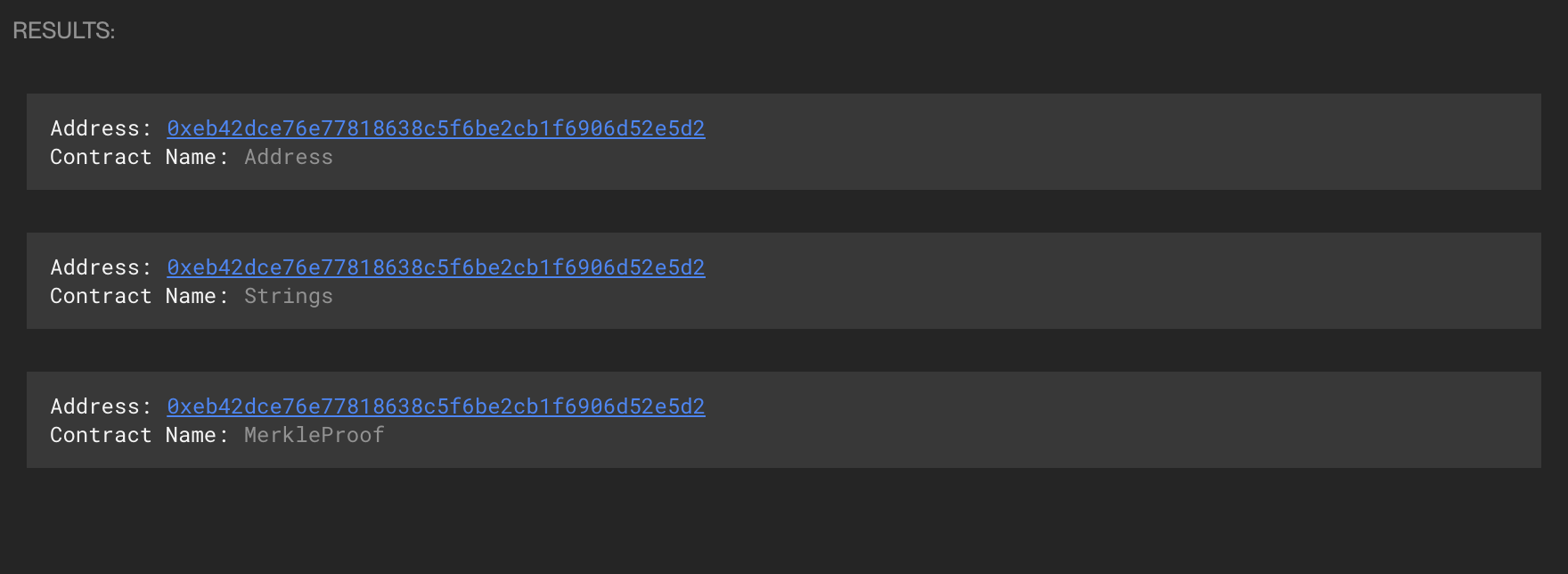
After running the query, you should see the first 10 contract results found by Glider displayed in the Output panel.
Glider IDE contract output results
## Foundational Contracts Query
Let's take a look at our foundational contracts query and break down the query code.
### **Query Goal**
We are interested in finding "Market" contracts that are eligible to receive ERC-721 tokens. To find these contracts, we will search for contracts that have the name "Market" in them and contain the "onERC721Received" function.
The query is below:
```python
from glider import *
def query():
contracts = (
Contracts()
.with_name_regex("Market")
.exec(1000)
.filter(lambda contract : "onERC721Received" in contract.functions().exec().name)
)
return contracts
```
Now let's start by breaking down each query into sections below.
### Step 1 - Finding Contracts
To find smart contracts, we first create an instance of the [Contracts class](https://glide.gitbook.io/main/glider-ide/api/contracts):
```python
Contracts()
```
#### **Filtering Contracts by Name Using Regex**
Next, we use the .with\_name\_regex() method provided by Glider. This method searches for contracts whose names match a given regular expression (regex).
Since we are looking for contracts that contain the term "Market", we pass "Market" as our regex pattern:
```python
Contracts().with_name_regex("Market")
```
This ensures that any contract with "Market" in its name - such as "NFTMarket", "TokenMarketplace", or "MarketExchange" will be included in the results.
### Step 2 - Filtering Contracts that Receive ERC-721 tokens
Now that we’ve queried for contracts with "Market" in their names, our next step is to ensure that our results only include contracts designed to receive ERC-721 tokens.
Contracts that expect to receive ERC-721 tokens must implement the onERC721Received function. If a contract does not define this function, it is not intending to receive ERC-721 tokens.
#### **Filtering with .filter()**
We add a .filter() method to our [method call chain](https://glide.gitbook.io/main/glider-ide/glider-the-basics/intro-to-python/basic-python#chaining-function-calls) to exclude contracts that lack the onERC721Received function. The filter uses a lambda function to apply this criterion:
```python
.filter(lambda contract: "onERC721Received" in contract.functions().exec().name)
```
#### **Breaking Down the .filter() Function**
Let’s take a closer look at how the .filter() function helps us refine our query results:
```python
.filter(lambda contract : "onERC721Received" in contract.functions().exec().name)
```
#### **Adding the Lambda Function**
The .filter() method takes a lambda function, which is applied to every contract in the query results.
```python
lambda contract : "onERC721Received" in contract.functions().exec().name
```
#### **Retrieving All Functions in Each Contract**
The lambda function first queries all functions in the contract:
```python
contract.functions().exec()
```
Calling .functions() retrieves all defined functions in the contract and calling .exec() executes the query, returning a list of function objects.
#### **Checking for onERC721Received**
We then access the function names:
```python
contract.functions().exec().name
```
This extracts the names of all functions defined in the contract.
Finally, calling "onERC721Received"`in` tells Glider to check if "onERC721Received" is inside the list of function names.
```python
"onERC721Received" in contract.functions().exec().name
```
{% hint style="info" %}
**Tip**: When we have a list of strings and want to check if a specific string exists in that list, we use the in keyword:
```python
"term to look for" in list
```
{% endhint %}
If the function name exists in the list, the expression returns True. If the function does not exist, the expression returns False.
#### **Filtering Out Results**
Since .filter() only keeps results where the lambda function evaluates to True. This ensures that:
* Contracts defining onERC721Received remain in the results.
* Contracts without onERC721Received are filtered out.
This guarantees that our query only includes contracts capable of receiving ERC-721 tokens.
### Step 3 - Returning Contracts
Once we’ve completed our query and filtered out unwanted results, we assign the final results to a variable named contracts and return it in the query() function:
```python
return contracts
```
This ensures our results will be displayed in the Glider IDE Output panel.
## Query Results
### **Running the Query**
Now that we’ve covered the query, let’s run it in Glider IDE.
Paste the following query into the Glider IDE, click “Run”, and wait for the results:
```python
from glider import *
def query():
contracts = (
Contracts()
.with_name_regex("Market")
.exec(1000)
.filter(lambda contract : "onERC721Received" in contract.functions().exec().name)
)
return contracts
```
### **Interpreting the Results**
Once the query completes, Glider returns a list of contracts and their addresses. Each contract in the results:
* Contains "Market" in its name, as specified in our query.
* Defines the onERC721Received function, confirming it is designed to receive ERC-721 tokens.
This ensures we have successfully filtered contracts that both match the "Market" naming criteria and are capable of handling ERC-721 token transfers.
# Exercises
## Intro
In this section, we will present several exercises that will fortify your Functions query skills. Each exercise provided comes along with a solution if you get stuck.
## **Exercise #1 - Contracts Containing the Term "Swap"**
In this exercise, your task is to identify contracts that contain the term "Swap" in their contract names.
As we’ve done in previous sections, start by reviewing the [Glider API documentation](https://glide.gitbook.io/main/glider-ide/api) to find any Glider functions that can help you find contracts by their name.
**Challenge**: Find the necessary Glider function that finds contracts given a regex. Then update the query with the found Glider function.
💡 Click here for the solution
Stuck or want to confirm your answer? Visit the link below where you can view and run the solution inside of Glider IDE:
## **Exercise #2 - Finding Contracts with the "setOracleAddress" Function**
Now that we’ve identified contracts with names containing the word "Swap", let’s take it a step further by filtering for contracts that contain the **setOracleAddress** function.
**Challenge**: Update your query from Example #1 to filter out contracts that don’t contain the **setOracleAddress** function.
{% hint style="info" %}
Refer to the [Contracts API documentation section](https://glide.gitbook.io/main/glider-ide/api/contracts) to find the function needed to complete this challenge.
{% endhint %}
💡 Click here for the solution
Stuck or want to confirm your answer? Visit the link below where you can view and run the solution inside of Glider IDE:
## **Exercise #3 - Finding the Main Contract**
A Solidity contract may inherit from parent contracts. Both the main contract and its parent contracts share the same address. When querying contracts, Glider may return multiple associated contracts in the results.
To specifically identify the main contract, you can use Glider’s `mains()` method.
**Challenge**: Update the query to return only the main contracts from the query results.
💡 Click here for the solution
Stuck or want to confirm your answer? Visit the link below where you can view and run the solution inside of Glider IDE:
## **Exercise #4 - Functions Without Modifiers**
This query has focused on identifying swap-like contracts that update their oracle address through a Solidity function called **setOracleAddress**. But what if we want to return all functions that don’t have modifiers?
Identifying functions without modifiers can help us uncover potential access control vulnerabilities, as these functions may be publicly accessible without restrictions.
Thankfully, we can achieve this with Glider!
To do so, we’ll:
1\. Iterate through each contract function.
2\. Count the number of modifiers applied to each function.
3\. Filter out functions with modifiers to focus only on unrestricted functions.
This approach will give us a list of functions without modifiers, helping us identify any security risks in the contract.
**Challenge**: Update the query from Exercise #4 to return functions without modifiers.
{% hint style="info" %}
Using a `filter()` can simplify our query.
{% endhint %}
{% hint style="info" %}
In this query, we’ll need to retrieve each contract’s functions. As a hint, refer to the relevant [Glider method](https://glide.gitbook.io/main/glider-ide/api/contracts/contracts.functions) in the documentation that allows you to query a contract’s functions.
{% endhint %}
💡 Click here for the solution
Stuck or want to confirm your answer? Visit the link below where you can view and run the solution inside of Glider IDE:
## Bonus Challenge
We want to look for state variables in a contract.
**Challenge**: Identify the Glider class that will query for state variables.
💡 Click here for the solution
Stuck or want to confirm your answer? Visit the link below where you can view and run the solution inside of Glider IDE:
# Bonus Challenges
Now that we’ve covered the basics of Glider, it’s time to put your knowledge to the test with a series of bonus challenges. These challenges are designed to reinforce what you’ve learned by asking you to create queries that identify specific vulnerabilities, code patterns, or statistics.
## Challenge #1 - Calls to Curve's get\_virtual\_price()
Curve pools have a **get\_virtual\_price()** function that returns the price of the Curve pool’s LP token. However, due to a [known reentrancy vulnerability](https://www.chainsecurity.com/blog/curve-lp-oracle-manipulation-post-mortem) in Curve pools, the **get\_virtual\_price()** function can be manipulated by attackers.
If a third-party contract relies on **get\_virtual\_price()** to determine the LP token price, that contract can also be vulnerable to exploitation.
💡 Click here for the solution
Stuck or want to confirm your answer? Visit the link below where you can view and run the solution inside of Glider IDE:
## Challenge #2 - Find Long Function Names
In this challenge, your task is to identify functions that have more than 55 characters in it's function name.
{% hint style="info" %}
We can use Python's len() function to check how many characters a Solidity function has.
{% endhint %}
💡 Click here for the solution
Stuck or want to confirm your answer? Visit the link below where you can view and run the solution inside of Glider IDE:
[https://glide.r.xyz/query/BK94oa8HZ](< https://glide.r.xyz/query/BK94oa8HZ>)
## Challenge #3 - Arbitrary Spender Roles
Contracts that approve tokens to other addresses must ensure that the spender address is properly whitelisted. Failing to do so can lead to serious security risks. For example, in December 2024, [Moonhacker experienced an attack](https://blog.solidityscan.com/moonhacker-vault-hack-analysis-ab122cb226f6) where hackers were able to arbitrarily set the spender address for the approve() function, leading to significant losses.
In the next two challenges, we will aim to write a query to identify this vulnerability type.
### Challenge #3a - Get ERC20.approve() Spender
In this challenge, your goal is to:
1\. Find calls to the ERC20 **approve()** function.
2\. Identify the spender argument passed to the **approve()** function.
3\. Print the spender argument to the Glider IDE Output panel to confirm your results.
{% hint style="info" %}
This challenge will require you to use function/methods that you haven’t worked with before. Since the goal is to identify calls and print out call arguments, the following Glider methods will be helpful:
* [get\_components()](https://glide.gitbook.io/main/glider-ide/api/instruction/instruction.get_components) – To retrieve the different parts of an instruction.
* [get\_arg()](https://glide.gitbook.io/main/glider-ide/api/value/call/call.get_arg) – To find the spender argument in a call.
* [isinstance()](https://www.w3schools.com/python/ref_func_isinstance.asp) - Checks if a variable belongs to a specific class.
{% endhint %}
💡 Click here for the solution
Stuck or want to confirm your answer? Visit the link below where you can view and run the solution inside of Glider IDE:
### Challenge #3b - Find Arbitrary Spenders
In the second part of this challenge, your goal is to determine if the spender argument passed to the **approve()** function comes from a function argument. If the spender originates from a function argument, it likely means that the user can arbitrarily set the spender, which could be a potential security risk.
{% hint style="info" %}
To check if a variable comes from a function argument, call [get\_object\_of\_var()](https://glide.gitbook.io/main/glider-ide/api/point/varvalue/varvalue.get_object_of_var) on the variable and verify if it is an instance of [ArgumentVariable](https://glide.gitbook.io/main/glider-ide/api/variables/argumentvariable).
{% endhint %}
#### **Bonus Task**
To reduce noise and focus just on public/external functions, update your query to filter out approve() calls made within private or internal functions.
By limiting your results to public or external functions, you can better identify potential vulnerabilities that external users could exploit.
💡 Click here for the solution
Stuck or want to confirm your answer? Visit the link below where you can view and run the solution inside of Glider IDE:
# Glider Cheatsheet
This cheatsheet brings together a collection of Glider query code snippets, designed to help you write queries more effectively without starting from scratch.
### Identify the function from an instruction
#### Problem:
I want to find the function an Instruction belongs to.
#### Solution:
```python
def query():
# If you have an instruction and want to find a function
instruction = Instructions().exec(1)
function = instruction.get_parent()
return function
```
### Check if a variable comes from a function argument
#### Problem
Given a VarValue, I want to see if the VarValue comes from a function argument.
> This type of query is helpful when you want to see if a variable comes from user-input.
#### Solution
```python
def query():
# The find_var_value() function is used for demo purposes. VarValues are the only components in Glider that can be sourced from a function argument.
var_value = find_var_value()
# Here we check if a VarValue comes from a function argument.
is_function_argument = isinstance(var_value.get_object_of_var(), ArgumentVariable)
# If true, the VarValue comes from a function argument. If false, the VarValue doesn't come from a function argument.
print(is_function_argument)
# For now we don't return any results, but based on the is_function_argument variable above you can choose to keep or remove results.
return []
# Function is used for demo purposes.
def get_components_recursive(component):
components = []
try:
# Since we are dealing with a call, we get the call arguments as components
if isinstance(component, Call):
components = component.get_args()
else:
# Get components within components
components = component.get_components()
except Exception:
# This handles cases where the component can't be broken down further
None
results = []
for comp in components:
results.append(comp)
for sub in get_components_recursive(comp):
results.append(sub)
return results
# This function is used for demo purposes only.
def find_var_value():
# Get some instructions for demo purposes
instructions = Instructions().exec(10)
# Get components for demo purposes
components = get_components_recursive(instructions[1])
var_values = []
# Iterate through components for demo purposes
for component in components:
# Collect VarValues from the components for demo purposes
if isinstance(component, VarValue):
var_values.append(component)
# In Glider, the VarValue represents a value that could come from a function argument.
if len(var_values):
return var_values[0]
return []
```
### Check if require or assert statement is called inside a function
#### Problem #1
I need to know if a require or assert statement is made inside a function.
#### Solution #1
```python
def query():
# The function variable represents a function we are querying
functions = Functions().exec(100)
# We can pass has_guard_check into a filter to filter out results.
functions_with_guard_checks = functions.filter(
lambda function :
any(function.instructions().with_one_of_callee_names(["require", "assert"]).exec())
)
return functions_with_guard_checks
```
#### Problem #2
I want to know if the Instruction I'm working with is a require or assert statement.
#### Solution #2
```python
def query():
# Find some instructions for demo purposes
instructions = Instructions().exec(1,1)
# We can pass has_guard_check into a filter to filter out results.
print(has_guard_check(instructions[0]))
return instructions
# The has_guard_check function can be used to filter out if a function has a require/assert statement.
def has_guard_check(instruction):
# This will retrieve all of the calls made in the instruction
callee_names = instruction.callee_names()
# Checks if require or assert are called in the Instruction.
return "require" in callee_names or "assert" in callee_names
```
### Check if a function is called in another function
#### Problem
I need to find the functions that call a particular function, where the only information I have is the name of the function being called.
#### Solution
```python
def query():
# If we want to find functions that call deposit(), we first set the function_name to deposit.
function_name = "deposit"
# Now we search for deposit functions.
functions = Functions().with_name(function_name).exec(5)
# By calling caller_functions(), we can find all of the functions that call deposit()
functions_that_call_deposit = functions.caller_functions().exec()
return functions_that_call_deposit
```
### Filter out interface functions
#### Problem
I want to remove interface functions from my results.
#### Solution
```python
def query():
# Find some functions for demo purposes
functions = Functions().exec(10)
# Identify impl functions via filtering with the is_implementation_function function
implementation_functions = functions.filter(is_implementation_function)
return implementation_functions
# This function checks if a function is implemented and not just a function defined in an interface.
def is_implementation_function(function):
# We can determine if a function is implemented or not by if it has instructions. If a function has instructions, we know it has code.
return any(function.instructions().exec())
```
### Get all variables used in an instruction
#### Problem
I want to find all of the variables and components in a given Instruction.
#### Solution
```python
def query():
# Find some instructions for demo purposes
instructions = Instructions().exec(100)
# Iterate through instructions for demo purposes
for inst in instructions:
# To get all of the components inside an Instruction, we can use the get_components_recursive function to get all components inside an Instruction
components = get_components_recursive(inst)
# Now we can work with the components variable like iterating, filtering, etc.
return []
# This function accepts a component as an argument whether that's an Instruction or another component. The function returns an array of sub-components.
def get_components_recursive(component):
components = []
try:
# Get components of an IndexAccess
if "IndexAccess" in str(component):
components.append(component.get_sequence())
components.append(component.get_index())
# If we are dealing with a call, we get the call arguments as components
if isinstance(component, Call):
components.extend(component.get_args())
call_qualifier = component.get_call_qualifier()
# Get components of an IndexAccess
if "IndexAccess" in str(call_qualifier):
components.append(call_qualifier)
components.append(call_qualifier.get_sequence())
components.append(call_qualifier.get_index())
else:
# Get components within components
components = component.get_components()
except Exception:
# This handles cases where the component can't be broken down further
None
results = []
for comp in components:
results.append(comp)
results.extend(get_components_recursive(comp))
return results
```
### Identify state variables in a contract
#### Problem
I want to find every state variable for a contract.
#### Solution
```python
def query():
# Find contracts for demo purposes
contracts = Contracts().with_name("UniswapV3Pool").exec(1)
contract = contracts[0]
# To get state variables of a contract, we can call state_variables().exec() against a contract
state_variables = contract.state_variables().exec()
# Print the state variable names for convenience
print(state_variables.name)
return state_variables
```
### Identify instructions doing arithmetic
#### Problem
I want to know if a given Instruction contains math arthimetic.
#### Solution
```python
def query():
return Instructions().exec(1000).filter(does_arithmetic)
# This function checks if a given instruction does arithmetic.
def does_arithmetic(instruction):
solidity_arithmetic = ["-", "+", "/", "*", "**", "%", "++", "--", "+=", "-=", "*=", "/=", "%="]
components = get_components_recursive(instruction)
for component in components:
if "Operator" in str(component):
if component.expression in solidity_arithmetic:
return True
return False
# This function accepts a component as an argument whether that's an Instruction or another component. The function returns an array of sub-components.
def get_components_recursive(component):
components = []
try:
# Get components of an IndexAccess
if "IndexAccess" in str(component):
components.append(component.get_sequence())
components.append(component.get_index())
# If we are dealing with a call, we get the call arguments as components
if isinstance(component, Call):
components.extend(component.get_args())
call_qualifier = component.get_call_qualifier()
# Get components of an IndexAccess
if "IndexAccess" in str(call_qualifier):
components.append(call_qualifier)
components.append(call_qualifier.get_sequence())
components.append(call_qualifier.get_index())
else:
# Get components within components
components = component.get_components()
except Exception:
# This handles cases where the component can't be broken down further
None
results = []
for comp in components:
results.append(comp)
results.extend(get_components_recursive(comp))
return results
```
### Identify functions that receives or send ETH
#### Problem
I want to know if a function receives or sends ETH.
#### Solution
```python
def query():
return Functions().exec(10000).filter(calls_other_contract).filter(can_receive_eth)
# This function is used to identify if a function makes a low-level external call to another contract.
def calls_other_contract(function):
transfers_eth = function.instructions().low_level_external_calls().exec().filter(sends_eth_in_transfer)
return any(transfers_eth)
# This function checks if a low-level external call instruction sends ETH to another EOA/contract
def sends_eth_in_transfer(instruction):
if instruction.get_value():
for call in instruction.get_value().get_callee_values():
if call.name == "call" and len(call.get_call_value()) > 0:
return True
return False
# This function checks if a function is payable and can receive ETH
def can_receive_eth(function):
return function.is_payable()
```
### Find functions without a modifier
#### Problem
I want to find functions that don't call onlyOwner.
#### Solution
```python
def query():
return (
Functions()
.without_modifier_name("onlyOwner")
.exec(10)
)
```
### Check if a function has a given argument by type
#### Problem
I want to determine if a function has an argument type like address, uint256, etc.
#### Solution
```python
def query():
return (
Functions()
.exec(10)
.filter(has_address_argument)
)
# Returns true when the function has an address argument
def has_address_argument(function):
return "address" in function.arguments().list().get_variable().type.name
```
### Check for msg.sender validations
#### Problem
I want to check if a function has any msg.sender validations.
#### Solution
```python
from glider import *
def query():
return (
Functions()
.exec(1000)
.filter(validates_msg_sender)
)
# Note: msg.sender passed into a Call or used as IndexAccess and the return value is equated against are treated as a msg.sender validation.
def validates_msg_sender(function):
for instruction in function.instructions_recursive():
if revert_condition(instruction) and potential_msg_sender_call(instruction):
return True
return False
# Checks if revert is called
def revert_condition(instruction):
builtin_callee_names = instruction.callee_names()
if 'require' in builtin_callee_names or 'assert' in builtin_callee_names:
return True
if not instruction.is_if():
return False
return any('revert' in x for x in instruction.first_true_instruction().callee_names())
# Checks if an instruction calls msg.sender in any call
def potential_msg_sender_call(instruction):
components = get_components_recursive(instruction)
for component in components:
# Ignore Calls and IndexAccesses since they produce a large number of FPs.
if isinstance(component, Call) or "IndexAccess" in str(component):
continue
# There are cases where msg.sender is passed into a check that isn't validating the msg.sender address. For example balance >= balances[msg.sender]. This skips those cases.
if isinstance(component, ValueExpression) and not contains_equality_op(component):
continue
for msg_sender_call in msg_sender_calls():
if msg_sender_call in component.source_code():
return True
return False
# Iterate through a component's operations and check for equality checks.
def contains_equality_op(component):
ops = component.get_components().filter(lambda component : "Operator" in str(component)).get_operator()
for operator in ops:
if "OperatorType.NOT_EQUAL" in str(operator) or "OperatorType.EQUAL" in str(operator):
return True
return False
# Returns a list of common ways to retrieve msg.sender
def msg_sender_calls():
return [
"msg.sender",
"msgSender",
"_msgSender",
"_msgSenderERC1155",
"caller" # Assembly msg.sender call
]
# Returns all components in Instruction through recursive manner suited for msg.sender validations.
def get_components_recursive(component):
components = []
results = []
try:
# If we are dealing with a call, we get the call arguments as components
if isinstance(component, Call):
components.extend(component.get_args())
else:
# Get components within components
components = component.get_components()
except:
# This handles cases where the component can't be broken down further
None
for comp in components:
results.append(comp)
for sub_comp in get_components_recursive(comp):
results.append(sub_comp)
return results
```
####
### Check if an instruction could revert
#### Problem
I want to check if an instruction could revert either through a require or assert check or a direct call to a revert.
#### Solution
```python
def revert_condition(instruction):
builtin_callee_names = instruction.callee_names()
if 'require' in builtin_callee_names or 'assert' in builtin_callee_names:
return True
if not instruction.is_if():
return False
return any('revert' in x for x in instruction.first_true_instruction().callee_names())
```
# Custom scope
### What is Custom Scope?
Custom scopes let you run queries against your own set of deployed Solidity contracts instead of an entire chain. This makes queries run faster and gives you precise control over what contracts you work with.
### Why it matters
1. **Iterate faster**\
Executing against a full chain can take from a couple of seconds to minutes. With a custom scope, it only takes seconds because you’re querying just a handful of contracts.
2. **Signal over noise**\
Focus on the exact contracts you care about while you iterate on detections.
3. **Tighter feedback loop**\
Quickly harden queries before you scale them to chain-wide runs.
### Use case: Rapid incident response
Scenario: a new vulnerability is exploited and you want to ship a Glider query to find other occurrences on-chain.
1. **Collect addresses**\
Gather the deployed addresses of the vulnerable contracts (from the incident write-up, explorer).
2. **Create a custom scope**\
Put those addresses in a new scope and compile.
3. **Develop your query**\
Iterate on the query against the custom scope until it reliably flags the vulnerable contracts.
4. **Scale up safely**\
Once your query is stable, switch execution to the relevant chain and run it broadly to find additional affected contracts or patterns.
Repeat as needed: refine the query in the scope, then re-run on chain to widen coverage.
### Use case: Hitting memory or output limit
If your query hits a memory or output limit, you likely need to narrow it down. Check Performance → Profiler, or compile a custom scope and iterate your query against a handful of contracts.
### Create a custom scope
1. Open [My Scopes](https://glide.r.xyz/my-scopes/) → click [Create new scope](https://glide.r.xyz/my-scopes/create).
2. Add contracts\
Add up to 5 addresses from verified contracts on 30+ supported chains.
3. Compile\
Compilation takes up to a minute
4. Query your scope\
Once compiled, click Open in IDE to start querying the scope
### Limitations
1. Users are limited to a single custom scope. You can edit your scope unlimited number of times.
2. Users are limited to deployed contracts only. You may want to deploy your contract on Sepolia if it's not on chain yet.
3. Users are limited to 5 contracts.
4. Users can only add verified contracts. Meaning that if the contract owner didn't verify the source code, it won't be visible.
5. Only scopes with the Compiled successfully status appear in the Execution Scope selector. Pick the scope, then run your queries
# Glider Contest
We’re on a mission to secure every EVM chain in Web3 - and invite you to be part of it.
Write a Glider query that catches real Solidity bugs and earn recognition + cash rewards for your contributions.
***
#### How to Join
1. Submit your query through Glider IDE, following the official submission guidelines.
2. Once your query is added to the Query Database, you’ll receive a reward.
3. The best part? There’s no limit to how many queries you can write - keep contributing, keep earning.
Learn more
Useful URLs
{% embed url="" %}
{% content-ref url="/pages/ks9NO9h01IsleI9U0sHS" %}
[Glider: The Basics](/glider-ide/glider-the-basics)
{% endcontent-ref %}
{% embed url="" %}
{% content-ref url="/pages/FxBR3oTQLDQOOvwDAjGX" %}
[Bug Bounty Hunting With Glider](/glider-ide/bug-bounty-hunting-with-glider)
{% endcontent-ref %}
# Recommended Vulnerabilities to Query
Some vulnerabilities are more suitable for querying than others. The list below highlights the ones we recommend starting with, though users are welcome to explore and develop their own ideas for queries.
Difficulty is based on how hard it would be to write a query that will have near 100% true positive hits while being completely new to Glider.
### Easy
* Access Control issues
* Missing onlyOwner on critical functions
* Tx.origin == msg.sender checks which became bypassable after the latest Ethereum Update
* Any bugs that are dependent on old vulnerable versions of contracts, like old versions of OZ contracts
* Public self destructs without authentication
* Transfer calls with OZ IERC20
### Medium
* Swap calls to various Defi apps with slippage hardcoded to 0
* Non EIP-712 compliant signature usage
* Basic re-entrancy issues
* Delegate call to user inputted address without checks
* Arbitrary call without any authentication or checks
* Spot price usage in oracles
* Forked projects with the same bug as its original code
### Hard
Native asset double spending on some chains
1. On certain EVM-based chains, the native asset may have an ERC20-like interface and a designated contract address. For example, in the CELO chain, the native asset can be transferred either through msg.value or through the ERC20-like methods of the GoldToken[ contract](https://explorer.celo.org/mainnet/address/0x471EcE3750Da237f93B8E339c536989b8978a438/contracts#address-tabs), as documented here:[ https://docs.celo.org/developer/migrate/from-ethereum#the-celo-native-asset-and-the-celo-dollar.](https://docs.celo.org/developer/migrate/from-ethereum#the-celo-native-asset-and-the-celo-dollar.) This dual transfer method can create ambiguity and lead to double spending of native asset, if PancakeSwap protocol is deployed on such chains.
An attack exploiting this vulnerability could unfold as follows:
1. The attacker possesses an amount X of native assets, transferable either through msg.value or the ERC20-like contract at address Addr.
2. The attacker initiates Vault.sync() for Addr. There is no need to call sync() for the second time when the native asset is transferred through msg.value, or currency = address(0).
3. The attacker performs two settle operations: Vault.settle(0) with msg.value, and subsequent Vault.settle(Addr).
4. By executing two take operations, the attacker can retrieve back 2X amount of native asset: Vault.take(Addr) and Vault. take(0).
```
function sync(Currency currency) public returns (uint256 balance) {
balance = currency.balanceOfSelf();
currency.setVaultReserves(balance);
}
/// @inheritdoc IVault
function settle(Currency currency) external payable override isLocked returns (uint256 paid) {
if (!currency.isNative()) {
if (msg.value > 0) revert SettleNonNativeCurrencyWithValue();
uint256 reservesBefore = currency.getVaultReserves();
uint256 reservesNow = sync(currency);
paid = reservesNow - reservesBefore;
} else {
paid = msg.value;
}
SettlementGuard.accountDelta(msg.sender, currency, paid.toInt128());
}
```
The Eigenlayer merkle proof issue
In order for the EigenPod to verify and consequently process a withdrawal from the beacon chain, it uses the BeaconChainsProofs' verifyWithdrawal function. This function takes various parameters to prove the existence of a supplied Withdrawal struct in the beacon chain state Merkle root.
To do so, it proves 5 different leaves: the block root against the beacon state root, the slot number against the block root, the execution root against the block root, the timestamp against the execution root and finally the withdrawal against the execution root.
The first proof is not fully checked and it is vulnerable to tampering. Because the other proofs all depend on this first proof, it also influences the others and allows for tampering there as well.
The block root is proven against the beacon state root by first traversing to the historical summaries root in the beacon state. This is done using a constant HISTORICAL\_SUMMARIES\_INDEX which is then concatenated with the historicalSummaryIndex that is supplied by the user to choose the right historical summary root from the Merkle tree. This is again concatenated with blockRootIndex, also supplied by the user to choose the right block from the historical summary tree.
To make sure that the user does not control the flow of traversal through the Merkle tree, it is important to make sure that the proof lengths are of correct lengths and that the bit size of indexes are not greater than the tree height. This is done correctly for each proof, except for the historySummaryIndex, which is missing a size check.
For example, blockRootIndex is check on lines 279-282:
```
require(
withdrawalProof.blockRootIndex < 2 ** BLOCK_ROOTS_TREE_HEIGHT,
"BeaconChainProofs.verifyWithdrawal: blockRootIndex is too large"
);
```
But historySummaryIndex is missing such checks.
This allows a malicious user to provide an index greater than the tree height. If this were a simple, single Merkle tree with one index, then it would not be problem. But in this case we are traversing combinations of multiple trees from the beacon state root to the block root and so it allows for other indexes to be overwritten.
For example, in the first proof the combined index for the proof is calculated using the concatenations as described above:
```
uint256 historicalBlockHeaderIndex = (HISTORICAL_SUMMARIES_INDEX <<
((HISTORICAL_SUMMARIES_TREE_HEIGHT + 1) + 1 + (BLOCK_ROOTS_TREE_HEIGHT))) |
(uint256(withdrawalProof.historicalSummaryIndex) << (1 + (BLOCK_ROOTS_TREE_HEIGHT))) |
(BLOCK_SUMMARY_ROOT_INDEX << (BLOCK_ROOTS_TREE_HEIGHT)) |
uint256(withdrawalProof.blockRootIndex);
```
As can be seen, the historySummaryIndex is appended on top of the constant HISTORICAL\_SUMMARIES\_INDEX (which should ensure that we first traverse from the beacon state root to the history summaries root). Now that historySummaryIndex is unbounded, it becomes possible to overwrite the HISTORY\_SUMMARIES\_INDEX to any value and make the traversal go into any other field of the beacon state instead:[ https://github.com/ethereum/consensus-specs/blob/dev/specs/capella/beacon-chain.md#beaconstate](https://github.com/ethereum/consensus-specs/blob/dev/specs/capella/beacon-chain.md#beaconstate)
In order to exploit this bug and forge a withdrawal proof, it becomes important to plan a path where the proofs will go and result in valid values for the withdrawal struct.
For example, the first proof provides a lot of freedom in traversing from the historicalSummaryIndex and blockRootIndex.
The timestamp, slot and execution root proofs can be ignored as the proof lengths are short and they can simply pass with a hash value as leaf. The hash value would be interpreted as timestamp and slot, which will not make any checks fails, rather it gives unique timestamps and slots which could give either full or partial withdrawals depending on the validator’s withdrawable epoch.
Only the withdrawal proof will require some planning, as the withdrawal fields will either have to be some other leaf value or brute-forced hashes (intermediate leaves) in some part of the entire beacon state Merkle tree. Brute-forced hashes would still work, as the only used fields from the withdrawal struct are the validator index (which is parsed into 5 bytes) and the withdrawal amount (which is parsed into 8 bytes, expressed in Gwei and should be not too large).
A working exploit would allow a malicious user to proof withdrawals for themselves or victim users. If the timestamp could be controlled, then it can also be used to proof 0 amount withdrawals for victim users that have a real withdrawal at some timestamp. The timestamp would be set to true and they cannot prove the actual withdrawal anymore, locking their ETH.
```
function verifyWithdrawal(
bytes32 beaconStateRoot,
bytes32[] calldata withdrawalFields,
WithdrawalProof calldata withdrawalProof
) internal view {
require(
withdrawalFields.length == 2 ** WITHDRAWAL_FIELD_TREE_HEIGHT,
"BeaconChainProofs.verifyWithdrawal: withdrawalFields has incorrect length"
);
require(
withdrawalProof.blockRootIndex < 2 ** BLOCK_ROOTS_TREE_HEIGHT,
"BeaconChainProofs.verifyWithdrawal: blockRootIndex is too large"
);
require(
withdrawalProof.withdrawalIndex < 2 ** WITHDRAWALS_TREE_HEIGHT,
"BeaconChainProofs.verifyWithdrawal: withdrawalIndex is too large"
);
require(
withdrawalProof.withdrawalProof.length ==
32 * (EXECUTION_PAYLOAD_HEADER_FIELD_TREE_HEIGHT + WITHDRAWALS_TREE_HEIGHT + 1),
"BeaconChainProofs.verifyWithdrawal: withdrawalProof has incorrect length"
);
require(
withdrawalProof.executionPayloadProof.length ==
32 * (BEACON_BLOCK_HEADER_FIELD_TREE_HEIGHT + BEACON_BLOCK_BODY_FIELD_TREE_HEIGHT),
"BeaconChainProofs.verifyWithdrawal: executionPayloadProof has incorrect length"
);
require(
withdrawalProof.slotProof.length == 32 * (BEACON_BLOCK_HEADER_FIELD_TREE_HEIGHT),
"BeaconChainProofs.verifyWithdrawal: slotProof has incorrect length"
);
require(
withdrawalProof.timestampProof.length == 32 * (EXECUTION_PAYLOAD_HEADER_FIELD_TREE_HEIGHT),
"BeaconChainProofs.verifyWithdrawal: timestampProof has incorrect length"
);
require(
withdrawalProof.historicalSummaryBlockRootProof.length ==
32 *
(BEACON_STATE_FIELD_TREE_HEIGHT +
(HISTORICAL_SUMMARIES_TREE_HEIGHT + 1) +
1 +
(BLOCK_ROOTS_TREE_HEIGHT)),
"BeaconChainProofs.verifyWithdrawal: historicalSummaryBlockRootProof has incorrect length"
);
/**
* Note: Here, the "1" in "1 + (BLOCK_ROOTS_TREE_HEIGHT)" signifies that extra step of choosing the "block_root_summary" within the individual
* "historical_summary". Everywhere else it signifies merkelize_with_mixin, where the length of an array is hashed with the root of the array,
* but not here.
*/
uint256 historicalBlockHeaderIndex = (HISTORICAL_SUMMARIES_INDEX <<
((HISTORICAL_SUMMARIES_TREE_HEIGHT + 1) + 1 + (BLOCK_ROOTS_TREE_HEIGHT))) |
(uint256(withdrawalProof.historicalSummaryIndex) << (1 + (BLOCK_ROOTS_TREE_HEIGHT))) |
(BLOCK_SUMMARY_ROOT_INDEX << (BLOCK_ROOTS_TREE_HEIGHT)) |
uint256(withdrawalProof.blockRootIndex);
require(
Merkle.verifyInclusionSha256({
proof: withdrawalProof.historicalSummaryBlockRootProof,
root: beaconStateRoot,
leaf: withdrawalProof.blockRoot,
index: historicalBlockHeaderIndex
}),
"BeaconChainProofs.verifyWithdrawal: Invalid historicalsummary merkle proof"
);
//Next we verify the slot against the blockRoot
require(
Merkle.verifyInclusionSha256({
proof: withdrawalProof.slotProof,
root: withdrawalProof.blockRoot,
leaf: withdrawalProof.slotRoot,
index: SLOT_INDEX
}),
"BeaconChainProofs.verifyWithdrawal: Invalid slot merkle proof"
);
{
// Next we verify the executionPayloadRoot against the blockRoot
uint256 executionPayloadIndex = (BODY_ROOT_INDEX << (BEACON_BLOCK_BODY_FIELD_TREE_HEIGHT)) |
EXECUTION_PAYLOAD_INDEX;
require(
Merkle.verifyInclusionSha256({
proof: withdrawalProof.executionPayloadProof,
root: withdrawalProof.blockRoot,
leaf: withdrawalProof.executionPayloadRoot,
index: executionPayloadIndex
}),
"BeaconChainProofs.verifyWithdrawal: Invalid executionPayload merkle proof"
);
}
// Next we verify the timestampRoot against the executionPayload root
require(
Merkle.verifyInclusionSha256({
proof: withdrawalProof.timestampProof,
root: withdrawalProof.executionPayloadRoot,
leaf: withdrawalProof.timestampRoot,
index: TIMESTAMP_INDEX
}),
"BeaconChainProofs.verifyWithdrawal: Invalid blockNumber merkle proof"
);
{
/**
* Next we verify the withdrawal fields against the blockRoot:
* First we compute the withdrawal_index relative to the blockRoot by concatenating the indexes of all the
* intermediate root indexes from the bottom of the sub trees (the withdrawal container) to the top, the blockRoot.
* Then we calculate merkleize the withdrawalFields container to calculate the the withdrawalRoot.
* Finally we verify the withdrawalRoot against the executionPayloadRoot.
*
*
* Note: Merkleization of the withdrawals root tree uses MerkleizeWithMixin, i.e., the length of the array is hashed with the root of
* the array. Thus we shift the WITHDRAWALS_INDEX over by WITHDRAWALS_TREE_HEIGHT + 1 and not just WITHDRAWALS_TREE_HEIGHT.
*/
uint256 withdrawalIndex = (WITHDRAWALS_INDEX << (WITHDRAWALS_TREE_HEIGHT + 1)) |
uint256(withdrawalProof.withdrawalIndex);
bytes32 withdrawalRoot = Merkle.merkleizeSha256(withdrawalFields);
require(
Merkle.verifyInclusionSha256({
proof: withdrawalProof.withdrawalProof,
root: withdrawalProof.executionPayloadRoot,
leaf: withdrawalRoot,
index: withdrawalIndex
}),
"BeaconChainProofs.verifyWithdrawal: Invalid withdrawal merkle proof"
);
}
}
```
Draining ETH using flat fee without msg.value check
In the contracts/DvBridge.sol when the user calls the initiateTransfer() at the end of it the function calls the rewardValidators() function which distributes rewards to the validators. However the way it’s implemented currently allows a malicious user to slowly drain the pool or even steal native funds from the bridge because when initiating a transfer the function doesn’t check wether the user has supplied enough native funds to distribute rewards to the validators and because the fee that’s being distributed to the validators is a flat fee not a percentage of the msg.value it allows the user to initiate a transfer supplying 1 wei of native funds but distributing much more native funds to the validators and in some cases even gaining profit because the remainder of the fee is being sent back to the msg.sender as can be seen here:
contracts/DvBridge.sol:L32-55
```
function initiateTransfer(address recipient, uint256 amount, uint256 source_chain, uint256 destination_chain, address token_in, address token_out) public payable returns (bool) {
// Validation checks
require(recipient != address(0), "Recipient cannot be zero address");
require(amount > 0, "Amount cannot be zero");
require(source_chain == chain_id, "Invalid source chain");
require(destination_chain != chain_id, "Invalid destination chain");
require(isTransferAllowed(destination_chain, token_in, token_out, amount), "Transfer not allowed or amount exceeds maximum allowed");
if(lock_time > block.timestamp) {
revert("Bridge is locked for transfers");
}
// Transfer tokens to the contract
__allowance(_msgSender(), amount, token_in);
__transfer(address(this), amount, token_in, true);
// Emit event for transfer initiation
emit TransferInitiated(_msgSender(), recipient, amount, source_chain, destination_chain, token_in, token_out);
// Reward validators
rewardValidators(validator_fee);
return true;
}
```
contracts/ValidatorSignatureManager.sol:L54-63
```
function rewardValidators(uint256 validator_fee) internal {
uint256 amount = validator_fee / validators.length;
uint256 remainder = validator_fee % validators.length;
for (uint256 i = 0; i < validators.length; i++) {
payable(validators[i]).transfer(amount);
}
payable(msg.sender).transfer(remainder);
}
```
Using duplicate signatures to bypass quotas
In the contracts/DvBridge.sol the validators can sign messages to authorize the removal or approval of new validators, authorize transactions or change the validator reward fee. However for some action to take place >50% of validators need to sign a message authorizing the action as can be seen in the contracts/ValidatorSignatureManager.sol contract:
contracts/ValidatorSignatureManager.sol:L39-51
```
function verifySignatures(bytes32 message, bytes[] memory signatures) internal view returns (bool) {
uint256 count = 0;
for (uint256 i = 0; i < signatures.length; i++) {
address signer = message.recover(signatures[i]);
if (isValidator(signer)) {
count++;
if (count > validators.length / 2) {
return true;
}
}
}
return false;
}
```
However because the function doesn’t check wether the given signatures in the array are different or no, any action can be completed by filling the signatures array with the same signature over and over again until the count variable goes over the validators.length / 2 threshold.
(5) PATH: foundry\_contracts/HibachiEscape.sol\
risc\_zero\_verification/asset\_value\_guest/src/bin/hibachi\_asset\_value.rs\
The methods redeemNetEquityForTokens and redeemTokensForNetEquity utilize ZK proofs from Risc0 to redeem net equity for a specified address when the protocol is frozen. An arbitrary user can replay the proof from other transactions for their address to mint redemption tokens for themselves, and similarly for burning tokens.
```
function redeemNetEquityForTokens(uint256[] calldata output, bytes calldata seal, address accountAddress)
external
override
frozen
accountOwner(accountAddress)
mainChain
{
bytes memory journal = abi.encode(output);
verifier.verify(seal, assetValueProgramImageId, sha256(journal));
if (output.length != 4) {
revert StateUpdateInvalid();
}
uint256 assetId = output[1];
uint256 quantity = output[2];
uint256 netEquityValue = output[3];
if (netEquity[accountAddress] < netEquityValue) {
revert AmountTooHigh();
}
netEquity[accountAddress] -= netEquityValue;
_mintRedemptionTokens(assetId, _msgSender(), quantity);
}
```
```
function redeemTokensForNetEquity(uint256[] calldata output, bytes calldata seal, address accountAddress)
external
override
frozen
accountOwner(accountAddress)
mainChain
{
bytes memory journal = abi.encode(output);
verifier.verify(seal, assetValueProgramImageId, sha256(journal));
if (output.length != 4) {
revert StateUpdateInvalid();
}
uint256 assetId = output[1];
uint256 quantity = output[2];
uint256 netEquityValue = output[3];
netEquity[accountAddress] += netEquityValue;
_burnRedemptionTokens(assetId, _msgSender(), quantity);
}
```
The problem arises as the journal doesn’t contains replay protection:
```
let calldata_vec = vec![
DynSolValue::Uint(collateral_asset_id, 256),
DynSolValue::Uint(asset_id, 256),
DynSolValue::Uint(quantity, 256),
DynSolValue::Uint(value, 256),
];
let ret_array = DynSolValue::Array(calldata_vec);
// Commit the journal that will be received by the application contract.
// Encoded types should match the args expected by the application callback.
env::commit_slice(ret_array.abi_encode().as_slice());
```
Exploitable first depositor attacks on ERC-4626 without any protections in place
No additional description
Decimal precision issues
No additional description
# Common Pitfalls of Glider
Some issues are currently impossible or unviable to formalize as a query. To provide general guidance on what most likely will not work, here are two main points.
* Any query that requires reading from the state will not work, as Glider currently doesn't support reading state data from the chain. For example, consider the first issue in the Medium section:\
***Swap calls to various DeFi apps with slippage hardcoded to 0.***\
There may be cases where the slippage is stored in a storage variable. In such cases, we cannot query for that value because we wouldn't be able to check whether the slippage storage variable is set to 0. Therefore, we must query for hardcoded 0s in the contract instead.
* It is largely unviable to try and find a function with specific functionality you have in mind, as it is nearly impossible to account for all edge cases. You will either have too high a false positive rate, or your query will be too computationally intensive and hit Glider's limits. For example, suppose you want to find all possible iterations of the ERC4626 deposit function without searching by function name or signature. You might think you can query for a function that takes one token from the user, gives another token back, and increments some variable. However, this query would also return many DEX contracts where the user gives a token, an internal balance counter is incremented, and the user receives another token. If you start accounting for every possible edge case (which, in our experience, is mostly impossible), you will start hitting Glider limits. That said, if you believe you can find a significant bug without being too computationally heavy, we would be more than happy to receive your query and as such don't feel discouraged from trying. Even in the worst-case scenario where your query doesn't work, you will learn a lot about Glider.
# Triage Guidelines
#### Who Are the Triagers?
Triagers are our Glider experts - experienced evaluators who ensure every submission is fairly and accurately reviewed. They are deeply familiar with the Glider engine and are responsible for maintaining the quality, safety, and integrity of all contest submissions.
***
### ⚙️ How Triage Works
Once you submit your entry to the Glider Contest, the triage process begins to evaluate and classify your submission.
#### Step-by-Step Flow
1. **Contributing a Query to the Contest**\
You can contribute your Glider query to the contest once it produces valid and meaningful results.
Contributing means sharing your discovery with the Remedy triage team for evaluation and potential rewards.
Before submitting, make sure your query runs successfully and demonstrates a real finding - not just theoretical logic.
2. **Submission Received**
When you submit, a dedicated thread is automatically opened with a triager. All discussions, clarifications, and updates regarding your submission will happen there.
3. **Initial Review**
The triager inspects your submission for correctness, clarity, and alignment with Glider’s contest goals. During this stage, they may provide feedback or request additional information.
4. **Final Outcome**
Once the review is complete, the triager assigns a status and, if applicable, an evaluation rating (see below).
***
### Submission Statuses
| Status | Meaning | What You Can Do |
| --------- | ----------------------------------------------------------- | -------------------------------------- |
| Pending | Submission is awaiting review. | You can still edit or update it. |
| In Review | A triager is currently reviewing your submission. | Editing is disabled during this phase. |
| Approved | The submission is valid and accepted. | Celebrate! 🎉 |
| Rejected | The submission does not meet contest or technical criteria. | You may resubmit if rules allow. |
| Outdated | The submission is no longer relevant | Check newer Glider query version. |
| On Halt | Triager is rechecking the query | Wait for an update from the triager. |
***
### 🧩 Contribution Type
Each submission must indicate its Contribution Type, helping triagers evaluate your intent and contribution scope:
| Type | Description |
| ------------ | ------------------------------------------------------------------------------------------------------------------------------------------------------ |
| New Query | Introduces a new vector — a completely new Glider query designed to detect a previously uncovered issue or pattern. |
| Optimization | Enhances an existing query to make it safer, fresher, and more effective. Optimizations should detect more real issues while reducing false positives. |
***
### Evaluation Criteria
Once a submission is confirmed during the triage stage, the Remedy triager also provides a detailed assessment across several parameters.
This evaluation determines the rarity and value of the submission.
| Parameter | Remedy’s Estimation |
| --------------- | -------------------------------------------------------------------------------------------------------------------------------------- |
| Risk Likelihood | Likelihood of the vulnerability being exploited |
| Query Potential | Dynamic score that updates when the query finds new hits. At publication, it equals Initial Damage. |
| Risk Impact | Vulnerability impact, e.g. informational, low, medium, high, critical. |
| Initial Damage | Estimated financial damage that exploitation of vulnerable contracts found by the query could have caused at the time of contribution. |
| Remedy Opinion | An average ranking of the opinions of Remedy triage team |
Each parameter is typically rated on a 1–5 scale, and the overall profile of these ratings determines the rarity of the query:
Rarity Formula: `0,25 * Query Potential + 0,2 * (Risk Likelihood+Risk Impact+Initial Damage) + 0,15 *Remedy Opinion.`
| Rarity Level | Rarity points | Meaning | Reward size |
| ------------------------------------------------- | ------------- | ---------------------------------------------------------------------- | ----------- |
| **Uncommon** | 1.00–1.99 |
Possible bug severity: Low, Informational
| Up to $50 |
| **Rare** | 2.00–2.94 |
Possible bug severity: Medium (Or real word Low)
| Up to $400 |
| **Epic** | 2.95–4.49 |
Possible bug severity: Critical, High (Or real word Medium+)
| Up to $700 |
| **Legendary** | ≥4.50 |
Real-world high or critical findings
| Up to $2000 |
***
### 🧭 Tips for Participants
* Clearly specify your Contribution Type - it helps triagers evaluate faster and more accurately.
* Keep your submission concise, well-documented, and reproducible.
* Watch for updates during the *Pending* phase; once it moves to *In Review*, you can no longer edit.
* Remember: triagers are your allies — their feedback is aimed at strengthening your query and your standing in the contest.
# PoC Guidelines
### Overview
A Proof of Concept (PoC) in the Glider Query Contest is a practical demonstration showing that a vulnerability detected by a query is real and can be reproduced against a returned Glider result.\
It should clearly prove that the issue exists under real on-chain conditions, while remaining safe for both users and networks.\
All tests must stay local and isolated from live systems such as the Ethereum mainnet or public testnets.
A well-written PoC is easy to understand, simple to run, and transparent about what it verifies.
***
### Environment
When preparing your environment:
* Use reliable tools such as **Hardhat**, **Foundry**, or **Anvil**.
* Specify both the **RPC endpoint** and the **exact block number** used for the fork.
* Keep the setup completely local. The PoC should never send transactions or move funds.
* Replicate real contract states as accurately as possible to show the vulnerability in a safe and controlled setting.
***
### Implementation
Each PoC should be **runnable, minimal, and self-contained**. Reviewers should be able to reproduce it easily by following the included instructions.
To make your PoC clear and reproducible:
* Include all configuration and dependency files (for example, `package.json`, `foundry.toml`, or environment setup).
* Use environment variables such as `RPC_URL` and `BLOCK_NUMBER` instead of embedding sensitive data directly in the code.
* Add concise **comments and print statements** to describe each major step:
* Setting up the forked environment
* Triggering the condition or running the query
* Displaying the observable outcome
* Ensure the console output clearly shows the point where the vulnerability or query condition is confirmed.
* Focus only on what is necessary to reproduce the issue. Avoid unrelated code or complex setup steps.
* If useful, include a short explanation of the potential impact (for example, total affected tokens multiplied by the average 7-day price).
***
### Submission Format
Every PoC submission should contain the following elements:
1. **Runnable code** — preferably a single script or test file that executes from start to finish.
2. **Run instructions** — step-by-step commands explaining how to start the local fork and execute the PoC.
3. **Expected output** — a short example of the results or console logs that should appear.
4. **Safety statement** — a note confirming that the PoC runs only in a local fork and does not interact with live networks.
5. **Configuration files** — all necessary files and dependencies required to run the PoC.
6. *(Optional)* A link to a GitHub repository or Google Drive folder if the PoC consists of multiple files.
***
### Safety and Compliance
PoCs must always be conducted responsibly and in accordance with contest rules.\
To keep testing environments secure and compliant:
* Never interact with mainnet, testnets, or production systems.
* Do not use private keys, seed phrases, or any sensitive credentials.
* Avoid actions that could result in fund movement or state modification.
* Submit only complete, reproducible PoCs. Theoretical or partial examples will not be accepted.
* Follow all official Glider Query Contest policies and related security guidelines.
***
A clear and reproducible PoC is one of the most valuable parts of your submission.\
It demonstrates technical accuracy, shows that your query truly detects a real vulnerability, and allows reviewers to verify your findings safely and confidently.
# FAQ
Find frequently asked questions about Glider and the Glider contest below.
⭐ How do I start writing Glider queries?
* Start with the [Glider Basics](https://glide.gitbook.io/main/glider-ide/glider-the-basics)
* Join [Remedy Discord Server](https://discord.com/invite/remedy) for educational content and support from the Community.
⭐ Can I use AI to navigate through Glider Documentation faster?
Yes. If you’re using an external AI assistant (like ChatGPT, Claude, or a local LLM), you can feed it the full Glider API documentation to improve context and accuracy.\
To generate a single file containing all API docs from our GitHub repo, run this one-line command in your terminal:
```
git clone
https://github.com/Hexens/glider-docs
tmp-repo 2>/dev/null || (cd tmp-repo && git pull) && find tmp-repo/api -name "*.md" -type f -print0 | xargs -0 cat > api-docs-merged.md && rm -Rf tmp-repo
```
Is there any Remedy fee if I find a bounty-eligible bug with Glider?
No. Remedy doesn’t claim any rewards, fees, or commissions associated with any bug bounties researchers are able to claim.
What is “Rarity”?
Rarity (Uncommon/Rare/Epic/Legendary) is used to measure Glider query’s quality. It is set by the triager using weighted risk metrics (e.g., Risk Likelihood, Impact, Potential, Initial Damage, Remedy Opinion). Legendary is the rarest.
Learn more about rarity and how it's being defined in [Triage Guidelines](/glider-ide/glider-contest/triage-guidelines)
⭐ Which bugs are queryable with Glider?
Ideally participants should come up with any vulnerability scenario that no one has reported yet, if you run out of ideas you can always check out [Recommended Vulnerabilities to Query](/glider-ide/glider-contest/recommended-vulnerabilities-to-query) for hand-picked bugs that are suggested to formalize as Glider queries.
What is Glider Watcher?
Glider Watcher lets you schedule recurring query runs and notifies you only when new results appear on-chain. This feature is available exclusively for Legendary Queries.
Can I ask to keep my query’s code private and get contest monetary rewards?
No, however, in certain cases, the Triager has the right and the ability to set the visibility to hidden after the reward was paid out to the author, to provide ample time for the protocol to be fixed. If the query was hidden by Triager for responsible disclosure to the protocol, after the implementation of the fix or expiration of 60 calendar days after the finding, the query will again become visible.
Who and how assess the queries?
After query submission, the system creates a thread with a Remedy triager. All communications around the submission take place in that thread.
Learn more about the [Triage Guidelines](/glider-ide/glider-contest/triage-guidelines)
What are “optimizations” and why do they matter?
Optimizations are improvements to an existing Glider query. They aim to: result in a safer, fresher query that finds more real issues with less noise.
How do optimizations work? What happens to the original query?
When your optimization is approved, it becomes the active version. The previous one is marked Outdated. The Query DB shows origin and last iteration for credit.
What are Glider limitations?
Output memory: 200 KB. Execution timeout: 1000 seconds. See more limits in the Glider [docs](https://glide.gitbook.io/main/glider-ide/limitations#output-limit).
Can I run my query on chains other than Ethereum mainnet?
Not yet. On-chain runs are limited to Ethereum mainnet. After approval, we provide a one-time cross-chain results snapshot for supported chains. We’ll add more chains in phases. If you need a specific chain, mention it in your submission thread.
⭐ Where can I ask questions?
oin [Discord](https://discord.com/invite/remedy) to get help from the community and Glider experts.
How to get paid for Glider Contest participation?
Write a Glider query that detects a smart contract vulnerability on any EVM chain. Queries targeting past exploits and known vulnerabilities are eligible for rewards.\
If your query uncovers a real-world issue with funds at risk, your Query Rarity and contest payout may increase!
# Bug Bounty Hunting With Glider
Welcome to the Articles section!
Here, you’ll find in-depth guides, tips, and insights on how to use Glider to discover, analyze, and hunt bug bounties more efficiently. Whether you’re a beginner or a seasoned researcher, this space is packed with practical knowledge to help you make the most of Glider in your bug bounty journey.
🚀Let's Go!
{% content-ref url="/pages/WQTlOiFfGzv5ODQkcSz0" %}
[Hunting Governance Delegation Bugs with Glider](/glider-ide/bug-bounty-hunting-with-glider/hunting-governance-delegation-bugs-with-glider)
{% endcontent-ref %}
# Hunting Governance Delegation Bugs with Glider
Turning a single incident into a scalable detection workflow
Article by [@Kasper](https://x.com/0xkasper)
#### 0) Overview
This write-up explains how you can actually use Glider to turn a concrete finding into a repeatable query. The running example is a Nouns governance issue where delegation to the **zero address** interacts badly with vote-moving helpers.
The main idea is straightforward: once a bug is clearly understood, its “shape” can be encoded into a query. Glider then makes it possible to scan at scale and identify the same issue in multiple codebases, while filtering down to reportable results with manageable false positives.
**The Glider feature covered in this article**
Targets: `Contracts()`, `Functions()` Filters: `.with_signature(...)`, `.with_name(...)`, `.with_callee_names([...])` Execution and inspection: `.exec()`, `.source_code()`, `.get_contract()`
***
#### 1) Research phase
To start off we need some idea that we can turn into a query and result in actual reportable bugs. As a bug bounty hunter, you have a portfolio of previous findings that you can use. For example, I have gone through all of my findings on bug bounty platforms, as well as audits to identify patterns in bug findings. Some of it will be more specific and unique to the codebase, some of it can be generalized more, this really depends on the bug. In any case, it is always worthwhile to try and turn a finding into a query.
Besides your own findings or if you don’t have too many findings yet, you can also do research on blog posts, post-mortems, etc. from other researchers. Nonetheless, from my experience these findings tend to be more saturated, so your own findings would be better.
Let’s take my Nouns DAO finding as an example. You can read more about it here:
**Short Nouns summary:**
In Nouns implementations, it was possible to direct delegation to address(0) in a way that ended up “burning” votes or breaking accounting because `delegateBySig` can set a delegate to the zero address so `_moveDelegates` decrements the source’s votes without incrementing any destination, which lets an EOA delegate effectively burn votes and leaves delegated NFTs stuck in a non-transferable state.
This finding was the result of a query that I wrote based on the same finding I had in another protocol a year earlier. At the time, I did not have the ability to do a mass scan of all source code with Glider, so I was not able to find the same bug in other places. Once I had access to Glider, I was able to take this bug pattern and turn it into a query and find the same bug in multiple places. Nouns DAO was a still very active project and happily accepted the bug report, rewarding me with a bounty and a blog post.
Once we have a bug finding, we can start the query building.
***
#### 2) Query phase
Not all bug findings can always be turned into an efficient query. Like I said, sometimes the bug is very specific and unique to the protocol, so you’ll either need to abstract it further or only take a small amount of results.
A good bug that can be turned into a query well is a bug that can be generalized and limits the number of false positive results. Obviously, this is easier said than done, because generalized bug patterns in code are difficult to come by, and most are already known. As such, there will always be some kind of specificity that makes it difficult to generalize, but on the other hand, also gives it that uniqueness that will result in new findings.
Building a query is an iterative process; you start easy and small. It will return a lot of results, but that’s okay, because you’re going to add to it and shear away those false positives using the Glider syntax. If the bug you’re using as a base came from an on-chain contract, then that’s even better because you can use that contract as a metric. If that contract disappears from your results, it means you’re being too restrictive or the query is wrong.
Let’s look at an example. We want to build a query that can find the following code pattern:
Copy
```
function delegates(address account) external returns (address) {
if (_delegates[account] == address(0)) {
return account;
}
return _delegates[account];
}
```
This snippet of Solidity shows the overridden delegates function found in many governance tokens. It comes from the bug described in the blog post from Nouns above.
Copy
```
def query():
res = (Functions() # query all functions
.with_signature("delegates(address)") # with this signature
.exec())
```
* What Glider is doing here : `Functions().with_signature("delegates(address)")` returns every function across the dataset that matches this exact signature. `.exec()` executes the query and gives you the list to iterate over.
We start simple and just build a query that returns us all the functions that match the signature.
Copy
```
def query():
res = (Functions() # query all functions
.with_signature("delegates(address)") # with this signature
.exec())
ret = {}
for func in res: # iterate the resulting functions
sc = func.source_code() # get the source code
if 'address(0)' in sc: # string/regex check for address(0)
pass
return list(ret.values()) # convert dict to list to return
```
* What Glider is doing in this pass: `.source_code()` gives the Solidity so a fast substring check prunes obvious non-matches. It’s quick and keeps the haystack smaller for the next step.
Then we need to iterate over the results with a loop. In there, we can unpack each individual function and do some more filtering, as not all functions with the signature are vulnerable per se. I perform a simple string check on the source code to see if ‘address(0)’ is in there. This is by no means perfect, as some false positives could fall through, but it does allow us to filter out true negatives, because having ‘address(0)’ is a hard requirement. Using a string comparison on the source code is also very fast.
Copy
```
def query():
res = (Functions() # query all functions
.with_signature("delegates(address)") # with this signature
.exec())
# The below pass filters delegates(address) function that do contain address(0)
# (like in the example above), then checks any calls to _delegate in the contract
# and check if they don't check for address(0), if so
# it looks up the _delegate function and returns that for easier checking of results.
ret = {}
for func in res: # iterate the resulting functions
sc = func.source_code() # get the source code
if 'address(0)' in sc: # string/regex check for address(0)
for cf in (func
.get_contract() # move up from function to contract
.functions() # back to all functions in the contract
.with_callee_names(['_delegate']) # query for functions that call _delegate
.exec()):
cfsc = cf.source_code() # check the source code of these functions
pass
return list(ret.values()) # convert dict to list to return
```
* What Glider is doing in the inner pass: We pivot from a single function to its parent contract via .get\_contract(), then grab sibling functions and filter by callee names (.with\_callee\_names(\['\_delegate'])).
After that, we perform an inner query again with ‘exec’. As you can see, it moves from the individual function back to the contract and to all of the functions in the contract to find all functions that call the internal function with the name ‘\_delegate’. This is because we want to find them and check if they handle the ‘address(0)’ case, because if one of them does, we want to filter it out.
Copy
```
def query():
res = (Functions() # query all functions
.with_signature("delegates(address)") # with this signature
.exec())
# The below pass filters delegates(address) function that do contain address(0)
# (like in the example above), then checks any calls to _delegate in the contract
# and check if they don't check for address(0), if so
# it looks up the _delegate function and returns that for easier checking of results.
ret = {}
for func in res: # iterate the resulting functions
sc = func.source_code() # get the source code
if 'address(0)' in sc: # string/regex check for address(0)
for cf in (func
.get_contract() # move up from function to contract
.functions() # back to all functions in the contract
.with_callee_names(['_delegate']) # query for functions that call _delegate
.exec()):
cfsc = cf.source_code() # check the source code of these functions
if not 'address(0)' in cfsc: # string/regex check for no address(0)
for gf in (cf
.get_contract()
.functions() # iterate functions
.with_name('_delegate') # and filter for name _delegate
.exec()):
ret[gf.get_contract().address] = gf # add to results
return list(ret.values()) # convert dict to list to return
```
* What the final filter accomplishes: We keep candidates where a call site into \_delegate does not visibly guard address(0) to make manual review faster.
You can see that here in the final query, where we do that string comparison for ‘address(0)’ being absent from the source code of the function that calls the ‘\_delegate’ function. If so, it will look up the actual ‘\_delegate’ function and add it to the results.
Once you have a query that correctly describes the bug pattern, we can go and try to filter the false positives further.
***
#### 3) Filtering phase
Glider is very powerful when it comes to finding patterns in code, but there are still some limitations when it comes to filtering on live values, such as balances or transactions.
So now that we have a large list of contracts that are potentially vulnerable to the bug, we need to do some further filtering of false positives. I like to use the Etherscan API and Dune for this. The Etherscan API can get you information about the contract’s balances (both ETH and ERC20), but this should not be a hard filter, but rather an order heuristic. With Dun,e you can easily get information about the last (internal) transaction that was made to the contract, giving you information on whether the contract is still used.
We can distinguish between elimination filters, i.e. do we want to cut-off any contracts that haven’t been active for more than 90 days, and order heuristics, i.e. order by last active date and asset balance. I don’t filter out contracts without balances, because it is very often the case that a protocol has a contract that is responsible for assets indirectly. So the contract could have no balance, but it could still have a bug that could lead to a full loss of principal assets.
You can download the results from Glider directly as JSON. Using a simple Python script, I usually do some data analysis and transformation on it, to feed it into a Dune query or the Etherscan API programmatically.
The result would be a smaller list of targets for which it is now time for manual analysis.
Using Dune we can order the list of contract addresses by activity, i.e. the last internal transaction timestamp. The following Dune query will do that for you:
Copy
```
WITH tx_counts AS (
SELECT "to" AS address, COUNT(*) AS transaction_count, MAX(block_time) AS latest_transaction_date
FROM ethereum.traces
WHERE "to" IN ({{addresses}}) AND block_number > {{cutoff}}
GROUP BY "to"
)
SELECT address, transaction_count, latest_transaction_date
FROM tx_counts
ORDER BY latest_transaction_date DESC
```
(Credits to )
Here, the variable ‘addresses’ is the list of addresses that rolled out of Glider, and the variable ‘cutoff’ is the block timestamp in the past from where you want to cut off the searching; otherwise, the query will take too long. This will give you a list that is easier to work with for the manual phase.
Next up, you want to make it yourself easier by pulling the source code of the contracts all in one folder so that you don’t have to copy-paste the address in Etherscan and open the code. This way you can stay in your IDE and just browse/search through the code.
I like to use a Python script that interacts with the Etherscan API to download the source code. Here is part of the script that does that for me:
Copy
```
def do_req(url, headers={}):
for _ in range(5):
try:
req = requests.get(url, headers=headers)
return req
except:
sleep(0.5)
exit("Failed to perform a request to %s" % url)
def pull_source(chain, addr):
api = EXPLORER_APIS[chain]
res = do_req(api['url'] + EXPLORER_SOURCE_PATH % (addr, api['key'])).json()['result'][0]
sleep(0.2)
if res['SourceCode'].startswith('{{'):
asc = json.loads(res['SourceCode'][1:-1])['sources']
else:
try:
asc = json.loads(res['SourceCode'])
except:
asc = {f"{res['ContractName']}.sol": {'content': res['SourceCode']}}
return asc
```
***
#### 4) Manual phase
Your time is the most valuable resource, so manage it well.
After the filtering step, we now have a smaller list of potential targets for manual analysis. At this stage, the task is to look at the source code of each contract and determine whether it is vulnerable to the bug.
* Accessing source code
* Check it directly on the chain’s explorer
* Or automate with an Etherscan API script so you don’t need to leave your editor
* Challenges
* It requires the same critical mindset as an auditor or bug hunter
* The bug pattern might be present, but hidden as a variation
* Why it’s still easier with Glider
* Heuristics and results from Glider have already led us to these contracts
* You know where to focus, compared to a typical bug bounty search
***
#### 5) Exploitation phase
If we have any bug findings from the manual step, then we need to create proof-of-concepts for each one. Since they should all be similar, this can be done quickly and efficiently. This should not be skipped, as a well constructed bug report with a proof-of-concept as proof is worth a million shitty reports.
* How to build the PoC (recommended)
* Use Forge from the Foundry suite.
* Create a fork test that actually exploits the vulnerability.
* Add comments that explain each action in the test.
* Use logs to show the start, intermediate, and final states of the exploited protocol.
***
#### 6) Reporting phase
Now that we have a bug and a proof-of-concept, it is time to write a report and submit it to the protocol in question. To do this:
* Research whether the protocol has a bug bounty program
* If not, check whether the project has a disclosure page in their documentation with an e-mail address for reporting
* If neither option is available:
* Try to contact a tech lead through another communication channel (e.g., Discord)
* Alternatively, reach out to the auditing firm that reviewed the contracts, since they usually have direct communication with the team responsible for fixing bugs
***
#### 7) Conclusion
Glider transforms individual bug discoveries into scalable detection workflows. By encoding the “shape” of a vulnerability into a query, we can move beyond one-off findings and systematically uncover similar flaws across large codebases.
The key takeaway is that Glider enables security researchers to treat past incidents not just as isolated wins, but as blueprints for continuous detection. Combined with external data sources and careful manual analysis, this approach significantly increases both efficiency and impact in vulnerability hunting.
If you’re curious to see this query in action, you can explore it directly on the Glider Query Database. [Check it out here](https://r.xyz/glider-query-database/query/68db9acf00ba00239f2e3929)
# Finding Smart Contract Vulnerabilities with Glider’s Function Filters
Article by [@Andy Koo](https://x.com/_nd_koo)
## Introduction
Smart contract audits often involve large codebases where small mistakes can lead to serious consequences. Manually checking every function is not only time-consuming but also can lead to overlooking subtle issues.
Glider provides a practical way to reduce this complexity. By using its **function filtering** features, auditors can quickly find functions that match certain signatures, check whether modifiers are present, and trace how functions are called.
Most importantly, these queries are reusable. Once a vulnerability has been identified in one project, the same Glider query can be run against other smart contracts to quickly check if they suffer from the same weakness.
### How Glider’s Function Filtering Works
Glider exposes a `Functions()` query object that lets you slice and dice functions in a smart contract. Some of the tricks that auditors find most useful are:
* **`with_signature()`** – grab functions by their exact signature, e.g. `get_p(uint256)`.
* **`without_modifier_name()`** – find functions missing a critical modifier, like `onlyPoolManager`.
* **`caller_functions()`** – trace back to see who’s actually calling a given function.
* **`instructions()`** – look inside functions to check if they actually contain code (useful for ignoring empty stubs).
* **`exec()`** – run the query and get results back.
It feels a bit like writing database queries, but for Solidity code. With the right filters, you can zero in on suspicious logic that deserves a closer look.
### Case Study 1: UwuLend Oracle Bug
#### What Happened
Back in 2024, UwuLend was hacked because of how it used a Curve pool function called `get_p`. On the surface, `get_p` looks like a handy oracle—it gives you the spot price of a token in the pool. The problem is that this number is **easily manipulated** by shifting the pool’s reserves.
UwuLend relied on it as if it were a trustworthy price feed. Attackers quickly figured out that by pushing the pool around, they could make their collateral look way more valuable than it actually was, then borrow against it. The end result: the protocol was drained.
In short, UwuLend confused **spot price** with **fair price**, and the attackers cashed in on that mistake.
#### The Glider Query
With Glider, we can catch contracts making this exact mistake by asking: “Who’s calling `get_p(uint256)`?”
```
from glider import *
def query():
return (
Functions()
.with_signature("get_p(uint256)")
.exec()
.caller_functions()
.exec()
)
```
This query first finds the `get_p` function, then traces out to every function that calls it. The results give you a neat shortlist of potential problem areas to inspect. Instead of combing through all contract logic, you go straight to the risky spots.
### Case Study 2: Cork UniswapV4 Hook Attack
#### What Happened
Uniswap V4 introduced **hooks**, which provide a way for protocols to plug in custom logic around pool events like swaps. It’s powerful, but it also means developers have to be very careful with access control.
Cork Protocol missed a step. Their `beforeSwap` hook didn’t use Uniswap’s `onlyPoolManager` modifier, which is supposed to make sure only the PoolManager can trigger it. Without that safeguard, attackers could call the hook directly, tamper with swap behavior, and walk away with more than **$10 million**.
It’s a classic case of “we thought no one would ever call this function directly,” and in DeFi, that’s always a dangerous assumption.
#### The Glider Query
To hunt for this kind of mistake, we can search for `beforeSwap` hooks that don’t have the `onlyPoolManager` modifier attached:
```
def query():
return (
Functions()
.with_signature("beforeSwap(address,PoolKey,IPoolManager.SwapParams,bytes)")
.without_modifier_name("onlyPoolManager")
.exec()
.filter(lambda func : len(func.instructions().exec()) > 0)
)
```
This query is doing three things:
1. Look for any `beforeSwap` hooks.
2. Exclude the ones that are protected by `onlyPoolManager`.
3. Ignore empty functions, so we only focus on real implementations.
What you end up with is a precise hit list of hooks that are exposed to attack.
## Wrapping Up
Both UwuLend and Cork fell victim to mistakes that look obvious in hindsight: trusting an unsafe oracle and forgetting a simple modifier. But when you’re staring at a giant codebase, these issues are surprisingly easy to miss.
Glider’s **function filtering** helps flip the script. Instead of searching line by line, you can write a few queries and immediately highlight suspicious patterns:
* UwuLend: *“Who’s calling `get_p`?”*
* Cork: *“Which hooks forgot `onlyPoolManager`?”*
It doesn’t replace human judgment, but it gives auditors a powerful lens to focus their attention where it matters most.
If you want to explore more real examples or try similar checks yourself, visit the [Glider Query Database](https://r.xyz/glider-query-database). You’ll find a growing collection of public queries shared by researchers and auditors.
## Appendix: Incident Deep Dive
### UwuLend Oracle Bug
The UwuLend exploit happened because the protocol treated Curve’s `get_p` function as a reliable oracle. The function itself simply returns the spot price of a token, which can be manipulated by temporarily adjusting the liquidity pool balance.
```
sUSDePriceProviderBUniCatch.sol(0xd252953818bdf8507643c237877020398fa4b2e8)
function getPrice() external view override returns (uint256) {
(uint256[] memory prices, bool uniFail) = _getPrices(true);
uint256 median = uniFail ? (prices[5] + prices[6]) / 2 : prices[5];
require(median > 0, 'Median is zero');
return FullMath.mulDiv(median, sUSDeScalingFactor, 1e3);
}
function _getPrices(bool sorted) internal view returns (uint256[] memory, bool uniFail) {
uint256[] memory prices = new uint256[](11);
(prices[0], prices[1]) = _getUSDeFraxEMAInUSD();
(prices[2], prices[3]) = _getUSDeUsdcEMAInUSD();
(prices[4], prices[5]) = _getUSDeDaiEMAInUSD();
(prices[6], prices[7]) = _getCrvUsdUSDeEMAInUSD();
(prices[8], prices[9]) = _getUSDeGhoEMAInUSD();
try UNI_V3_TWAP_USDT_ORACLE.getPrice() returns (uint256 price) {
prices[10] = price;
} catch {
uniFail = true;
}
if (sorted) {
_bubbleSort(prices);
}
return (prices, uniFail);
}
function _getUSDeFraxEMAInUSD() internal view returns (uint256, uint256) {
uint256 price = uwuOracle.getAssetPrice(FRAX);
return (
FullMath.mulDiv(FRAX_POOL.price_oracle(0), price, 1e18),
FullMath.mulDiv(FRAX_POOL.get_p(0), price, 1e18)
);
}
```
Here, the `_getUSDeFraxEMAInUSD` can be distorted through short-term manipulation of the Curve pool.
By inflating the collateral value, attackers were able to borrow more than they should, draining the protocol.
Spot prices from AMMs are not safe for lending oracles. Protocols should use **time-weighted average prices (TWAPs)** or external oracle feeds.
### Cork UniswapV4 Hook Attack
Cork Protocol suffered a $12M exploit caused by a combination of business-logic flaws and authorization weaknesses in its smart contracts.
1. Flawed Token Role Logic
Cork’s design allowed Depeg Swaps (DS) of one market to be improperly treated as the Redemption Asset (RA) in another market.
This meant that a token meant to hedge against a peg-loss could illegitimately function as backing collateral in a new, attacker-controlled market.
2. Rollover Pricing Exploit
The protocol’s rollover pricing relied on a historical implied yield average (HIYA) mechanism to set rates.
Under low-liquidity conditions, a single attacker trade could skew the pricing formula dramatically.
3. Missing Authorization in Hook Integration
Cork deployed a periphery contract that lacked the updated authorization safeguards.
As a result, attackers could call beforeSwap without proper permission checks.
This gave attacker the ability to split legitimate DS tokens into fake derivatives (“fake\_DS” and “fake\_CT”) and later redeem them for real DS
4. Combined Attack Path
By chaining the above weaknesses, the attacker executed a two-step exploit:
* Distort rollover pricing → acquire massive amounts of Cover Tokens essentially for free.
* Abuse the hook authorization flaw → redeem fake tokens into genuine assets, draining Cork’s liquidity vaults.
# How to Write a Great Glider Query - Finding Arbitrary Calls
Article by [@*mr\_thank\_you*](https://x.com/_mr_thank_you_)
## Intro
As a security researcher interested in security tools, one of the most powerful web3 tools I've found in this space is Glider. It is hands down one of the best tools on the market for finding Solidity code patterns in deployed contracts. With Glider, I can write a Glider query that looks for the same vulnerability in other deployed on-chain contracts across multiple chains.
I have used this approach many times and it has led me to write many queries, looking for either common, uncommon, or exceptionally rare bugs.
Some things I've learned from Glider while doing this research is that:
* Common bugs will result in a lot of results. This is both good and bad. Good in that you likely have vulnerabilities. Bad in that you have to review a lot of results, which requires more time and effort.
* Uncommon and rare bugs result in less results.
* Uncommon and rare bugs are typically harder to write in Glider due to additional complexity due to the bug.
With these restraints in mind, I believe it's paramount to think carefully about what type of vulnerability you want to find with Glider. To demonstrate why this is the case, this article will walk through a real-world example of finding a common exploit and converting it to a Glider query.
### Finding Great Queries
As a security researcher looking for bugs live on-chain, I'm interested in finding bugs not found during the audit process. These bugs typically take more effort to find or can be missed if the auditor is too tired. In my experience, the type of Glider query I want to find is:
* Something that nets me only a few but valuable results from Glider.
* A query that isn't difficult to write.
* A query that is based on the real-world. If the bug was found in the wild or in audits multiple times, the more likely I'll find the bug elsewhere too.
It's sometimes difficult to encapsulate how to know whether or not a bug fits these requirements. And sometimes the best decision is to write the query and see what you come up with. All that said, I'll explain a bug I wrote a query for and why it was a great candidate for Glider bug bounty hunting.
### Real World Example - Arbitrary calls
Each week, I review live exploits and their post-mortems. If I start finding multiple reports that cover the same vulnerability, I begin to internalize the commonalities of the bug. One bug I discovered happened over several projects. Below you can find brief descriptions of the bugs I found:
#### Seneca Hack 2024
Seneca experienced a vulnerability where users can provide arbitrary bytes that were decoded via abi.decode. These decoded values are used to make an arbitrary call. In this case, the hacker made an arbitrary call to transfer tokens that were approved to be spent by Seneca's contract to the malicious user.
Source:
#### Moonhacker 2024 Hack
Moonhacker was susceptible to an issue where an arbitrary user was able to pass in encoded bytes that included an arbitrary token address. This protocol approved the arbitrary token address to receive tokens via ERC20.approve() and the malicious user was then able to withdraw funds from the protocol.
Source:
#### Arcadia Hack 2025
The Arcadia hack led to a $3.6 million dollar exploit. This exploit occurred because Arcadia decoded bytes via abi.decode and then passed the decoded data to a low-level call. Notably, the decoded bytes defined what contract was to be called and and the function signature.
Source:
### Compiling Findings
Based on these findings, I was able to identify the following commonalities between each of these exploits:
1. User input is passed into abi.decode
This was an aha moment for me. While reviewing uses of abi.decode in contracts, I kept finding a recurring pattern. Decoded bytes are almost always sourced from users. This makes sense since a contract rarely ever stores arbitrary bytes and then later decodes it. Instead, contracts receive bytes in the function arguments (often user-controlled) and decode the bytes during code execution.
2. Decoded bytes are used in association with making an arbitrary low-level call
Decoded bytes are often used to execute complex operations. Some of these cases include router contracts swapping tokens, bridges executing arbitrary calls, or a contract implementing multiple calls. Regardless of the purpose, low-level calls almost always follow abi decoding.
### Outline of Query
Based on these commonalities, how do I convert this into a Glider query?
I see two things the query needs to do:
1. Identify Solidity code that calls abi.decode
2. Decoded bytes from abi.decode are used in a low-level call.
There are other things I can check that add complexity to this query. For example, I can check if the encoded bytes come from a function argument or if the function called is public/external. That said, I'll ignore these for now as I don't know how often I'll find these in my results and for the purpose of this article I want to keep things simple.
### Writing the Query
Based on these two needs, we can break up the query into the following sections:
#### Step 1 - Find Instructions containing low-level calls
This is easy as all we have to do is:
```
# Find low-level external calls
low_level_calls = Instructions().low_level_external_calls().exec()
```
This code will return Instructions (aka lines of code) that contain low-level external calls.
#### Step 2 - Check if abi.decode is called in an Instruction
In Glider, when we have an Instruction and want to see if abi.decode() is called in the Instruction, we can call `callee_names()` against the Instruction. This function will return every call name made in the Instruction. For example, the following Glider query code will return an array containing function names called in the Instruction including "abi.decode":
```
# Returns ["abi.decode"] when the instruction looks like this:
#
# (x, addr, arr) = abi.decode(data, (uint256, address, uint256[]));
#
# Returns ["abi.decode"] if abi.decode is called in the instruction.
instruction.callee_names()
```
#### Step 3 - Find the low-level call from the Instruction
> Note: This step is a bit longer than others as it covers the most critical aspect of this query, connecting the dots between abi.decode and low-level external calls.
When we find an Instruction that calls abi.decode, we need to retrieve the Call object. The Call object is a reference to the Solidity function being called. In this case, we need to look for a Call object that is the Solidity low-level call.
> Note: Instructions are made up of components. The component we want to look for is a Call. Once we have the Call object, we can query further and identify specific info about the Call.
To find a Call in an Instruction, I created a handy snippet of code that finds all components of an Instruction:
```
def get_components_recursive(component):
components = []
try:
# Get components of an IndexAccess
if "IndexAccess" in str(component):
components.append(component.get_sequence())
components.append(component.get_index())
# If we are dealing with a call, we get the call arguments as components
if isinstance(component, Call):
components = component.get_args()
call_qualifier = component.get_call_qualifier()
# Get components of an IndexAccess
if "IndexAccess" in str(call_qualifier):
components.append(call_qualifier)
components.append(call_qualifier.get_sequence())
components.append(call_qualifier.get_index())
else:
# Get components within components
components = component.get_components()
except Exception:
# This handles cases where the component can't be broken down further
None
results = []
for comp in components:
results.append(comp)
for sub_comp in get_components_recursive(comp):
results.append(sub_comp)
return results
```
> Note: You can use this in your own query if you want too!
Now we can get the components of the Instruction by calling:
```
low_level_calls = Instructions().low_level_external_calls().exec(1)
instruction = low_level_calls[0] # Get the first Instruction we find
# Here we pass the instruction variable into get_components_recursive()
components = get_components_recursive(instruction) # get_components_recursive returns an array of components
```
Now that we have an array of components, how do we find the low-level Call from the components?
We can achieve this by doing the following:
```
for component in get_components_recursive(instruction):
if isinstance(component, Call) and component.name == "call":
# Do stuff with the component variable as it's a low-level call
```
In the code above, we walk through each component, check if it's a Call object, and check if the function called is named "call" which represents a Solidity low-level call.
#### Step 4 - Find decoded bytes flowing to low-level calls
What we need to do now is determine if the decoded bytes are used in a low-level call. Let's consider this Solidity code example:
```
// We presume the blob variable comes from the user
(address target, bytes memory callData) = abi.decode(blob, (address, bytes));
// decoded bytes used directly in a low-level call
(bool ok, bytes memory ret) = target.call(callData);
```
Looking at this example, we see that the blob variable is decoded into two variables, target and callData. In Glider, if we want to see if the decoded bytes flow to a low-level call, we first get the target and callData variable inside of the low-level call:
```
# Code omitted above for brevity
components = get_components_recursive(instruction)
for component in get_components_recursive(instruction):
if isinstance(component, Call) and component.name == "call":
# get_call_qualifier() gets the `target` variable of the low-level call, aka the contract that is called
target_variable = component.get_call_qualifier()
# get_arg(0) tells Glider to find the first argument in the Call object, which is going to be the calldata argument.
calldata_variable = component.get_arg(0)
```
> Note: Some Glider functions like get\_call\_qualifier() and get\_arg() are not explained in full detail here. For more info on these functions and all available Glider API methods check out the Glider API documentation [here](https://glide.gitbook.io/main/glider-ide/api).
With this Glider query, I can now identify low-level calls and each low-level call's target contract and calldata.
#### Step 5 - Find out where the variables came from
Here’s where Glider really shines.
Once I have the target contract and the calldata from the low-level call, I can use a powerful Glider API function called `backward_df_recursive()` to see where the variables originated. Glider refers to this as data flow ("df").
This Glider API function is powerful because it can scan across multiple functions. That means if the variable came from another function, it can find that function too and trace the data flow.
`backward_df_recursive()` will return an array of instances where the variable in question is used. These instances inside the array are called Points.
Let's go ahead and call `backward_df_recursive()` against the calldata\_variable and target\_variable Glider Python variables:
```
# Code omitted above for brevity
target_variable.backward_df_recursive() # This returns an array of Points where the variable is used.
calldata_variable.backward_df_recursive() # This returns an array of Points where the variable is used.
```
Now let's loop through each of the Points returned by `backward_df_recursive()`:
```
for point in target_variable.backward_df_recursive():
print(point) # Prints out the point
```
With each Point, we can see if the Point is an Instruction (sometimes Points are not instructions) and abi.decode is called. We can do this by looking back at Step 2 and call callee\_names() against the Instruction:
```
for point in target_variable.backward_df_recursive():
if isinstance(point, Instruction) and "abi.decode" in point.callee_names():
print("target variable is connected to a decoding")
```
If all goes well, we will get a printout in the Output panel in Glider IDE that the target variable is sourced from abi.decode.
#### Step 6 - Finalize the query
Now that we have built all the components to the query, let's go ahead and put everything together:
```
def query():
# Find low-level external calls
low_level_calls = Instructions().low_level_external_calls().exec(100)
# Iterate through all low level calls
for instruction in low_level_calls:
# Get all components making up the instruction
components = get_components_recursive(instruction)
# Iterate through all components
for component in components:
# Let's check that the component is a Call object and it's the low-level external call we are looking for.
if isinstance(component, Call) and component.name == "call":
# In rare cases a call may not have any arguments, so we skip it for now as a sanity check.
if len(component.get_args()) == 0:
continue
# get_call_qualifier() gets the `target` variable of the low-level call, aka the contract that is called
target_variable = component.get_call_qualifier()
# Get the first argument which represents the calldata
calldata_variable = component.get_arg(0)
# Iterate through all Points where the target contract variable lies
for point in target_variable.backward_df_recursive():
# If the point is an instruction and it calls abi.decode, we have a hit.
# We do the isinstance check against the point variable because backward_df_recursive() can return non-instructions.
if isinstance(point, Instruction) and "abi.decode" in point.callee_names():
print("found target variable coming from abi.decode")
for point in calldata_variable.backward_df_recursive():
# If the point is an instruction and it calls abi.decode, we have a hit.
# We do the isinstance check against the point variable because backward_df_recursive() can return non-instructions.
if isinstance(point, Instruction) and "abi.decode" in point.callee_names():
print("found calldata variable coming from abi.decode")
return Instructions().exec(1)
def get_components_recursive(component):
components = []
try:
# Get components of an IndexAccess
if "IndexAccess" in str(component):
components.append(component.get_sequence())
components.append(component.get_index())
# If we are dealing with a call, we get the call arguments as components
if isinstance(component, Call):
components = component.get_args()
call_qualifier = component.get_call_qualifier()
# Get components of an IndexAccess
if "IndexAccess" in str(call_qualifier):
components.append(call_qualifier)
components.append(call_qualifier.get_sequence())
components.append(call_qualifier.get_index())
else:
# Get components within components
components = component.get_components()
except Exception:
# This handles cases where the component can't be broken down further
None
results = []
for comp in components:
results.append(comp)
for sub_comp in get_components_recursive(comp):
results.append(sub_comp)
return results
```
### Trying The Queries Yourself
At this point, the query is complete and ready to detect potential vulnerabilities!
You can run it yourself directly in the Glider IDE [here](https://glide.r.xyz/query/c1c783e4-ac34-45f1-95e5-b516974b3fbc)!
Furthermore, if you want to improve the query and level-up your own Glider skills and research, you can apply the following changes:
* Filter out false positives by excluding functions via their names, since many duplicates appear when forked contracts reuse the same code.
* Filter out functions that use OpenZeppelin’s nonReentrant modifier.
* Add a check to confirm that the target contract is validated in a require check.
### Conclusion
Through reviewing various bug report submissions, I was able to identify a commonality among various exploits. These commonalities were then translated into a Glider query that allowed me to identify verified deployed contracts that may be impacted by the same bug in numerous exploits.
One of the most daunting and time-consuming parts of bug hunting is finding the vulnerable contracts. As we can see, with Glider I am able to identify live potentially vulnerable contracts with just a single Glider query.
If you're interested in trying out Glider IDE and learning more about how to write Glider queries, check out the links below:
* [Glider IDE](https://glide.r.xyz/)
* [Glider API documentation](https://glide.gitbook.io/main/glider-ide/api)
# Writing Queries
This page describes what are the main concepts of writing Glider queries.
A query can be separated into two parts: declarative queries (also called online part) and imperative arbitrary logic part (offline part)
Imagine the following query:
```python
def query(): # The name query() is constant, and should not be changed
# Querying the DB in declarative manner
instructions = Functions()\
.with_one_property([MethodProp.EXTERNAL, MethodProp.PUBLIC])\
.without_properties([MethodProp.HAS_MODIFIERS, MethodProp.IS_CONSTRUCTOR])\
.instructions()\
.with_callee_function_name('selfdestruct')\
.exec() # chain of calls must always end with exec() otherwise the query will not be dispatched
# Arbitrary logic part, where we analyse the CFG/DFG graphs to filter the result
results =[]
for i in instructions: # iterate over instructions that we got from query
if i.has_global_df(): # check that the instruction has a dataflow from global vars
# such as msg.sender, tx.origin, function arguments etc..
# basically we want to check that the selfdestruct's param is controllable by the caller
# use a variable to mark whether the instruction should be included in the result or not
flag = True
# previous_instructions will return all of the instruction that come before in the CFG (control flow graph)
for prev in i.previous_instructions():
#check if its a function call of "if" and that it does not include msg.sender in the expression
if (prev.is_call() or prev.is_if()) and 'msg.sender' in prev.source_code():
flag = False
break
# include the instruction in the resulting set
if flag:
results.append(i)
return results # to see the results the query() function must return a list of objects
```
## Code as data
Glider compiles and constructs artefacts from source code and places them in a specialized high-performance database.
This gives the ability for query writers to query code as data in a declarative format using Glider's [API](broken://spaces/KRI4GLnp45wDq2xrEWyI)
The code part:
```python
instructions = Functions()\
.with_one_property([MethodProp.EXTERNAL, MethodProp.PUBLIC])\
.without_properties([MethodProp.HAS_MODIFIERS, MethodProp.IS_CONSTRUCTOR])\
.instructions()\
.with_callee_function_name('selfdestruct')\
.exec()
```
showcases the declarative part of the query, where we use `api.Functions` class to iterate over all of the functions and filter them, then we continue the chain and "level-down" to the instructions of already filtered functions, and then we filter the instructions.
*Note that the query chain always ends with* [*`exec()`*](broken://spaces/KRI4GLnp45wDq2xrEWyI/pages/ete4XwpHX5FXR8GBZCvv) *call.*
## Arbitrary logic (CFG/DFG/Taint analysis)
Glider leverages the Python environment to give users the possibility to write arbitrary logic on the data received from DB.
```python
# Arbitrary logic part, where we analyse the CFG/DFG graphs to filter the result
results =[]
for i in instructions: # iterate over instructions that we got from query
if i.has_global_df(): # check that the instruction has a dataflow from global vars
# such as msg.sender, tx.origin, function arguments etc..
# basically we want to check that the selfdestruct's param is controllable by the caller
# use a variable to mark whether the instruction should be included in the result or not
flag = True
# previous_instructions will return all of the instruction that come before in the CFG (control flow graph)
for prev in i.previous_instructions():
#check if its a function call of "if" and that it does not include msg.sender in the expression
if (prev.is_call() or prev.is_if()) and 'msg.sender' in prev.source_code():
flag = False
break
# include the instruction in the resulting set
if flag:
results.append(i)
```
As you can see, we use basic Python constructs and Glider's functionality here to do quite complex filtering of the result.
We check that the instruction we got has a global dataflow (controllable by the caller) and that there is no function call or "if"s containing `msg.sender` that precedes the `selfdestruct` call.
This is a playbook example of a query, while it already can yield very good results, the query has a lot of room for improvement, e.g. instead of checking `msg.sender` to not be part of the expression one should check that the call/if expressions are not tainted from msg.sender.
Users can combine declarative and imperative logic in any order and number.
## Returning results
In order to see the results, the query() function must return a list of objects, the types of objects supported for return right now are [Contract](broken://spaces/KRI4GLnp45wDq2xrEWyI/pages/rvHKI510NtQCIaWz7W4C), [Function](broken://spaces/KRI4GLnp45wDq2xrEWyI/pages/iAeNBnkqNqt1A649LbxA), [Modifier](broken://spaces/KRI4GLnp45wDq2xrEWyI/pages/WJZVNwGyBVW5CvpWwA3H), and [Instruction](broken://spaces/KRI4GLnp45wDq2xrEWyI/pages/VWOLImVokUl6mShJwg1Z).
## Experimental feature - print()
Glider has an experimental feature to show you print() outputs that you would place in the query code. This is mainly useful while debugging the query code. Whatever Glider prints during the execution will be aggregated and shown as the last output root in the output (right) window.
Note that the feature is experimental and may be removed in future.
Example:
```python
for prev in i.previous_instructions():
if (prev.is_call() or prev.is_if()) and 'msg.sender' in prev.procedure_graph_node.expression:
flag = False
print(prev.solidity_callee_names()) # add this line to the code
break
```
Output:
```json
{
"print_output": [
"['require']",
"[]",
"[]",
"[]",
"[]",
"['require']",
"[]",
"['require']",
"['require']",
"['require']",
"['require']",
"['require']",
...
]
}
```
## from glider import \*
In the Glider's web interface, the queries will usually start with
```python
from glider import *
```
{% hint style="info" %}
While this will not affect the execution of the query in any way, and this line can be skipped, it is used for the query editor interface to activate the Intellisense with autocomplete, tooltips, and other features.
{% endhint %}
***
{% hint style="success" %}
You can [Join our Community](http://discord.gg/remedy) of Security Researchers where you can ask your questions, learn more about Glider, stay up to date on latest developments and interact directly with the creators of this powerful tool.
{% endhint %}
# Glider and Declarative Query Writing
## Glider and Declarative Query Writing
Declarative programming is a style of coding where the developer describes what should be done rather than how it should be done. In declarative code, goals or results are expressed, while the details of execution are left to the system or runtime environment.
### Key Characteristics of Declarative Programming
* Focus on the Result: Instead of specifying a step-by-step process for completing a task, declarative programming focuses on what needs to be achieved.
* Minimal Explicit Steps: There is no need to describe all intermediate steps of the task; the system determines how to achieve the result on its own.
### Examples of Declarative Languages and Approaches
* SQL: The developer describes what data is needed but does not specify how the database should retrieve it.
* Functional Programming (e.g., Haskell): The developer describes functions and relationships between data without worrying about how they will be executed.
* CSS: The appearance of elements is described, but not how the browser applies these styles. Unlike imperative programming, the declarative style simplifies code, making it easier to write, more readable and easier to modify, especially in complex systems.
### Comparison of Declarative and Imperative Approaches
* Imperative and declarative approaches to programming differ in how they describe task execution. Here are the main differences between them:
* Approach to Describing a Solution:
* Imperative Approach: Focuses on how to perform a task, providing step-by-step instructions to achieve the result.
* Declarative Approach: Describes what needs to be done without specifying how it should be achieved.
#### Example
**Imperative (Python):**
```python
numbers = [1, 2, 3, 4, 5, 6]
evens = []
for number in numbers:
if number % 2 == 0:
evens.append(number)
print(evens)
```
Here, the steps are explicitly specified: create a list, iterate through each element, check if it is even, and add it to a new list.
**Declarative (Python, list comprehension):**
```python
numbers = [1, 2, 3, 4, 5, 6]
evens = [number for number in numbers if number % 2 == 0]
print(evens)
```
We simply specify that we want to get the even numbers from the list, without describing the process step by step.
#### Readability and Code Maintenance:
Imperative Approach: Can become complex to read and maintain as the number of steps and complexity of algorithms increase.
Declarative Approach: Generally results in more concise, understandable code that is easier to maintain, as it only describes the goal.
#### Level of Abstraction:
Imperative Approach: Typically operates at a low level of abstraction, as it requires detailed description of each step, including managing the program's state.
Declarative Approach: Operates at a higher level of abstraction, as it hides implementation details and focuses on the final goal.
Now that we have covered what declarative coding is, it's time to move on to Glider!
Glider gives the ability to mix declarative and imperative forms to write code queries.
Before the release of Glider 1.0: As the user has filtered `Contracts`/`Functions`/`Instructions`, they received a list of objects they wanted. Then, using imperative methods (e.g., if, `for`, `while`), they iterated over these objects to write their query.
This approach, while functional, has several drawbacks: Imperative code is more difficult to read and write. Due to the large number of nested loops and checks, it becomes hard to comprehend. There is a significant amount of duplicated code. Recognizing these issues, the approach to writing queries in Glider 1.0 was completely revised, and it now aligns more closely with the declarative programming style.
### What Was Changed?
Now, the functions of most Glider 1.0 classes return not standard lists, sets, or tuples but new objects of the `APIList`/`APISet`/`APITuple` classes.
What is useful about these classes?
Let's examine the difference using the example of a query to find reentrancy vulnerabilities in ERC777.
**A query without using the declarative approach looks as follows:**
```python
from glider import *
def query():
"""
@title: ERC777 reentrancy.
@description: The query is designed to find ERC777 reentrancy bugs in contracts, the pattern looks like this.
@author: Hexens team.
@tags: reentrancy, erc777, read-only reentrancy, bridge
@references: https://github.com/Hexens/Smart-Contract-Review-Public-Reports/blob/main/Hexens_Polygon_zkEVM_PUBLIC_27.02.23.pdf
"""
instructions = (
Functions() # we iterate over all functions
.with_one_property([MethodProp.PUBLIC, MethodProp.EXTERNAL]) # filter only public and external
.without_modifier_names(['nonReentrant', 'lock', 'onlyOwner']) # filter out the ones with these modifiers
.with_arg_type('address') # has an argument of type address
.instructions() # level-down to the instructions of the filtered functions
.with_callee_function_name('balanceOf') # take the instructions that have a balanceOf call
.exec(3000)) # limit the result to the first 3000
results = [] # prepare a list that will include the results
for ins in instructions: # iterate over all of the instructions we got
for second in ins.next_instruction(): # take all of the instructions that come after our balanceOf instruction in the CFG graph
if second.is_call() and ('transferFrom' in second.callee_names() or 'safeTransferFrom' in second.callee_names()):
for third in second.next_instruction(): # take all the instructions that come after the transferFrom
if third.is_call() and 'balanceOf' in third.callee_names(): # check that we have a balanceOf once more
results.append(ins) # append to the resulting set
break
return results
```
In this query, the declarative part is only the fragment where we find all `instructions` with the function call `transferFrom`. Additionally, the function where `transferFrom` is called must be `public` or `external`, one of its arguments must be of type `address`, and it should not contain the modifiers `nonReentrant`, `lock`, or `onlyOwner`.
After we find the corresponding `instructions`, we use a `for` loop to iterate through them and, using the `next_instruction()` function, obtain the next instruction after the `balanceOf` call. We then check if this `instruction` contains a call to the `transferFrom` or `safeTransferFrom` function. If such a call is present, we move to the next instruction after the `transferFrom`/`safeTransferFrom` call and check if the `balanceOf` function is called there.
If so, we have found the required contracts. We add such `instructions` to the result list and return it. The entire code for this query takes around 40 lines, uses 3 for loops, and creates one result list.
**Now let's look at the new syntax in Glider 1.0 for declarative query writing. The logic of the query will remain unchanged:**
```python
from glider import *
def query():
instructions = (
Functions()
.with_one_property([MethodProp.PUBLIC, MethodProp.EXTERNAL])
.without_modifier_names(['nonReentrant', 'lock', 'onlyOwner'])
.with_arg_type("address")
.instructions()
.with_callee_function_name('balanceOf').exec(3000)
.next_instruction()
.filter(lambda x: "transferFrom" in x.callee_names() or 'safeTransferFrom' in x.callee_names())
.next_instruction()
.filter(lambda x: "balanceOf" in x.callee_names())
)
return instructions
```
The first thing that stands out is the noticeable reduction in the amount of code compared to the initial query.
Let's explore how it works!
The first part, where we retrieve the necessary `instructions`, remains the same as in the previous query. However, next, we use the `next_instruction` function, which is only available for objects of type `Instruction`. How is this possible? In Glider Engine, after calling the `exec()` function, you get a `list` of objects depending on the type of the object on which the `exec()` method was called.
For example, when `exec()` is called on an object of type `Instructions`, the function will return an `APIList[Instruction]`, whereas in the previous version of Glider, it would have returned a `List[Instruction]`. What is the difference between `APIList[type]` and `List[type]`? `APIList[type]` allows you to apply a method not to the entire `list` at once, but to each individual element.
Therefore, we can call the `next_instruction` method, which is defined for `Instruction`, on the entire list of `instructions` without using a `for` loop. One of the key features of the `APIList[type]`, `APISet[type]`, and `APITuple[type]` structures is their unidimensionality. This means that when calling the `next_instructions` function, which returns an `APIList[Instruction]`, the result will be a one-dimensional `APIList`.
In other words, the lists returned from the called functions maintain the same type of structure `APIList`, `APISet`, or `APITuple` with which we started working. This makes it possible to chain functions/properties on the list, as with other declarative parts.
This feature has its pros and cons. The advantage is that we always know exactly the data type we deal with. However, the downside is that sometimes, due to this feature, it may be necessary to use traditional imperative approaches. For example, if you need to filter the list returned by the `next_instructions` function and select the original instructions based on checks, this might require breaking the query chain and using loops.
It is important to note that after calling such a method, all objects in `APIList[Instruction]` will be modified. In our case, `APIList[Instruction]` will contain all subsequent instructions for the instructions obtained in the first part of our query.
What does this give us? The ability to write queries this way allows for more compact and readable queries, as seen in the examples.
One of the significant updates is the `filter()` function, which also supports better chaining list filtering during query writing. The `filter()` function is a higher-order function that takes another function as an argument. The function passed to `filter()` must be a `predicate function`, meaning it should return a `boolean` value (`true` or `false`).
This requirement ensures more explicit query behaviour. The `filter()` function allows the following: if the predicate function is passed to `filter()` returns `true`, the object from `APIList[type]` will remain in the list; if `false`, the object will be removed. This helps eliminate if statements, making queries shorter and more readable.
Let's examine the use of the `filter()` function with an example. In the declarative query, the first call to `filter()` received a predicate `lambda function`: `lambda x: "transferFrom" in x.callee_names() or 'safeTransferFrom' in x.callee_names()`. As an argument, this `lambda function` automatically receives an `instruction` from the `APIList[Instruction]` list. If the `lambda function` returns `true`, the `instruction` remains in the `APIList[Instruction]`; if `false`, it is removed.
As a result, the length of the query code is 12 lines. This query does not use for loops or if statements, and no separate result list is created. The readability of the query has significantly increased, and the process of writing it has become simpler.
# API
Write queries, describe code scenarios and find matching contract code
## How Glider represents the contract code
Before diving deep into the API classes and methods, let's see an example of how the Glider engine "understands" or represents the contract code.
Let's look at the [USDT token contract code](https://vscode.blockscan.com/ethereum/0xdac17f958d2ee523a2206206994597c13d831ec7):
```solidity
/*
...
*/
contract TetherToken is Pausable, StandardToken, BlackList {
string public name;
string public symbol;
uint public decimals;
address public upgradedAddress;
bool public deprecated;
// The contract can be initialized with a number of tokens
// All the tokens are deposited to the owner address
//
// @param _balance Initial supply of the contract
// @param _name Token Name
// @param _symbol Token symbol
// @param _decimals Token decimals
function TetherToken(uint _initialSupply, string _name, string _symbol, uint _decimals) public {
_totalSupply = _initialSupply;
name = _name;
symbol = _symbol;
decimals = _decimals;
balances[owner] = _initialSupply;
deprecated = false;
}
// Forward ERC20 methods to upgraded contract if this one is deprecated
function transfer(address _to, uint _value) public whenNotPaused {
require(!isBlackListed[msg.sender]);
if (deprecated) {
return UpgradedStandardToken(upgradedAddress).transferByLegacy(msg.sender, _to, _value);
} else {
return super.transfer(_to, _value);
}
}
// Forward ERC20 methods to upgraded contract if this one is deprecated
function transferFrom(address _from, address _to, uint _value) public whenNotPaused {
require(!isBlackListed[_from]);
if (deprecated) {
return UpgradedStandardToken(upgradedAddress).transferFromByLegacy(msg.sender, _from, _to, _value);
} else {
return super.transferFrom(_from, _to, _value);
}
}
// Forward ERC20 methods to upgraded contract if this one is deprecated
function balanceOf(address who) public constant returns (uint) {
if (deprecated) {
return UpgradedStandardToken(upgradedAddress).balanceOf(who);
} else {
return super.balanceOf(who);
}
}
// Forward ERC20 methods to upgraded contract if this one is deprecated
function approve(address _spender, uint _value) public onlyPayloadSize(2 * 32) {
if (deprecated) {
return UpgradedStandardToken(upgradedAddress).approveByLegacy(msg.sender, _spender, _value);
} else {
return super.approve(_spender, _value);
}
}
// Forward ERC20 methods to upgraded contract if this one is deprecated
function allowance(address _owner, address _spender) public constant returns (uint remaining) {
if (deprecated) {
return StandardToken(upgradedAddress).allowance(_owner, _spender);
} else {
return super.allowance(_owner, _spender);
}
}
// deprecate current contract in favour of a new one
function deprecate(address _upgradedAddress) public onlyOwner {
deprecated = true;
upgradedAddress = _upgradedAddress;
Deprecate(_upgradedAddress);
}
// deprecate current contract if favour of a new one
function totalSupply() public constant returns (uint) {
if (deprecated) {
return StandardToken(upgradedAddress).totalSupply();
} else {
return _totalSupply;
}
}
// Issue a new amount of tokens
// these tokens are deposited into the owner address
//
// @param _amount Number of tokens to be issued
function issue(uint amount) public onlyOwner {
require(_totalSupply + amount > _totalSupply);
require(balances[owner] + amount > balances[owner]);
balances[owner] += amount;
_totalSupply += amount;
Issue(amount);
}
// Redeem tokens.
// These tokens are withdrawn from the owner address
// if the balance must be enough to cover the redeem
// or the call will fail.
// @param _amount Number of tokens to be issued
function redeem(uint amount) public onlyOwner {
require(_totalSupply >= amount);
require(balances[owner] >= amount);
_totalSupply -= amount;
balances[owner] -= amount;
Redeem(amount);
}
function setParams(uint newBasisPoints, uint newMaxFee) public onlyOwner {
// Ensure transparency by hardcoding limit beyond which fees can never be added
require(newBasisPoints < 20);
require(newMaxFee < 50);
basisPointsRate = newBasisPoints;
maximumFee = newMaxFee.mul(10**decimals);
Params(basisPointsRate, maximumFee);
}
// Called when new token are issued
event Issue(uint amount);
// Called when tokens are redeemed
event Redeem(uint amount);
// Called when contract is deprecated
event Deprecate(address newAddress);
// Called if contract ever adds fees
event Params(uint feeBasisPoints, uint maxFee);
}
```
For everything in the contract code (except comment sections), there is at least one entity that represents it in the Glider engine and allows the filtering and analysis of that data.
## Contracts
In Glider, every contract, interface, and library is represented by the [Contract](/glider-ide/api/contract) class.
A set of contracts is represented by [Contracts](#contracts) class.
There are special flags and methods to distinguish or filter them.
In USDT the TetherToken will have a contract object for:
```solidity
contract TetherToken
```
Contract objects can be used to obtain full information about the contract, such as the deployed address, compiler versions/pragmas, state variables, base and derived contracts, etc.
That said, the libraries, interfaces, and base contracts used in USDT code will also have a Contract object representing them:
```solidity
library SafeMath { // Contract (is_library: True)
//...
}
//...
contract Ownable {
//...
}
//...
```
As one address (one main contract) can have multiple interfaces, libraries, contracts declared or even derived, built in a complex folder structure, Glider will generate Contract objects for all of them, though the address will be the same, and only one contract will be considered to be the main.
For the contract that is "main", meaning that its functions are being executed if a transaction is called, the engine marks this contract as "main" to distinguish it from others on the same address; see [Contract.is\_main()](/glider-ide/api/contract/contract.is_main).
While the [Contract](/glider-ide/api/contract) class is used to obtain information about a single contract, the [Contracts](#contracts) class is used to query and/or filter contracts from a set or the whole database.
Contracts contain references to other entities that belong to those contracts:
[Functions](/glider-ide/api/functions)([Callables](/glider-ide/api/callables)), [Modifiers](/glider-ide/api/modifiers)([Callables](/glider-ide/api/callables)), [StateVariables](/glider-ide/api/statevariables), [Structs](/glider-ide/api/contract/contract.structs), [Enums](/glider-ide/api/contract/contract.enums), [Errors](/glider-ide/api/contract/contract.errors).
## Callables
Glider treats functions and modifiers as callable objects.
Nonetheless, Glider has [Function](/glider-ide/api/function) and [Modifier](/glider-ide/api/modifier) classes that both derive from [Callable](/glider-ide/api/callable)
### Functions
Each function in the contract code is represented by a [Function](/glider-ide/api/function) object.
The set of functions is represented by the [Functions](#functions) object.
E.g transfer function in the TetherToken contract
```solidity
// Forward ERC20 methods to upgraded contract if this one is deprecated
function transfer(address _to, uint _value) public whenNotPaused {
require(!isBlackListed[msg.sender]);
if (deprecated) {
return UpgradedStandardToken(upgradedAddress).transferByLegacy(msg.sender, _to, _value);
} else {
return super.transfer(_to, _value);
}
}
```
Or any other function, for example `mul, div, sub, add` functions in the SafeMath library:
```solidity
library SafeMath {
function mul(uint256 a, uint256 b) internal pure returns (uint256) {
if (a == 0) {
return 0;
}
uint256 c = a * b;
assert(c / a == b);
return c;
}
function div(uint256 a, uint256 b) internal pure returns (uint256) {
// assert(b > 0); // Solidity automatically throws when dividing by 0
uint256 c = a / b;
// assert(a == b * c + a % b); // There is no case in which this doesn't hold
return c;
}
function sub(uint256 a, uint256 b) internal pure returns (uint256) {
assert(b <= a);
return a - b;
}
function add(uint256 a, uint256 b) internal pure returns (uint256) {
uint256 c = a + b;
assert(c >= a);
return c;
}
}
```
### Modifiers
Each modifier is represented by a [Modifier](/glider-ide/api/modifier) object.
The set of modifiers is represented by a [Modifiers](#modifiers) object.
E.g the `onlyOwner` modifier in `Ownable` contract:
```solidity
modifier onlyOwner() {
require(msg.sender == owner);
_;
}
```
Or `onlyPayloadSize` in `BasicToken` contract:
```solidity
modifier onlyPayloadSize(uint size) {
require(!(msg.data.length < size + 4));
_;
}
```
And `whenNotPaused` and `whenPaused` modifiers in Pauable:
```solidity
modifier whenNotPaused() {
require(!paused);
_;
}
/**
* @dev Modifier to make a function callable only when the contract is paused.
*/
modifier whenPaused() {
require(paused);
_;
}
```
[Function](/glider-ide/api/function) and [Modifier](/glider-ide/api/modifier) objects can be used to obtain data about a specific object, while [Functions](#functions) and [Modifiers](#modifiers) objects are used to query and/or filter functions/modifiers by specific properties from a set or the whole database.
Functions have references to the modifiers that are being used in the function and vice versa.
{% hint style="info" %}
See methods: [Modifier.functions()](/glider-ide/api/modifier/modifier.functions) and [Function.modifiers()](/glider-ide/api/function/function.modifiers) for a single function/modifier instance
Also: [Modifiers.functions()](/glider-ide/api/modifier/modifier.functions) and [Functions.modifiers()](/glider-ide/api/function/function.modifiers) for the set
{% endhint %}
One of the most important references that functions/modifiers have is their reference to their [instructions](/glider-ide/api/instructions).
## Instructions
An easy way to think of an instruction is anything that ends with a semicolon ';' in the code. However, this is not always the case, as with some instructions like if-statements, don't use semicolons.
E.g in the function transfer:
```solidity
function transfer(address _to, uint _value) public whenNotPaused {
require(!isBlackListed[msg.sender]);
if (deprecated) {
return UpgradedStandardToken(upgradedAddress).transferByLegacy(msg.sender, _to, _value);
} else {
return super.transfer(_to, _value);
}
}
```
The instructions will be:
```solidity
require(!isBlackListed[msg.sender]);
--
if (deprecated)
--
return UpgradedStandardToken(upgradedAddress).transferByLegacy(msg.sender, _to, _value);
--
else
--
return super.transfer(_to, _value);
```
As the Modifier is also a [Callable](/glider-ide/api/callable), it also has instructions:
```solidity
modifier whenNotPaused() {
require(!paused);
_;
}
```
Here the `whenNotPaused` modifier's instructions will be:
```solidity
require(!paused);
--
_;
```
{% hint style="info" %}
Note that the special underline symbol (\_), which is also called placer/placeholder, is also considered an instruction.
See methods: [Instruction.is\_placer()](/glider-ide/api/instruction/instruction.is_placeholder), [Modifier.placer\_instructions()](/glider-ide/api/modifier/modifier.placeholder_instructions), [Modifiers.placer\_instructions()](/glider-ide/api/modifiers/modifiers.placeholder_instructions)
{% endhint %}
The constructors are also considered functions; special methods can be used to query and check that a function is a constructor.
As with other entities, the [Instruction](/glider-ide/api/instruction) object is used to obtain data and analyze one specific instruction, and the [Instructions](#instructions) object is used to query/filter instructions in a set or in a whole database.
An instruction on its own usually consists of different parts, for example:
```solidity
require(!paused);
```
This instruction consists of a `require()` call, a boolean expression `!paused`
In Glider, the "parts" of the instruction are called [values](/glider-ide/api/value).
### Value
The Value object represents a "part" of the instruction. Value by itself is a base class for different types of values such as [Call](/glider-ide/api/value/call), [Var](broken://pages/rnn4Jn6B6awdIwYN0lHF), [Literal](/glider-ide/api/value/literal) etc.
E.g. in the instruction
```solidity
require(paused);
<-Var->
<----Call----->
```
The "part" representing the require call, will be of type [Call](/glider-ide/api/value/call) (class derived from Value), and the value `paused` will be of type [Var](broken://pages/rnn4Jn6B6awdIwYN0lHF) (class derived from Value) as it represents a variable.
## Arguments
The Argument and Arguments object are mainly used in context of functions and modifiers (as they are the ones having arguments).
E.g for the function `setParams` in TetherToken:
```solidity
function setParams(uint newBasisPoints, uint newMaxFee) public onlyOwner {
//...
}
```
The `newBasisPoints` and `newMaxFee` are arguments of the function, and an Argument object will be used to represent each of them.
The [Argument](/glider-ide/api/argument) class is used to represent a single argument of the function/modifier (callable), while the [Arguments](#arguments) class is used to represent a set of arguments.
## StateVariables
The contracts also have state (storage) variables defined; Glider allows the users to query, filter and analyze them as well.
E.g in the contract TetherToken:
```solidity
string public name;
string public symbol;
uint public decimals;
address public upgradedAddress;
bool public deprecated;
```
or in BasicToken:
```solidity
mapping(address => uint) public balances;
// additional variables for use if transaction fees ever became necessary
uint public basisPointsRate = 0;
uint public maximumFee = 0;
```
These state variables will be represented by a StateVariable object each or a StateVariables object for a set (or whole database).
## LocalVariables
The local variables of functions/modifiers are represented by [LocalVariable](/glider-ide/api/localvariable) and [LocalVariables](#localvariables) classes.
E.g. in `BasicToken.transfer()` function:
```solidity
function transfer(address _to, uint _value) public onlyPayloadSize(2 * 32) {
uint fee = (_value.mul(basisPointsRate)).div(10000);
if (fee > maximumFee) {
fee = maximumFee;
}
uint sendAmount = _value.sub(fee);
balances[msg.sender] = balances[msg.sender].sub(_value);
balances[_to] = balances[_to].add(sendAmount);
if (fee > 0) {
balances[owner] = balances[owner].add(fee);
Transfer(msg.sender, owner, fee);
}
Transfer(msg.sender, _to, sendAmount);
}
```
The `uint fee` and `uint sendAmount` will be the local variables defined in the function.
# Main concepts
Basic concepts of using API module
The part of a glider code that will query information from DB is contained in the API module, as well as other high-level graph functions can be found there.
The query chain is constructed in DSL format
```python
instructions = (
Functions()
.with_one_property([MethodProp.EXTERNAL, MethodProp.PUBLIC])
.without_properties([MethodProp.HAS_MODIFIERS, MethodProp.IS_CONSTRUCTOR])
.instructions()
.with_callee_function_name("selfdestruct")
.exec()
)
```
As you can see here, the chain consists of different types of filterings, such as with\_one\_property, without\_properties, etc.
The way to think of this filter chain is that every filter narrows down the set of results before entering the next filter chain. In other words, the filters can also be thought of as a chain joined with a logical AND operator.
## Changing entities
As can be seen from the code above, the chain can also change the entity it is filtering on.
Here, the part `.instructions()` will "level down" to the instructions of the functions that have been filtered previously in the chain, and the user can continue filtering on the new type of entity.
Likewise, a "level-up" can also be made, for example, starting filtering with instructions and then changing the query entity to functions.
## Performance note
One should consider performance issues coming from changing entities multiple times during a chain of queries.
In such situations, it is much more effective to break it into multiple query chains and then combine the results.
## Pagination of results
The last part of the query always ends with .exec() call, which can also be used to paginate the results in case the returned set is big.
The function can be called with parameters:
`exec(limit)`
`exec(limit,offset)`
# Iterables
# APITuple
# APISet
A `APISet` integrates classic set operations with advanced features. It allows functions to be applied to all elements, enables set refinement using the `filter()` function, and includes a fallback mechanism to ensure default behavior when no transformations or filtering are applied.
### APISet Functionality
A `APISet` supports all classic set operations, such as union (`|`), intersection (`&`), difference (`-`), and symmetric difference (`^`). Additionally, it supports membership tests and other set-based operations. Functions called on the set are applied to every element, resulting in a new APISet with the processed data.
### The `filter()` Function
The `filter()` function uses a predicate to evaluate each element of the `APISet`. Elements where the predicate returns `true` are retained, while others are excluded, allowing precise control over the final set content.
### Flattening
When a function returns another `APISet`, the results are flattened into a single, unified `APISet`. This ensures a consistent set structure, simplifying further processing and analysis
### Functions that return APISet
* instructions.callabes\_recursive()
* instructions.modifiers\_recursive()
* [`instruction.backward_df()`](/glider-ide/api/instruction/instruction.backward_df)
* [`instruction.forward_df()`](/glider-ide/api/instruction/instruction.forward_df)
* [`instruction.next_instructions_recursive()`](/glider-ide/api/instruction/instruction.next_instructions_recursive)
* [`instruction.previous_instructions_recursive()`](/glider-ide/api/instruction/instruction.previous_instructions_recursive)
* [`instruction.next_instructions()`](/glider-ide/api/instruction/instruction.next_instructions)
* [`instruction.previous_instruction()`](/glider-ide/api/instruction/instruction.previous_instruction)
* [`instruction.previous_instructions()`](/glider-ide/api/instruction/instruction.previous_instructions)
* [`callable.get_reachable_instructions()`](/glider-ide/api/callable/callable.get_reachable_instructions)
* point.backward\_df()
* point.backward\_df\_recursive()
* point.forward\_df()
* point.forward\_df\_recursive()
* point.get\_all\_tainted\_paths\_affecting\_point()
* point.get\_tainted\_sources\_affecting\_point()
* value.backward\_df()
* value.backward\_df\_recursive()
* value.forward\_df()
* value.forward\_df\_recursive()
* callnode.callees\_recursive()
* callnode.callers\_recursive()
* callable.get\_reachable\_instructions()
* callable.instructions\_recursive()
# APIList
A `APIList` integrates classic list operations with advanced features. It allows functions to be applied to all elements, enables list refinement using `filter()` function, and includes a fallback mechanism to ensure default behavior when no transformations or filtering are applied.
### APIList Functionality
A `APIList` supports all classic `list` operation, such as indexing, iteration, and length calculations. Functions called on the list are applied to every element, resulting a new `APIList` with the processed data.
### The `filter()` function
The `filter()` function uses a predicate to evaluate each element of the `APIList`. Elements where the predicate returns `true` are retained, while others are excluded, allowing precise control over the final list content.
### Flattening
When a function return another `APIList`, the results are flattened into a single, one-dimensional `APIList`. This ensures a unified list structure, facilitating easier processing and analysis.
### Functions that return APIList
* callables.exec()
* callable.callee\_values()
* callable.loops()
* [`functions.exec()`](/glider-ide/api/functions/functions.exec)
* functions.list()
* [`function.properties()`](/glider-ide/api/function/function.properties)
* modifiers.list()
* [`modifier.exec()`](/glider-ide/api/modifiers/modifiers.exec)
* modifier.properties()
* instructions.exec()
* instructions.list()
* `instruction.get_dests()`
* [`instruction.next_block()`](/glider-ide/api/instruction/instruction.next_block)
* [`instruction.next_instruction()`](/glider-ide/api/instruction/instruction.next_instruction)
* [`instruction.exec()`](/glider-ide/api/instructions/instructions.exec)
* instruction.get\_components()
* breakinstruction.get\_block\_instructions()
* startassemblyinstruction.get\_block\_instructions()
* tryinstruction.get\_block\_instructions()
* [`call.get_args()`](/glider-ide/api/value/call/call.get_args)
* [`call.get_call_gas()`](/glider-ide/api/value/call/call.get_call_gas)
* [`call.get_call_salt()`](/glider-ide/api/value/call/call.get_call_salt)
* [`call.get_call_value()`](/glider-ide/api/value/call/call.get_call_value)
* [`value.get_arg_vars()`](/glider-ide/api/value/value/value.get_arg_vars)
* value.get\_callee\_values()
* [`value.get_global_vars()`](/glider-ide/api/value/value/value.get_global_vars)
* value.get\_local\_vars()
* [`value.get_state_vars()`](/glider-ide/api/value/value/value.get_state_vars)
* [`value.get_vars()`](/glider-ide/api/value/value/value.get_vars)
* tupleexpression.get\_components()
* value.expression.get\_components()
* value.get\_dests()
* varvalue.get\_defining\_points()
* point.df\_reaches\_from\_functions\_arguments()
* point.df\_reaching\_functions\_arguments()
* argumentpoint.list()
* argumentpoint.with\_memory\_type()
* argumentpoint.with\_name()
* argumentpoint.with\_type()
* argumentpoint.with\_type\_convertible()
* globalvariables.list()
* localvariables.list()
* localvariables.with\_memory\_type()
* localvariables.with\_type()
* statevariables.exec()
* statevariables.list()
* callnode.callees()
* callnode.callers()
* contract.get\_contracts\_from\_same\_src\_file()
* contracts().exec()
* enums.exec()
* errors.exec()
* events.exec()
# Argument
The class represents a single argument.
# Argument.backward\_df()
Returns a list of all previous instructions/arguments of the current point in the data flow graph. Intraprocedural
`backward_df() → List[Point]`
As Argument has no intraprocedural backward dataflow, this function solely exists to comply with the glider architecture, but if used will return an empty list
```python
from glider import *
def query():
func = Contracts().non_interface_contracts().functions().with_arg_count(1).exec(1)[0]
for ins in func.arguments().list()[0].backward_df():
print(ins.source_code())
return [func]
```
```json
"root":{3 items
"contract":string"0xd705c24267ed3c55458160104994c55c6492dfcf"
"contract_name":string"Token"
"sol_function":solidity
function balanceOf(address account) public view override returns (uint256) {
return _balances[account];
}
}
```
# Argument.data
Returns the internal data of the Argument
*`property`*` ``data`
It contains the name, canonical\_name, type, and memory\_type of the Argument.
```python
from glider import *
def query():
functions = Functions().with_arg_count(2).exec(100)
for f in functions:
for arg in f.arguments().list():
print(f"Argument: {arg.get_variable().data}")
return []
```
## Output Example
In the query above, the `data` property will return:
```python
{
'name': 'recipient',
'canonical_name': 'IERC20.transfer(address,uint256).recipient',
'type': {
'type': 'elementary',
'name': 'address'
},
'memory_type': 'memory'
}
```
# Argument.df\_reaches\_from\_functions\_arguments()
Returns the list of pairs, where the first element is the function and the second element is the argument number from which data flow reaches the argument (it may reach through a chain of calls).
`df_reaches_from_functions_arguments() → List[Tuple[`[`Callable`](/glider-ide/api/callable)`, int]]`
```python
from glider import *
def query():
func = Contracts().non_interface_contracts().functions().with_arg_count(1).exec(1)[0]
arg = func.arguments().list()[0]
results = [func]
for (f, arg_index) in arg.df_reaches_from_functions_arguments():
results.append(f)
print(f.source_code() + '\n\n'+str(arg_index))
return results
```
For the argument **account** of the function **balanceOf**:
```solidity
function balanceOf(address account) public view override returns (uint256) {
return _balances[account];
}
```
The query will return:
`[(_transfer, 1), .... ]`
```json
"root":{3 items
"contract":string"0xd705c24267ed3c55458160104994c55c6492dfcf"
"contract_name":string"Token"
"sol_function":solidity
function balanceOf(address account) public view override returns (uint256) {
return _balances[account];
}
}
"root":{3 items
"contract":string"0xd705c24267ed3c55458160104994c55c6492dfcf"
"contract_name":string"Token"
"sol_function":solidity
function _transfer(address from, address to, uint256 amount) private {
uint256 taxAmount=0;
if (!_isExcludedFromFee[from] && !_isExcludedFromFee[to]) {
require(tradeOpen, "Trading not open");
taxAmount = amount.mul((_buyCount>_reduceBuyTaxAt)?_finalBuyTax:_initialBuyTax).div(100);
if (from == uniswapV2Pair && to != address(uniswapV2Router)) {
require(balanceOf(to) + amount <= _maxWalletSize, "Exceeds the limit");
_buyCount++;
}
if (to != uniswapV2Pair) {
require(balanceOf(to) + amount <= _maxWalletSize, "Exceeds the limit");
}
if(to == uniswapV2Pair && from!= address(this) ){
taxAmount = amount.mul((_buyCount>_reduceSellTaxAt)?_finalSellTax:_initialSellTax).div(100);
}
uint256 contractTokenBalance = balanceOf(address(this));
if (!inSwap && to == uniswapV2Pair && swapEnabled && contractTokenBalance>_taxSwapThreshold) {
swapTokensForEth(min(amount,min(contractTokenBalance,_maxTaxSwap)));
uint256 contractETHBalance = address(this).balance;
if(contractETHBalance > 0) {
sendETHToFee(address(this).balance);
}
}
}
if(taxAmount>0){
_balances[address(this)]=_balances[address(this)].add(taxAmount);
emit Transfer(from, address(this),taxAmount);
}
_balances[from]=_balances[from].sub(amount);
_balances[to]=_balances[to].add(amount.sub(taxAmount));
emit Transfer(from, to, amount.sub(taxAmount));
}
}
...
```
As you can see the `address to` argument flows into multiple calls to `balanceOf(to)`**,** like:
```solidity
require(balanceOf(to) + amount <= _maxWalletSize, "Exceeds the limit");
```
Returns Type: List\[Tuple\[[Callable](/glider-ide/api/callable), int]]
# Argument.df\_reaching\_functions\_arguments()
Returns the list of pairs, where the first element is the function and the second element is the argument to which data flow reaches from the argument (it may reach through a chain of calls).
`df_reaching_functions_arguments() → List[Tuple[`[`Callable`](/glider-ide/api/callable)`, int]]`
```python
from glider import *
def query():
func = Contracts().with_name('LendingPool').non_interface_contracts().functions().with_arg_count(5).exec(1)
arg = func.arguments().list()[0]
results = [func]
for (f, arg_index) in arg.df_reaching_functions_arguments():
results.append(f)
print(f.source_code() + '\n\n'+str(arg_index))
return func
```
For the argument `uint256 lpTokenAmount` in the function `nftRemove` at address 0xf792e438b3bd8501274d98a58d19f2777cacd9f6
```solidity
function nftRemove(
uint256 lpTokenAmount,
uint256 minBaseTokenOutputAmount,
uint256 deadline,
uint256[] calldata tokenIds,
bool withFee
) public returns (uint256 baseTokenOutputAmount, uint256 fractionalTokenOutputAmount) {
// remove liquidity and send fractional tokens and base tokens to sender
(baseTokenOutputAmount, fractionalTokenOutputAmount) =
remove(lpTokenAmount, minBaseTokenOutputAmount, tokenIds.length * ONE, deadline);
// unwrap the fractional tokens into NFTs and send to sender
unwrap(tokenIds, withFee);
}
```
The function will return tuples like this:
`[(removeQuote, 0), (remove, 0),...]`
```solidity
"root":{3 items
"contract":string"0xf792e438b3bd8501274d98a58d19f2777cacd9f6"
"contract_name":string"Pair"
"sol_function":solidity
function removeQuote(uint256 lpTokenAmount) public view returns (uint256, uint256) {
uint256 lpTokenSupply = lpToken.totalSupply();
uint256 baseTokenOutputAmount = (baseTokenReserves() * lpTokenAmount) / lpTokenSupply;
uint256 fractionalTokenOutputAmount = (fractionalTokenReserves() * lpTokenAmount) / lpTokenSupply;
uint256 upperFractionalTokenOutputAmount = (fractionalTokenReserves() * (lpTokenAmount + 1)) / lpTokenSupply;
if (
fractionalTokenOutputAmount % 1e18 != 0
&& upperFractionalTokenOutputAmount - fractionalTokenOutputAmount <= 1000 && lpTokenSupply > 1e15
) {
fractionalTokenOutputAmount = upperFractionalTokenOutputAmount;
}
return (baseTokenOutputAmount, fractionalTokenOutputAmount);
},
function remove(
uint256 lpTokenAmount,
uint256 minBaseTokenOutputAmount,
uint256 minFractionalTokenOutputAmount,
uint256 deadline
) public returns (uint256 baseTokenOutputAmount, uint256 fractionalTokenOutputAmount) {
// *** Checks *** //
// check that the trade has not expired
require(deadline == 0 || deadline >= block.timestamp, "Expired");
// calculate the output amounts
(baseTokenOutputAmount, fractionalTokenOutputAmount) = removeQuote(lpTokenAmount);
// check that the base token output amount is greater than the min amount
require(baseTokenOutputAmount >= minBaseTokenOutputAmount, "Slippage: base token amount out");
// check that the fractional token output amount is greater than the min amount
require(fractionalTokenOutputAmount >= minFractionalTokenOutputAmount, "Slippage: fractional token out");
// *** Effects *** //
// transfer fractional tokens to sender
_transferFrom(address(this), msg.sender, fractionalTokenOutputAmount);
// *** Interactions *** //
// burn lp tokens from sender
lpToken.burn(msg.sender, lpTokenAmount);
if (baseToken == address(0)) {
// if base token is native ETH then send ether to sender
msg.sender.safeTransferETH(baseTokenOutputAmount);
} else {
// transfer base tokens to sender
ERC20(baseToken).safeTransfer(msg.sender, baseTokenOutputAmount);
}
emit Remove(baseTokenOutputAmount, fractionalTokenOutputAmount, lpTokenAmount);
},
...
```
As can be seen, the argument flows into function calls like:
Returns: List\[Tuple\[[Callable](/glider-ide/api/callable), int]]
# Argument.forward\_df()
Returns a list of all instructions following the current point in the current data flow graph.
`forward_df() → List[`[`Instruction`](/glider-ide/api/instruction)`]`
## Example Query
```python
from glider import *
def query():
func = Contracts().non_interface_contracts().functions().with_arg_count(1).exec(1, 1)[0]
instrs = []
for ins in func.arguments().list()[0].forward_df():
instrs.append(ins)
return instrs
```
## Output Example
# Argument.get\_parent()
Returns parent function/modifier of the argument.
`get_parent() →` [`Callable`](/glider-ide/api/callable)
## Example Query
```python
from glider import *
def query():
func = (Contracts()
.with_name('Pair')
.non_interface_contracts()
.functions()
.with_arg_count(1)
.exec(1)[0])
arg = func.arguments().list()[0]
print(arg.source_code())
print(arg.get_parent().source_code())
return []
```
## Output Example
```solidity
"root":{1 item
"print_output":[2 items
0:string"uint256 tokenId"
1:string"function withdraw(uint256 tokenId) public {
// check that the sender is the caviar owner
require(caviar.owner() == msg.sender, "Withdraw: not owner");
// check that the close period has been set
require(closeTimestamp != 0, "Withdraw not initiated");
// check that the close grace period has passed
require(block.timestamp >= closeTimestamp, "Not withdrawable yet");
// transfer the nft to the caviar owner
ERC721(nft).safeTransferFrom(address(this), msg.sender, tokenId);
emit Withdraw(tokenId);
}"
]
}
```
# Argument.get\_variable()
Returns the Variable representing the argument.
`get_variable() ->` [`Variable`](/glider-ide/api/variable)
## Example Query
```python
from glider import *
def query():
func = Contracts().non_interface_contracts().functions().with_arg_count(1).exec(1, 1)[0]
print(func.arguments().list()[0].get_variable())
return []
```
## Output Example
# Argument.index
Returns the index of the argument.
*`property`*` ``index`*`: int`*
## Query Example
```python
from glider import *
def query():
functions = Functions().with_arg_count(5).exec(1)
function_with_args = []
for f in functions:
# For each of its arguments...
for arg in f.arguments().list():
# ...return the data of the argument
print(arg.source_code() + '\n\n' + str(arg.index))
return functions
```
## Example Output
```solidity
"root":{3 items
"contract":string"0xd705c24267ed3c55458160104994c55c6492dfcf"
"contract_name":string"IUniswapV2Router02"
"sol_function":solidity
function swapExactTokensForETHSupportingFeeOnTransferTokens(
uint amountIn,
uint amountOutMin,
address[] calldata path,
address to,
uint deadline
) external;
},
"root":{1 item
"print_output":[5 items
0:string"uint256 amountIn
0"
1:string"uint256 amountOutMin
1"
2:string"address[] path
2"
3:string"address to
3"
4:string"uint256 deadline
4"
]
}
```
# Argument.memory\_type
Returns the memory type of the argument
*`property`*` ``memory_type:`` `*`str`*
## Query Example
```python
from glider import *
def query():
functions = Functions().with_arg_count(2).exec(100)
for f in functions:
for arg in f.arguments().list():
print(f"Argument: {arg.get_variable().name} - {arg.get_variable().memory_type}")
return []
```
## Output Example
# Argument.name
Returns the name of the argument.
*`property`*` ``name`*`: str`*
## Query Example
```python
from glider import *
def query():
functions = Functions().with_arg_count(2).exec(100)
for f in functions:
for arg in f.arguments().list():
print(f"Argument: {arg.get_variable().name}")
return []
```
## Output Example
# Argument.procedure\_graph\_node
# Argument.source\_code()
Returns the source code of the argument.
`source_code() → str`
## Query Example
```python
from glider import *
def query():
functions = Functions().exec(100)
for f in functions:
for arg in f.arguments().list():
print(f"Argument Source code: {arg.source_code()}")
return []
```
## Output Example
# Argument.type
Returns the type of the argument.
*`property`*` ``type`*`: Type`*
## Query Example
```python
from glider import *
def query():
functions = Functions().with_arg_count(2).exec(100)
for f in functions:
for arg in f.arguments().list():
print(f"Argument type: {arg.get_variable().type}")
return []
```
## Output Example
# Arguments
The class represents a list of arguments and allows to filter them with certain properties.
# Arguments.list()
Returns a list of all the arguments that are passed as parameters to the function.
`list() -> List[`[`Argument`](/glider-ide/api/argument)`]`
## Example Query
```python
from glider import *
def query():
functions = Functions().exec(100)
for f in functions:
# list() converts the arguments into a list that we can iterate through
for arg in f.arguments().list():
print(f"Argument source code: {arg.get_variable().data}")
return []
```
Example of a ERC721 transferFrom function with 3 arguments
ERC721.transferFrom(address from ,address to ,uint256 tokenId)
## Output Example
```json
{
"Function Name": "transferFrom",
"Arguments": [
{
"Argument data": {
"name": "from",
"name_ssa": "from_0",
"canonical_name": "ERC721.transferFrom(address,address,uint256).from",
"type": "address",
"memory_type": "memory"
}
},
{
"Argument data": {
"name": "to",
"name_ssa": "to_0",
"canonical_name": "ERC721.transferFrom(address,address,uint256).to",
"type": "address",
"memory_type": "memory"
}
},
{
"Argument data": {
"name": "tokenId",
"name_ssa": "tokenId_0",
"canonical_name": "ERC721.transferFrom(address,address,uint256).tokenId",
"type": "uint256",
"memory_type": "memory"
}
}
]
}
```
# Arguments.with\_memory\_type()
Returns a list of arguments having specified memory type.
`with_memory_type(memory_type: str) -> List[`[`Argument`](/glider-ide/api/argument)`]`
## Query Example
```python
from glider import *
def query():
functions = Functions().exec(1000)
for f in functions:
# Find arguments that have storage memory types
for arg in f.arguments().with_memory_type("storage"):
print(arg.get_variable().data)
return []
```
## Output Example
Example output of a memory storage Argument:
```python
{
'name': 'role',
'canonical_name': 'Roles.add(Roles.Role,address).role',
'type': {
'type': 'struct',
'name': 'Role',
'contract_name': 'Roles',
'relative_filepath': '0xa5CFFF6a2c1a48AE38e8279Cf708AdbF16023e50_Exercies.sol'
},
'memory_type': 'storage'
}
```
# Arguments.with\_name()
Returns a list of arguments having specified name
`with_name(arg_name: str, sensitivity: bool = False) -> List[`[`Argument`](/glider-ide/api/argument)`]`
## Query Example
```python
from glider import *
def query():
functions = Functions().exec(1000)
for f in functions:
# Find arguments named "account"
for arg in f.arguments().with_name("account"):
print(arg.get_variable().data)
return []
```
## Output Example
Example output of an Argument named "account":
```json
{
'name': 'account',
'canonical_name': 'Datagold.queryAccountInfo(address,string).account',
'type': {
'type': 'elementary',
'name': 'address'
},
'memory_type': 'memory'
}
```
# Arguments.with\_type()
Returns a list of arguments having specified memory type.
`with_type(`*`arg_type: str`*`) → List[`[`Argument`](/glider-ide/api/argument)`]`
## Query Example
```python
from glider import *
def query():
functions = Functions().exec(1000)
for f in functions:
# Find arguments that are the bytes32 type
for arg in f.arguments().with_type("bytes32"):
print(arg.get_variable().data)
return []
```
## Output Example
Example output of an Argument with the memory type bytes32:
```json
{
'name': '_keyHash',
'canonical_name': 'VRFRequestIDBase.makeVRFInputSeed(bytes32,uint256,address,uint256)._keyHash',
'type': {
'type': 'elementary',
'name': 'bytes32'
},
'memory_type': 'memory'
}
```
# Arguments.with\_type\_convertible()
Returns a list of arguments that can be converted to specified types. Convertor will define a table of allowed conversions.
`with_type_convertible(arg_type: List[str], convertor:` [`Convertor`](/glider-ide/api/arguments/convertor)`) -> List[`[`Argument`](/glider-ide/api/argument)`]`
## Query Example
```python
from glider import *
def query():
# Create a Convertor object
convertor = Convertor()
# Add a conversion from address to bytes20
convertor.add("address", "bytes20")
# Fetch a list of functions
funs = Contracts().non_interface_contracts().functions().exec(20)
# Return the functions with at least one argument convertible to bytes20
# It will be only the argument of type address
output = []
for fun in funs:
args = fun.arguments().with_type_convertible(["bytes20"], convertor)
if args:
output.append(fun)
return output
```
## Output Example
```solidity
{
"contract": "0xd705c24267ed3c55458160104994c55c6492dfcf",
"contract_name": "Token",
"sol_function": "
function balanceOf(address account) public view override returns (uint256) {
return _balances[account];
}
"
}
```
# Convertor
The aim of this class is to define type conversions.
The class is used in conjunction with [Arguments](/glider-ide/api/arguments) functions such as [with\_type\_convertible()](/glider-ide/api/arguments/arguments.with_type_convertible).
For example, if you want to treat `uint160` as a type `address`, you can use the `Convertor` to add that conversion type.
Bases: **object**
{% content-ref url="/pages/7TH21mImLMNtdAsFG2dr" %}
[Convertor.add()](/glider-ide/api/arguments/convertor/convertor.add)
{% endcontent-ref %}
{% content-ref url="/pages/CV31CzihGrNl0f6KsOoR" %}
[Convertor.can\_convert()](/glider-ide/api/arguments/convertor/convertor.can_convert)
{% endcontent-ref %}
{% content-ref url="/pages/rha2XFjmW7zoifsU9G43" %}
[Convertor.set\_conversions()](/glider-ide/api/arguments/convertor/convertor.set_conversions)
{% endcontent-ref %}
# Convertor.add()
Add a new conversion.
**`add`**`(`*`from_type: str`*`,`` `*`to_type: str`*`) → None`
```python
from glider import *
def query():
# Create a Convertor object
convertor = Convertor()
# Add a conversion from address to bytes20
convertor.add("uint160", "address")
# Fetch a list of functions
funs = Functions().with_arg_type('uint160').exec(1,100)
# Return the functions with at least one argument convertible to bytes20
# It will be only the argument of type address
output = []
for fun in funs:
args = fun.arguments().with_type_convertible(["address"], convertor)
if args:
output.append(fun)
return output
```
Output (first result only):
```solidity
"root":{3 items
"contract":string"0x4109ab7966c5461439bdb0beda92c92fec767966"
"contract_name":string"UniswapV3Pool"
"sol_function":solidity
function initialize(uint160 sqrtPriceX96) external override {
require(slot0.sqrtPriceX96 == 0, 'AI');
int24 tick = TickMath.getTickAtSqrtRatio(sqrtPriceX96);
(uint16 cardinality, uint16 cardinalityNext) = observations.initialize(_blockTimestamp());
slot0 = Slot0({
sqrtPriceX96: sqrtPriceX96,
tick: tick,
observationIndex: 0,
observationCardinality: cardinality,
observationCardinalityNext: cardinalityNext,
feeProtocol: 0,
unlocked: true
});
emit Initialize(sqrtPriceX96, tick);
}
}
"contract": "0x798AcB51D8FBc97328835eE2027047a8B54533AD",
"contract_name": "Ownable",
"sol_function": "function transferOwnership(address newOwner) public virtual onlyOwner {\n require(newOwner != address(0),\"Ownable: new owner is the zero address\");\n _setOwner(newOwner);\n }"
}
```
Note that the order of the arguments is important. In the above example, only conversions from `address` to `bytes20` are allowed and not from `bytes20` to `address`.
# Convertor.can\_convert()
**`can_convert`**`(`*`from_type: str`*`,`` `*`to_type: str`*`) → bool`
```python
from glider import *
def query():
# Create a Convertor object
convertor = Convertor()
# Add a conversion from address to bytes20
convertor.add("address", "bytes20")
# Returns true
print(convertor.can_convert("address", "bytes20"))
# Returns false as conversion from address to uint160 was not added
print(convertor.can_convert("address", "uint160"))
return []
```
Output:
```json
{
"print_output": [
"True",
"False"
]
}
```
# Convertor.set\_conversions()
**`set_conversions`**`(`*`conversions: dict`*`) → None`
Set allowed conversions.
Deletes any previous conversions added to the [Convertor](/glider-ide/api/arguments/convertor).\
Takes as an argument a dictionary with as keys the convertible types and as values the lists of allowed converted types.
```python
from glider import *
def query():
# Create a Convertor object
convertor = Convertor()
# Set conversion from address to bytes20
convertor.set_conversions({"bytes20": ["address", "uint160"]})
# Fetch a list of functions
funs = Functions().exec(10)
# Return the functions with at least one argument convertible to bytes20
# It will be only the argument of type address
output = []
for fun in funs:
args = fun.arguments().with_type_convertible(["bytes20"], convertor)
if args:
output.append(fun)
return output
```
Output (first result only):
```json
{
"contract": "0x798AcB51D8FBc97328835eE2027047a8B54533AD",
"contract_name": "Ownable",
"sol_function": "function transferOwnership(address newOwner) public virtual onlyOwner {\n require(newOwner != address(0),\"Ownable: new owner is the zero address\");\n _setOwner(newOwner);\n }"
}
```
# Contract
The class represents a single contract object.
The Contract class represents a contract or contract-like entity such as an interface or library.
If a single Solidity file includes different contracts, interfaces, and libraries, the engine will create separate Contract objects for each.
Bases: `Queryable`
# Contract.address()
Returns the address of the contract.
`address() → str`
## Example query
```python
from glider import *
def query():
contracts = Contracts().with_name("Deposit").exec(5)
for contract in contracts:
print(contract.address())
return contracts
```
## Example output
# Contract.base\_contracts()
Returns Contracts object for the contracts from which contract was inherited directly or indirectly.
`base_contracts() →` [`Contracts`](/glider-ide/api/contracts)
It returns the [Contracts](/glider-ide/api/contracts) object representing the base contracts of a Contract. The function is recursive. See the example.
## Example query
```python
from glider import *
def query():
contracts = Contracts().with_name("Deposit").exec(1)
result = []
result.append(contracts[0])
base_contracts = contracts[0].base_contracts().exec()
result.extend(base_contracts)
return result
```
## Example output
`Deposit` is the main contract. Below this text, a portion of the source code for this contract is provided. You can see that `Deposit` inherits from `Context`, `Ownable`, and `ReentrancyGuard`. The `Context` contract is derived from the `Ownable` contract
### Code Example
```solidity
// SPDX-License-Identifier: MIT
pragma solidity =0.8.19;
...
contract Deposit is Ownable, ReentrancyGuard {
...
}
```
```solidity
// SPDX-License-Identifier: MIT
pragma solidity ^0.8.0;
...
abstract contract Ownable is Context {
...
}
```
# Contract.call\_graph()
Returns call graph of the contract.
`call_graph() →` [`CallGraph`](/glider-ide/api/internal/callgraph)
## Example query
```python
from glider import *
def query():
contracts = Contracts().exec(50, 50)
names = []
for contract in contracts:
call_graph = contract.call_graph()
nodes = call_graph.name_prefix("min")
for node in nodes:
names.append(node.function_name())
return [{"names": names}]
```
## Example output
```json
{
"names": [
"mint",
"mint",
"minVotingPeriod",
"mint"
]
}
```
# Contract.chain\_id()
Returns the ChainID of the blockchain where the Contract was deployed.
`chain_id() → int`
## Example query
```python
from glider import *
def query():
contracts = Contracts().exec(5)
for contract in contracts:
print(contract.chain_id())
return contracts
```
## Example output
# Contract.constructor()
Returns the constructor of the contract, if exists.
`constructor() →` [`Function`](/glider-ide/api/function) `| NoneObject`
## Example query
```python
from glider import *
def query():
constructors = (
Contracts()
.exec(8)
.constructor()
.filter(lambda x: not isinstance(x, NoneObject))
)
return constructors
```
Starting with Glider 1.0, you can use functions from [`Contracts`](/glider-ide/api/contracts), [`Functions`](/glider-ide/api/functions), and [`Instructions`](/glider-ide/api/instructions) on [`APIList`](/glider-ide/api/iterables/apilist)`[`[`Contract`](/glider-ide/api/contract)`]`, [`APIList`](/glider-ide/api/iterables/apilist)`[`[`Function`](/glider-ide/api/function)`]`, and [`APIList`](/glider-ide/api/iterables/apilist)`[`[`Instruction`](/glider-ide/api/instruction)`]`. More details are available on the [Glider and Declarative Query Writing](/glider-ide/glider-and-declarative-query-writing) page.
Additionally, the filter function is used to ignore [`NoneObject`](/glider-ide/api/internal/noneobject). This occurs because not all contracts have a constructor, which may result in [`NoneObject`](/glider-ide/api/internal/noneobject) being returned
## Example output
# Contract.derived\_contracts()
Returns Contracts object for the contracts which were derived from the contract.
`derived_contracts() →` [`Contracts`](/glider-ide/api/contracts)
## Example query
```python
from glider import *
def query():
contracts = Contracts().exec(1)
for contract in contracts:
derived_contracts = contract.derived_contracts().exec()
print(f"Contract name: {contract.name}")
for derived_contract in derived_contracts:
print(f"Derived contract name: {derived_contract.name}")
return []
```
## Example Output
# Contract.direct\_base\_contracts()
Returns Contracts for the contracts from which the contract was inherited directly.
`direct_base_contracts() →` [`Contracts`](/glider-ide/api/contracts) `| NoneObject`
## Query Example
```python
from glider import *
def query():
contracts = Contracts().exec(1, 7)
for contract in contracts:
direct_base_contracts = contract.direct_base_contracts().exec()
print(f"Contract name: {contract.name}")
for direct_base_contract in direct_base_contracts:
print(f"Direct base contract name: {direct_base_contracts.name}")
return contracts
```
## Example Output
# Contract.enums()
The function returns all the enums of a Contract.
`enums() →` [`Enums`](/glider-ide/api/enums)
## Example query
```python
python
from glider import *
def query():
contracts = Contracts().with_name("Math").exec(1)
for contract in contracts:
enums = contract.enums().exec()
for enum in enums:
print(enum.name)
print(enum.values)
return contracts
```
## Example output
# Contract.errors()
The function returns all the errors of a Contract.
`errors() →` [`Errors`](/glider-ide/api/errors)
## Example query
```python
from glider import *
def query():
contracts = Contracts().exec(1, 13)
for contract in contracts:
errors = contract.errors().exec()
for error in errors:
print(error.signature)
return contracts
```
## Example output
# Contract.events()
The function returns all the events of a Contract.
`events() →` [`APIList`](/glider-ide/api/iterables/apilist)`[`[`Event`](/glider-ide/api/event)`]`
## Example query
```python
from glider import *
def query():
contracts = Contracts().with_name("IERC721").exec(1)
for contract in contracts:
events = contract.events().exec()
for event in events:
print(event.signature)
return contracts
```
## Output Example
# Contract.functions()
Returns all the functions of a Contract.
`functions() →` [`Functions`](/glider-ide/api/functions)
The function returns all of the functions that the Contract has, including the inherited functions from its base classes.
## Example query
```python
from glider import *
def query():
contracts = Contracts().exec(1)
for contract in contracts:
functions = contract.functions().exec()
for function in functions:
print(function.name)
return contracts
```
## Example output
# Contract.get\_contracts\_from\_same\_src\_file()
Returns a collection of lists, with each list representing contracts originating from the same document.
# Contract.is\_lib()
Returns true if the Contract is a library, false otherwise.
`is_lib() → bool`
## Example query
```python
from glider import *
def query():
libs = Contracts().exec(10).filter(lambda x: x.is_lib())
return libs
```
## Example output
# Contract.is\_main()
Returns true if the Contract is main, false otherwise.
`is_main() → bool`
The engine marks the contract as main, if it is the one being executed on the deployed address
## Example query
```python
from glider import *
def query():
mains = Contracts().exec(30).filter(lambda x: x.is_main())
return mains
```
## Example output
# Contract.modifiers()
Returns all the modifiers of a Contract.
`modifiers() →` [`Modifiers`](/glider-ide/api/modifiers)
The function also handles inherited modifiers.
## Example query
```python
from glider import *
def query():
contracts = Contracts().exec(1,1)
for contract in contracts:
modifiers = contract.modifiers().exec()
for modifier in modifiers:
print(modifier.name)
return contracts
```
## Example output
# Contract.name
Returns the name of a Contract.
*`property`*` ``name`*`: str`*
## Example query
```python
from glider import *
def query():
contracts = Contracts().exec(5)
for contract in contracts:
print(contract.name)
return contracts
```
## Example output
# Contract.pragmas()
Returns the list of all pragmas of the contract.
`pragmas() → List[Tuple[str, str]]`
## Example query
```python
from glider import *
def query():
contracts = Contracts().exec(5)
for contract in contracts:
print(contract.pragmas())
return contracts
```
## Example output
# Contract.source\_code()
Returns the source code of the contract.
`source_code() → str`
## Example query
```python
from glider import *
def query():
contracts = Contracts().exec(1)
print(contracts[0].source_code())
return contracts
```
## Example output
# Contract.state\_variables()
Returns the list of all state variables of the contract.
`state_variables() →` [`StateVariables`](/glider-ide/api/statevariables)
Returns a StateVariables object for the state variables of the contract.
## Example query
```python
from glider import *
def query():
contracts = Contracts().exec(1)
state_variables = contracts[0].state_variables().exec()
for state_variable in state_variables:
print(state_variable.source_code())
return contracts
```
## Example output
# Contract.structs()
Returns the list of all structs of the contract.
`structs() →` [`Structs`](/glider-ide/api/structs)
## Example query
```python
from glider import *
def query():
contracts = Contracts().exec(1, 20)
for contract in contracts:
structs = contract.structs().exec()
for struct in structs:
print(struct.name)
return contracts
```
## Example output
# Contracts
The aim of this class is to filter contracts with some properties.
# Contracts.exec()
Executes the formed query and returns the list of Contract objects.
`exec(`*`limit_count: int = 0, offset_count: int = 0`*`) ->` [`APIList`](/glider-ide/api/iterables/apilist)`[`[`Contract`](/glider-ide/api/contract)`]`
## Example Query 1
```python
from glider import *
def query():
contracts = Contracts().exec(3)
return contracts
```
## Output Example 1
## Example Query 2
```python
from glider import *
def query():
contracts = Contracts().exec(1, 2)
return contracts
```
## Output Query 2
# Contracts.functions()
Returns the Functions object for the functions of the contracts.
`functions() →` [`Functions`](/glider-ide/api/function)
## Example Query
```python
from glider import *
def query():
functions = Contracts().functions().exec(1)
return functions
```
## Output Example
# Contracts.interface\_contracts()
Adds a filter to get contracts that are interface.
`interface_contracts() →` [`Contracts`](/glider-ide/api/contract)
## Example Query
```python
from glider import *
def query():
interface = Contracts().interface_contracts().exec(1)
return interface
```
## Output Example
# Contracts.mains()
Adds a filter to get contracts that are main.
`mains() →` [`Contracts`](/glider-ide/api/contracts)
The engine marks the contract as main, that is the one being executed on the deployed address
## Query Example
```python
from glider import *
def query():
main_contracts = Contracts().mains().exec(5)
return main_contracts
```
## Output Example
# Contracts.non\_interface\_contracts()
Adds a filter to get contracts that are not interface.
`non_interface_contracts() →` [`Contracts`](/glider-ide/api/contracts)
## Query Example
```python
from glider import *
def query():
non_interface_contracts = Contracts().non_interface_contracts().exec(5)
return non_interface_contracts
```
## Example Output
# Contracts.state\_variables()
Returns the State Variables object for the state variables of the contracts.
`state_variables() →` [`StateVariables`](/glider-ide/api/statevariables)
## Query Example
```python
from glider import *
def query():
state_variables = (
Contracts()
.with_name("Manager")
.exec(1)
.state_variables()
.exec()
)
return state_variables
```
## Example Output
# Contracts.with\_address()
Adds a filter to get contracts associated with the given address.
## Query Example
```python
from glider import *
def query():
return (
Contracts()
.with_address("0xdbEea69930D24988091b59f73B7898e7b0E9406F")
.exec(1)
)
```
## Example Output
# Contracts.with\_all\_function\_names()
Adds a filter to get contracts that have functions with all the given names.
`with_all_function_names(names: List[str], sensitivity: bool = True) ->` [`Contracts`](/glider-ide/api/contracts)
## Query Example
```python
from glider import *
def query():
contracts = (
Contracts().
non_interface_contracts().
with_all_function_names(["transfer", "TransferFrom"], sensitivity=False).
exec(1))
return contracts
```
## Output Example
# Contracts.with\_all\_function\_signatures()
Adds a filter to get contracts that have all functions with the given signatures.
# Contracts.with\_compiler\_range()
Adds a filter to get contracts whose compilation version is in the given range.
`with_compiler_range(lower_bound: str, upper_bound: str) ->` [`Contracts`](/glider-ide/api/contracts)
## Query Example
```python
from glider import *
def query():
contracts = Contracts().with_compiler_range("0.4.20", "0.4.24").exec(3)
for contract in contracts:
print(contract.pragmas())
return contracts
```
## Output Example
# Contracts.with\_compiler\_range\_not()
Adds a filter to get contracts whose compilation version isn't in the given range.
`with_compiler_range_not(lower_bound: str, upper_bound: str) ->` [`Contracts`](/glider-ide/api/contracts)
## Query Example
```python
from glider import *
def query():
contracts = Contracts().with_compiler_range_not("0.8.0", "0.8.11").exec(3)
for contract in contracts:
print(contract.pragmas())
return contracts
```
## Output Example
# Contracts.with\_error\_name()
Adds a filter to get contracts that have an error with the given name.
`with_error_name(name: str, sensitivity: boot = True) ->` [`Contracts`](/glider-ide/api/contracts)
## Query Example
```python
from glider import *
def query():
contracts = Contracts().with_error_name("Invalid").exec(1)
errors = contracts[0].errors().exec()
for error in errors:
print(error.signature)
return contracts
```
## Output Example
# Contracts.with\_error\_prefix()
Adds a filter to get contracts that have an error whose name has the given prefix.
`with_error_prefix(prefix: str, sensitivity: bool = True) ->` [`Contracts`](/glider-ide/api/contracts)
## Example Query
```python
from glider import *
def query():
contracts = Contracts().with_error_prefix("Wrong").exec(1)
errors = contracts[0].errors().exec()
for error in errors:
print(error.signature)
return contracts
```
## Output Example
# Contracts.with\_error\_regex()
Adds a filter to get contracts that have an error whose name matches the given regex.
`with_error_regex(regex: str) ->` [`Contracts`](/glider-ide/api/contracts)
## Query Example
```python
from glider import *
def query():
contracts = Contracts().with_error_regex('^Err.*').exec(1)
errors = contracts[0].errors().exec()
for error in errors:
print(error.signature)
return contracts
```
## Output Example
# Contracts.with\_error\_signature()
Adds a filter to get contracts that have an error with the given signature.
`with_error_signature(signature: str) ->` [`Contracts`](/glider-ide/api/contracts)
## Query Example
```python
from glider import *
def query():
contracts = Contracts().with_error_signature('InsufficientBalance(uint256,uint256)').exec(1)
errors = contracts[0].errors().exec()
for error in errors:
print(error.signature)
return contracts
```
## Output Example
# Contracts.with\_error\_suffix()
Adds a filter to get contracts that have an error whose name has the given suffix.
`with_error_suffix(suffix: str, sensitivity: bool = True) ->` [`Contracts`](/glider-ide/api/contracts)
## Query Example
```python
from glider import *
def query():
contracts = Contracts().with_error_suffix("admin", sensitivity=False).exec(1)
errors = contracts[0].errors().exec()
for error in errors:
print(error.signature)
return contracts
```
## Output Example
# Contracts.with\_event\_name()
Adds a filter to get contracts that have an event with the given name.
`with_event_name(name: str, sensitivity: bool = True) ->` [`Contracts`](/glider-ide/api/contracts)
## Query Example
```python
from glider import *
def query():
contracts = Contracts().with_event_name('Modified').exec(1)
events = contracts[0].events()
for event in events:
print(event.signature)
return contracts
```
## Output Example
---
[Next Page](https://docs.r.xyz/llms-full.txt/1)